


Step-by-Step Guide: Setting Up Alipay & WeChat Pay
Setting up Alipay and WeChat Pay before you travel to China is a game changer. It saves you time and makes your life so much easier. Here’s a step-by-step guide on how to get both apps set up, so you’re ready to go once you land in China.
Downloading the Apps
First things first, you need to download the apps onto your phone.
For Alipay:
- Go to the App Store (iPhone) or Google Play (Android) and search for Alipay.
- Download the app (it’s free, so no worries about extra costs).
For WeChat Pay:
- Download WeChat first if you haven’t already (WeChat Pay is embedded inside WeChat).
- Search for WeChat on the App Store or Google Play, and install the app.
Verifying Your Identity
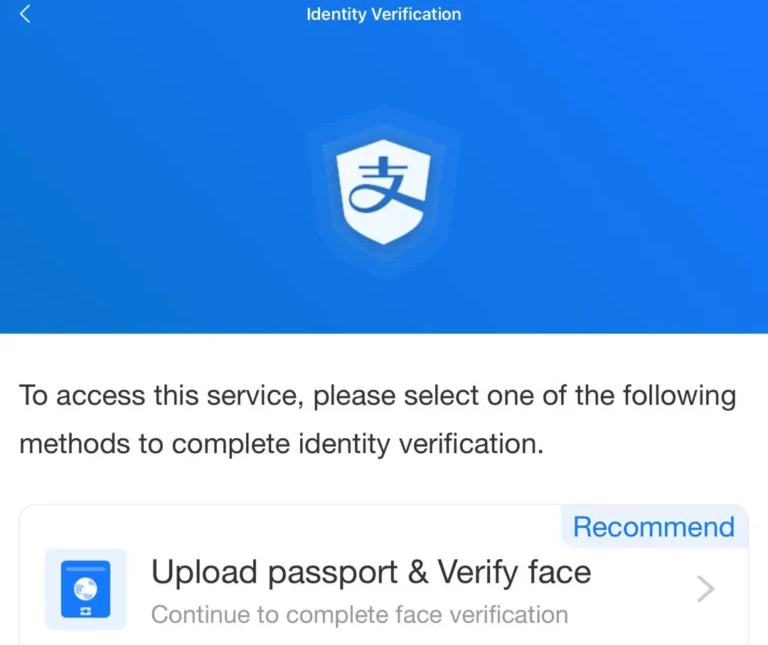
Now that you have both apps, it’s time to verify your identity. Verification is important because it links your payment methods to your account, ensuring your money is safe and that you can top up your balance.
For Alipay:
- Open the Alipay app and sign up with your Singapore phone number.
- The app will ask for a passport number for identity verification. This is a standard security measure to make sure you’re you.
- Take a photo of your passport and follow the prompts. The verification process should take a few minutes.
- Wait for confirmation—once it’s approved, you’ll be good to go!
For WeChat Pay:
- Open the WeChat app and sign up with your phone number.
- Go to the “Me” tab at the bottom right of the screen, then tap on “Wallet”.
- You may need a friend in China to help you activate WeChat Pay if you can’t get it going on your own. If this is the case, ask a friend to send you some funds via WeChat to help get the wallet activated.
- You’ll be asked to verify your identity as well, using your passport number. Follow the steps to complete it.
Linking a Card or Topping Up
Once your identity is verified, it’s time to link a payment method. Here’s how you can do it for each app:
For Alipay:
- Open Alipay and go to the “Me” tab (it’s the icon at the bottom right of your screen).
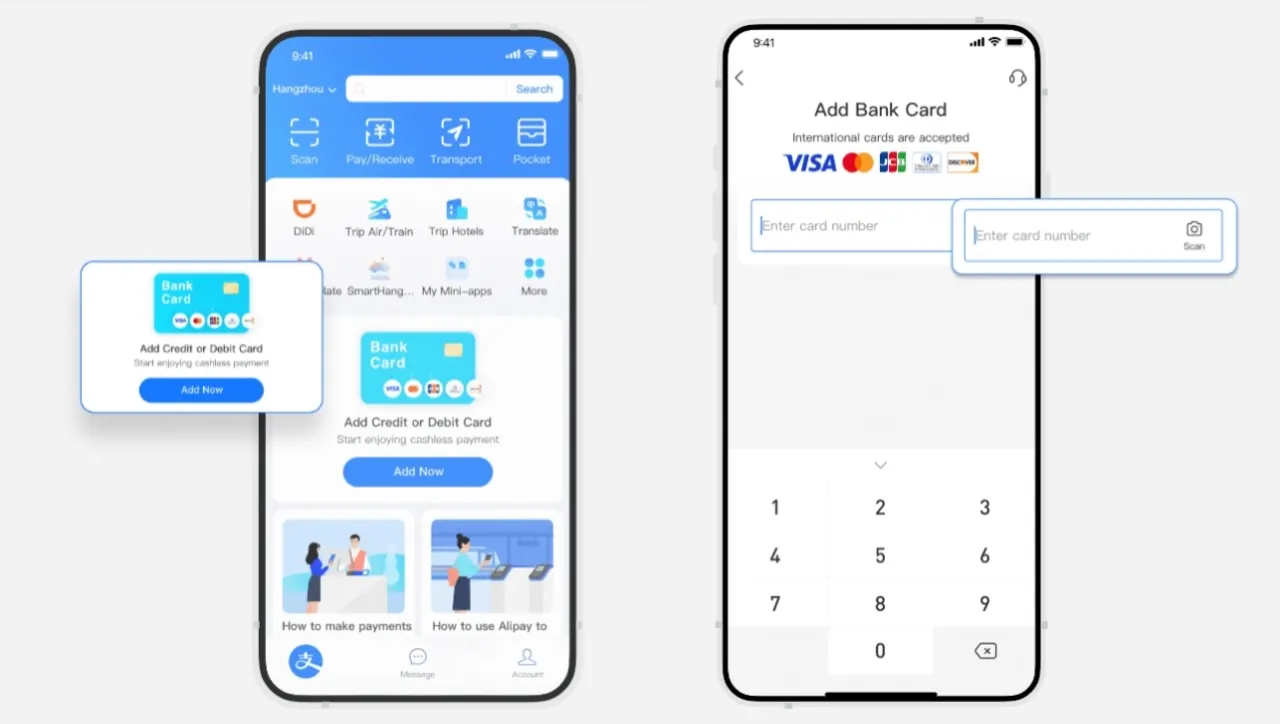
- Tap on “Balance”, then click “Add a Bank Card”.
- Enter your card details: Alipay accepts Visa/Mastercard issued in Singapore, so you can link your regular credit or debit card here.
- Once linked, you can either choose to top up your balance or simply pay directly from your card.
For WeChat Pay:
- Go to “Me” > “Wallet” > “Cards”.
- Tap on “Add a Card” and enter your Singapore-issued Visa/Mastercard details.
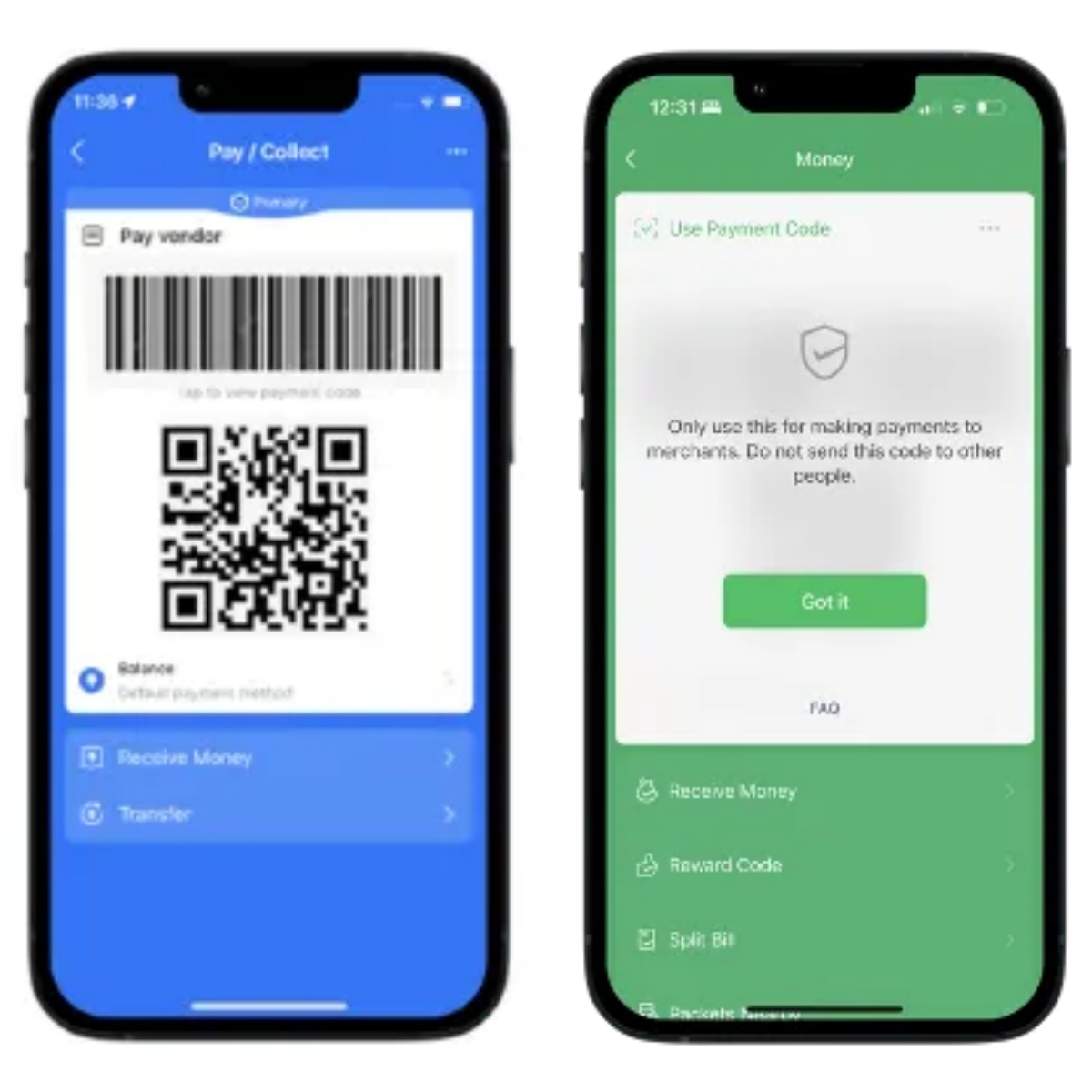
- Once linked, you can use WeChat Pay just like Alipay for QR code payments.
Between Alipay and WeChat Pay, Alipay is the easier option for Singaporeans. My advice? Set up both before you go! That way, you’re prepared for anything—whether it’s paying for bubble tea, booking train tickets, or even buying stuff on Taobao. Once you’ve got them set up, spending in China becomes effortless. 😊 Besides, there are many other Apps for China travel for you to explore!
Common Payment Scenarios in China & Tips
In China, payments are quick and seamless. Here’s what to expect in different scenarios:
Paying at Restaurants, Cafés & Shopping
- ❓How it works: Most restaurants and cafés will have a QR code on the table or at the cashier. You simply scan the QR code to pay via Alipay or WeChat Pay. Some places even allow you to order and pay directly through the app.
- ✅Tip: If you’re not sure how to pay, don’t hesitate to ask the waiter for help. They’ll guide you through.
Paying for Transport
- ❓How it works: For metro rides, buses, and even taxis in major cities, you can pay via QR code (using Alipay or WeChat Pay). In some cities, you’ll also find transport cards for easy access to public transport.
- ✅Tip: Always have mobile data or Wi-Fi on hand to scan QR codes for payments. Most taxis and ride-hailing services like Didi only accept digital payments—cash isn’t an option!
Online Shopping
- ❓How it works: Platforms like Taobao, JD, and Pinduoduo use Alipay to process payments. Once you’ve linked your card or top-up balance, simply tap to pay for your online purchases.
- ✅Tip: Be mindful of shipping times, especially if you’re ordering something online during a busy period (like festivals). Always check the seller's feedback and reviews before purchasing.
What to Do if a Payment Fails?
❌Transaction failed? ✔️Try switching payment methods.
❌QR code not scanning? ✔️Check your internet connection or restart the app.
❌Insufficient balance? ✔️Top up via your linked card or Tour Pass.
🥰Pro Tip: Don't forget to check China Visa and China entry requirements if you plan to stay longer than 30 days in China.Travel to China Confidently Now!
Source: Freepik
If you're heading to China, setting up Alipay or WeChat Pay before you go will save you a lot of hassle. UnionPay is a good backup, but it’s not enough for daily expenses. Get your mobile payment apps ready, link a card, and you’ll be able to pay like a local in no time. Safe travels! 😊
More Essential Apps to Use in China
Essential China Travel Apps