How to Use Trip.com Promo Codes (2025)

Author's Profile Picture
how to use trip.com promo codes

Promo codes are a powerful way to save big on flights and hotels.

This ultimate guide makes using Trip.com promo codes easy and straightforward, so you can unlock exclusive discounts and travel smarter every time you book.

🎉First, Where Can You Find Valid Trip.com Promo Codes?

Check Out the Weekly Updated Deals Summary Page

To find valid Trip.com promo codes, simply visit our deals roundup page(weekly updated!), where the latest travel discounts and special offers are listed for easy access.

Save the Date for Monthly Campaigns

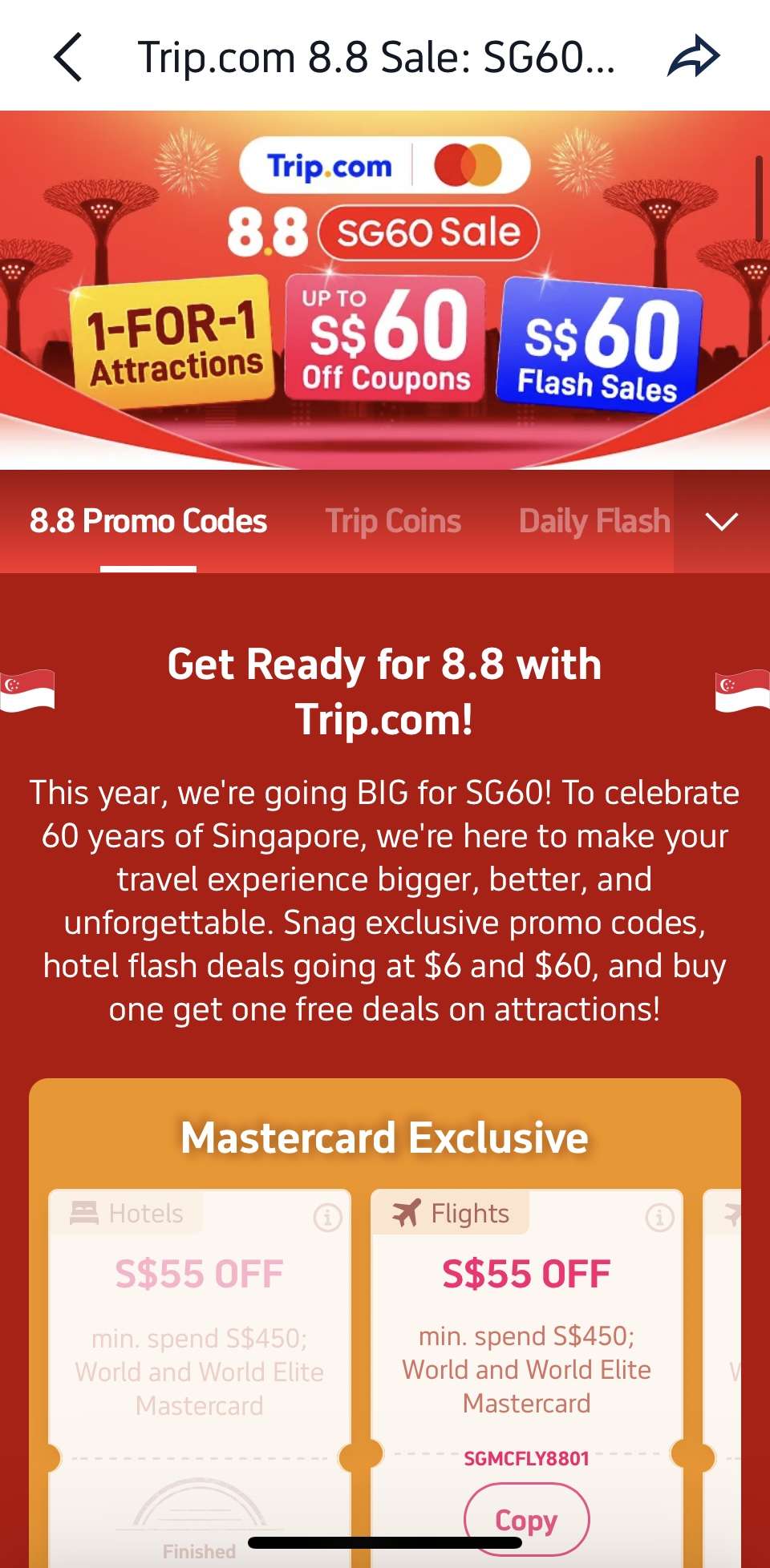
trip.com 8.8 campaign screenshot

Mark your calendar for Trip.com’s monthly campaigns held on popular double dates—like 1.1, 2.2, 3.3, all the way up to 10.10, 11.11, 12.12—when exclusive flight, hotel and attraction deals are released for a limited time.

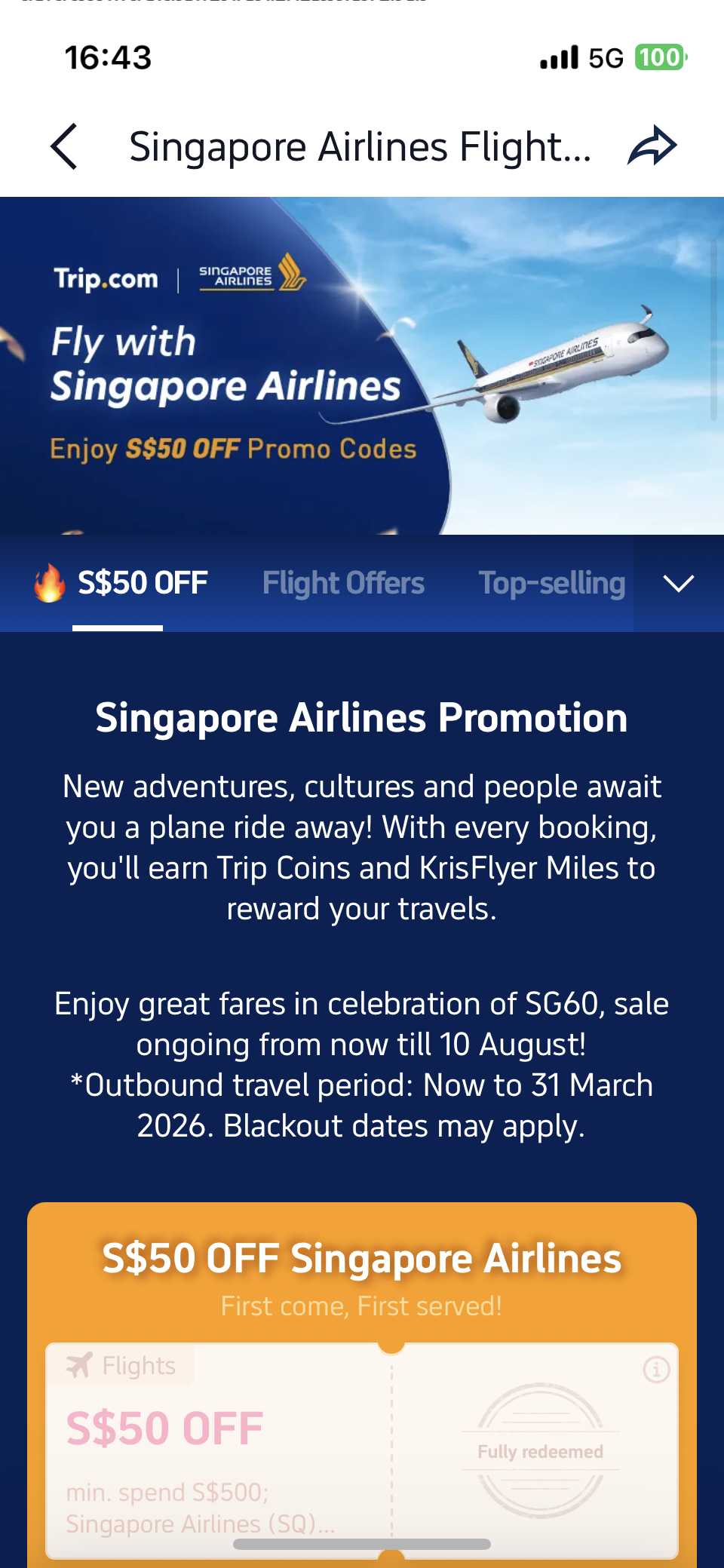
trip.com singapore airlines dedicated campaign page

Each monthly campaign also features dedicated flight campaign pages for popular airlines, where travellers can claim promo codes from popular airlines such as Singapore Airlines, Scoot, Air China, Qantas, ANA, and many more! 

Snatch exclusive flight deals from top airlines—be sure to mark the double-digit dates on your calendar and visit Trip.com’s monthly campaigns!

Stay Ahead—Join Our Exclusive Telegram Group!

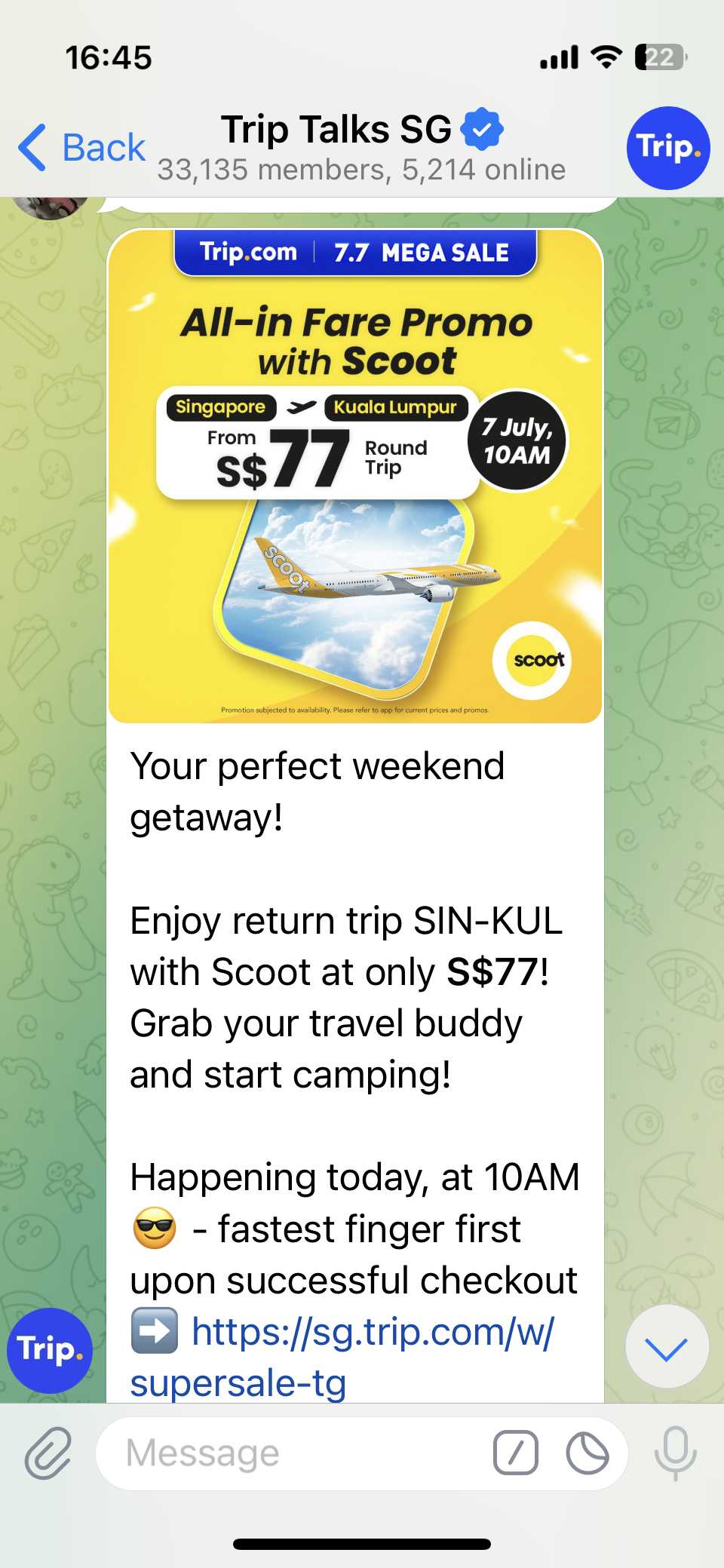
Scoot flight promo message in trip talks SG telegram group

Don’t miss out on the hottest deals and flash sales! Join our Telegram group Trip Talks SG to get instant alerts, exclusive offers, and be first in line for must-grab promo codes. Stay connected, save more!

Download the App for App-Only Discounts

Download the Trip.com app now and unlock exclusive app-only discounts! Use the QR code to get instant savings on flights and hotels, available for both Android and Apple users.

📱Step-by-Step: How to Use a Promo Code on the Trip.com App

Method 1: Add Promo Code from the App Main Page

You can save a promo code into your account before booking. 

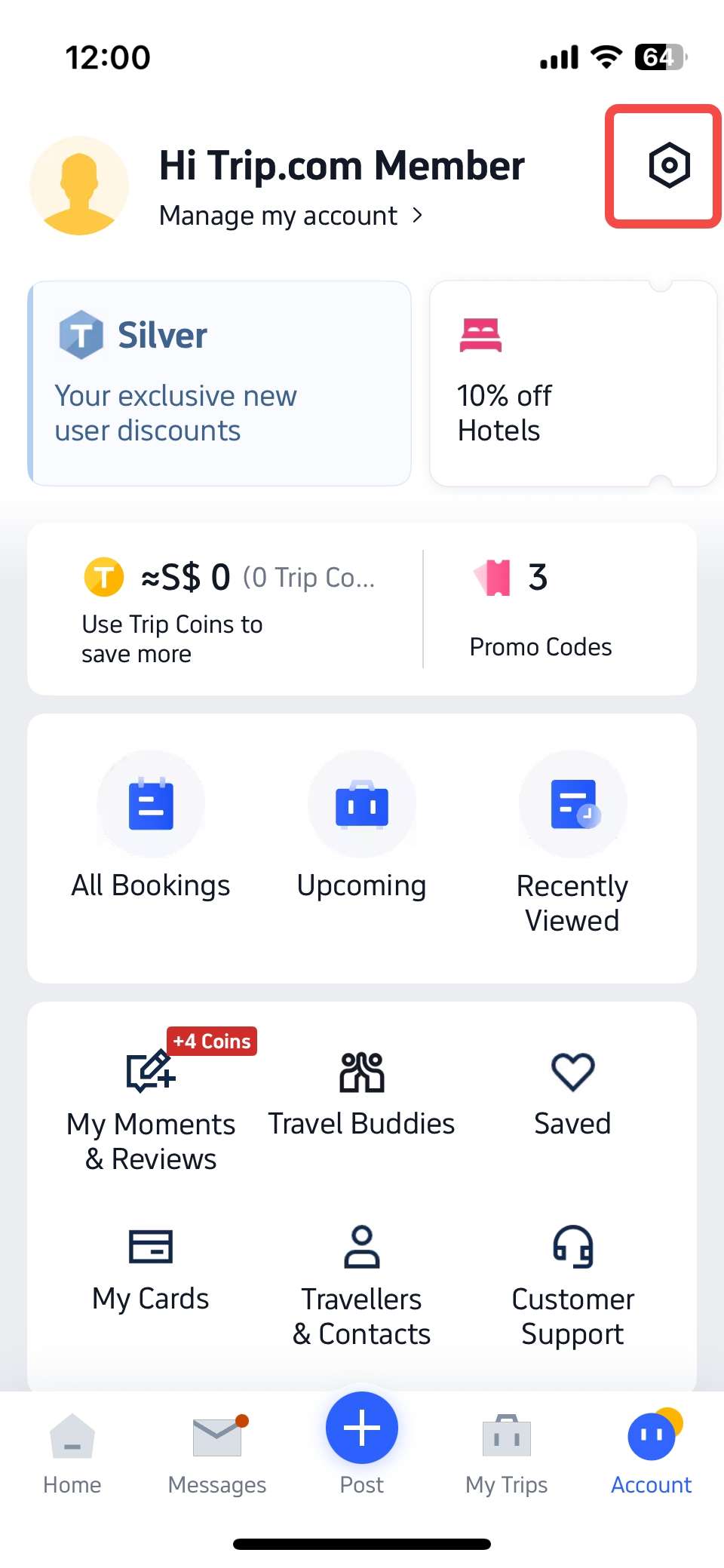
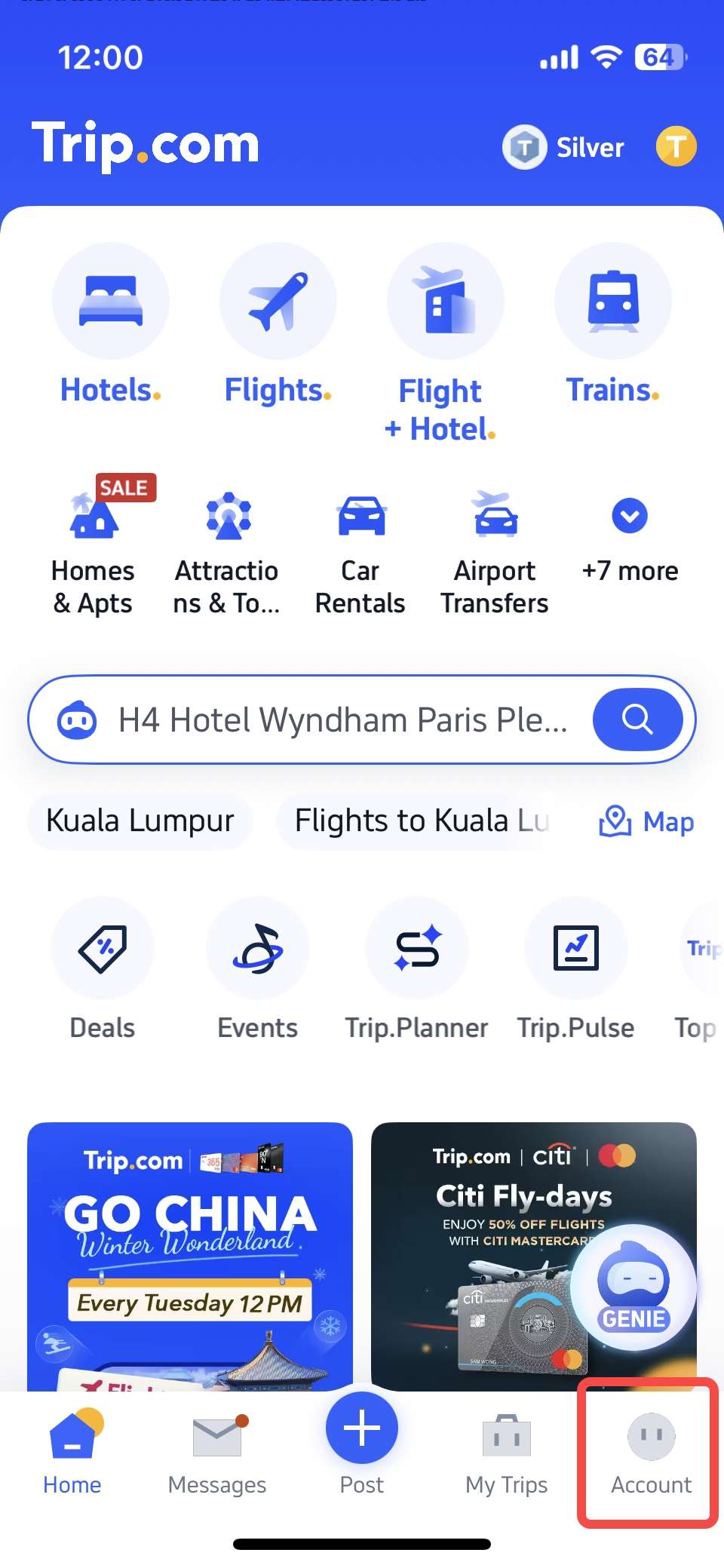
Step 1. On the Trip.com APP main page, click [Account] in the bottom right corner.

trip.com app main page

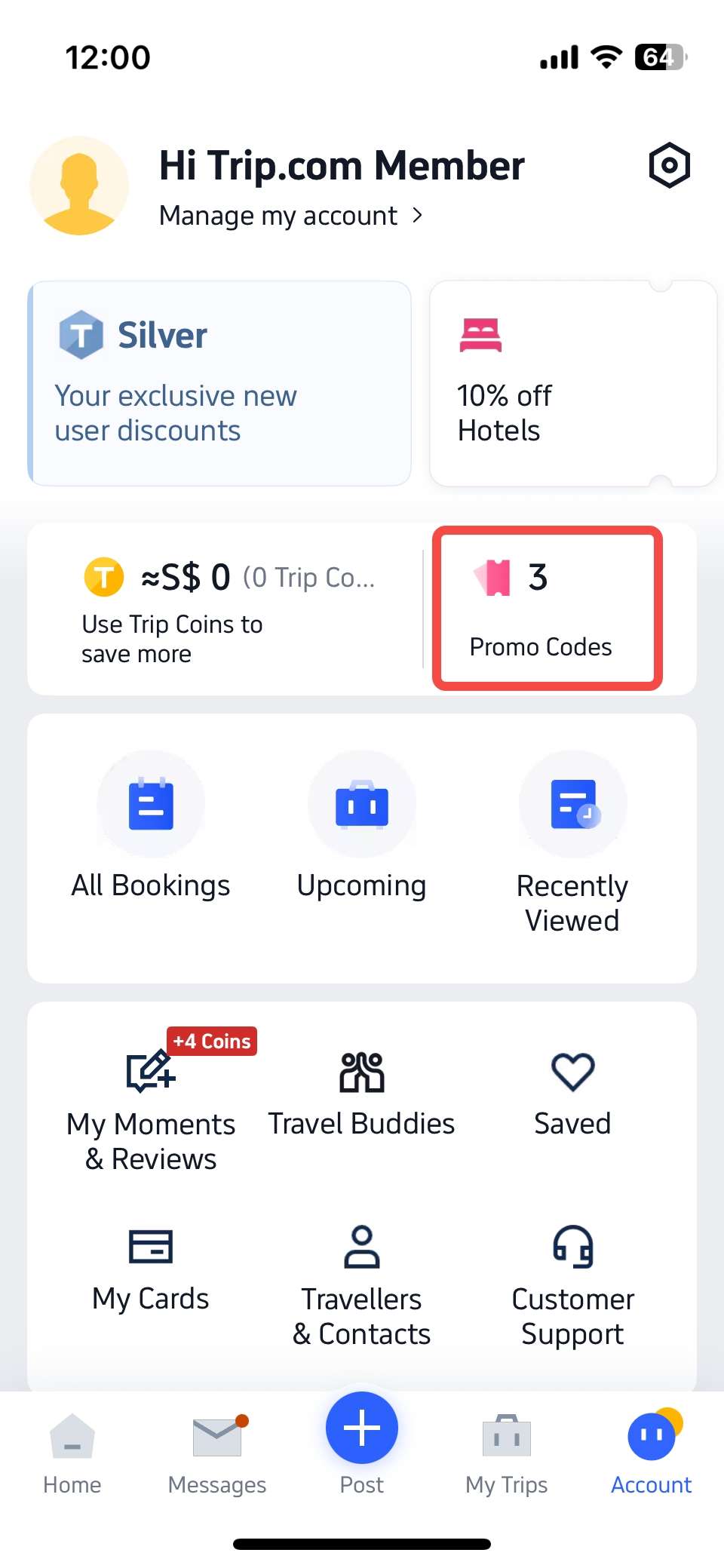
Step 2. On your account page, locate and click [Promo Code] in the top right corner.

trip.com app account page

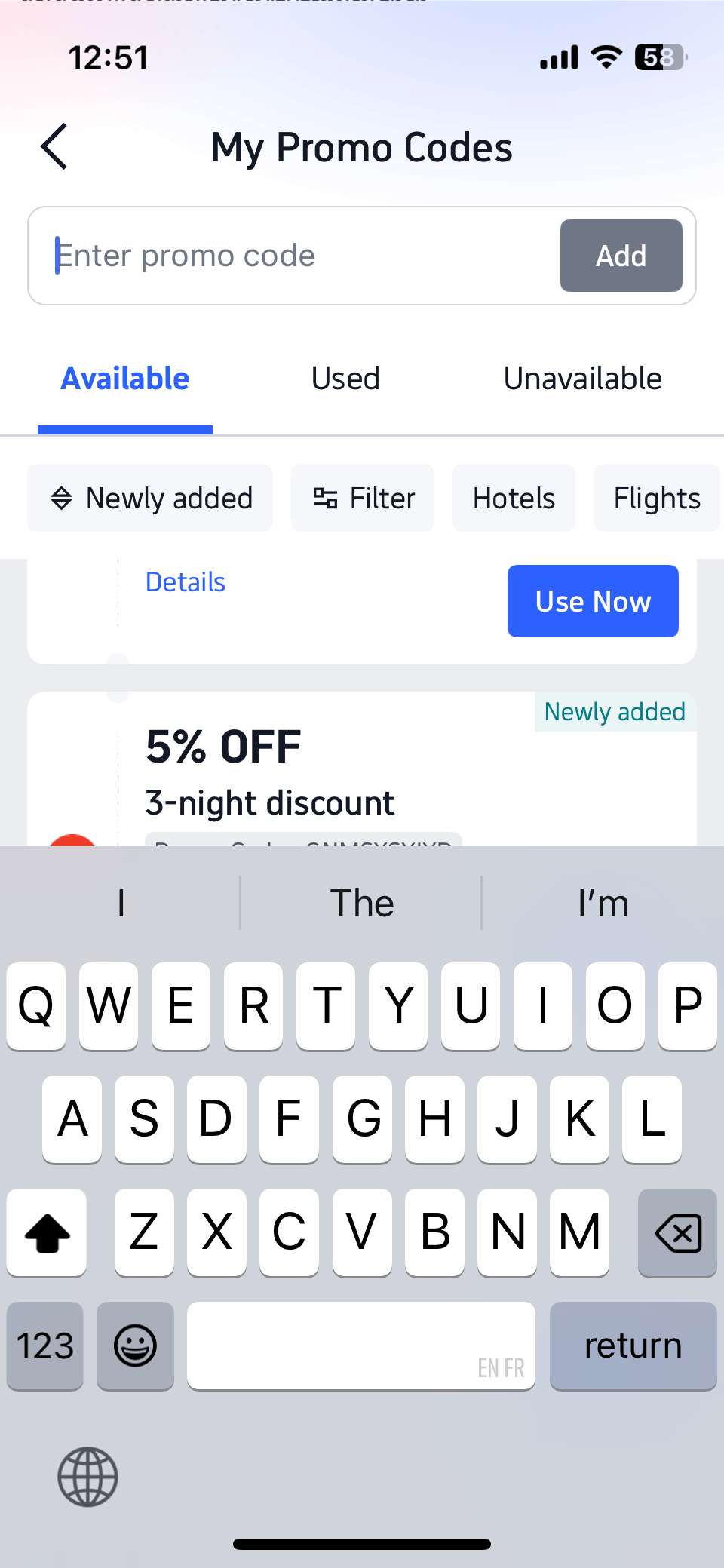
Step 3. You can either type in your promo code manually or copy and paste it from a campaign page.

trip.com app promo code page

This method is recommended because once a promo code is saved in your account, it will be automatically applied at checkout—so you don’t have to worry about missing out on savings during your flight booking.

Method 2: Enter Promo Code Before Check-Out

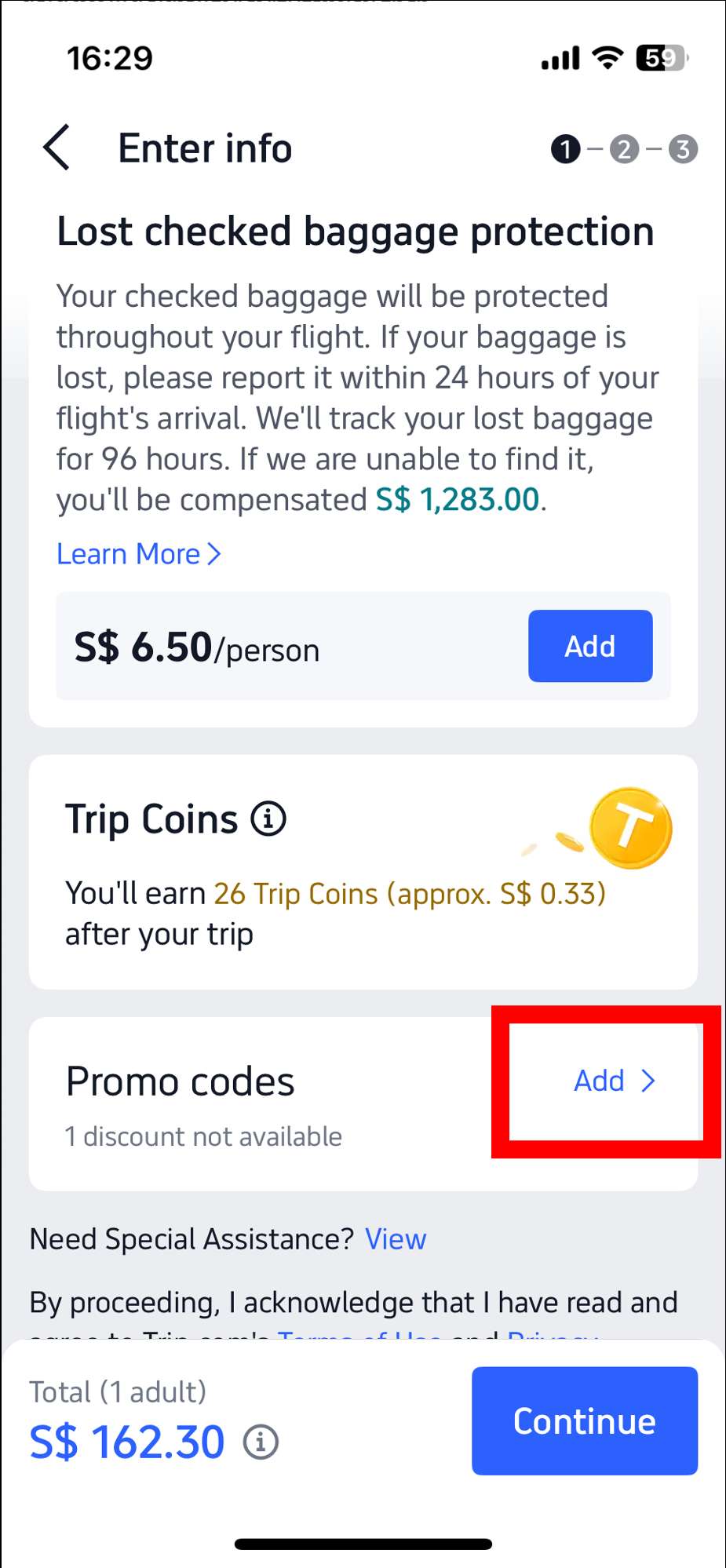
Step 1. After selecting your passenger details during booking, scroll to the bottom of the booking page. Click [Add] at the ‘Promo codes’ section. 

trip.com app flight booking page

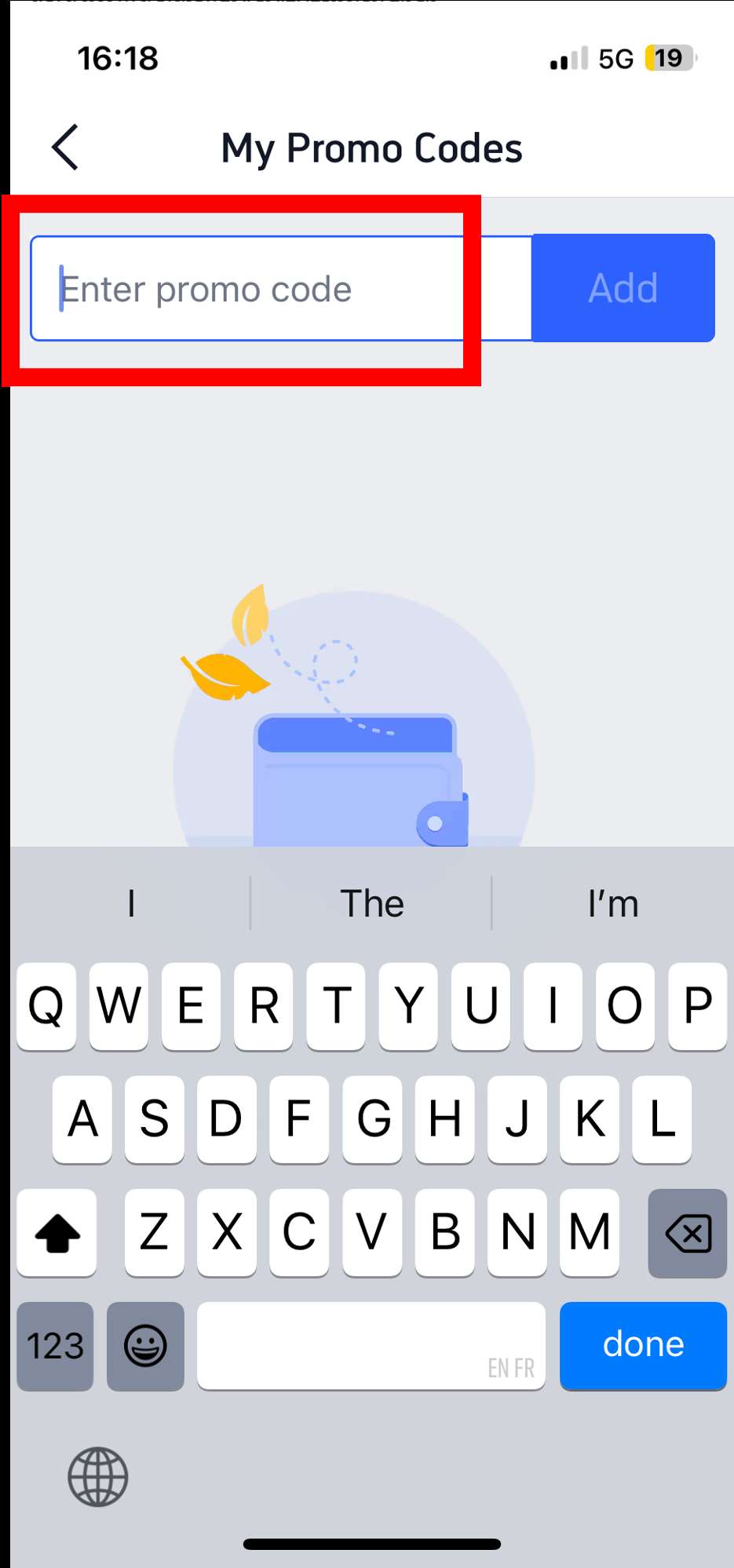
Step 2. Enter your promo code and click [Add] again to apply it before payment.

trip.com app promo code adding page

💻Step-by-Step: How to Apply a Trip.com Promo Code on Desktop

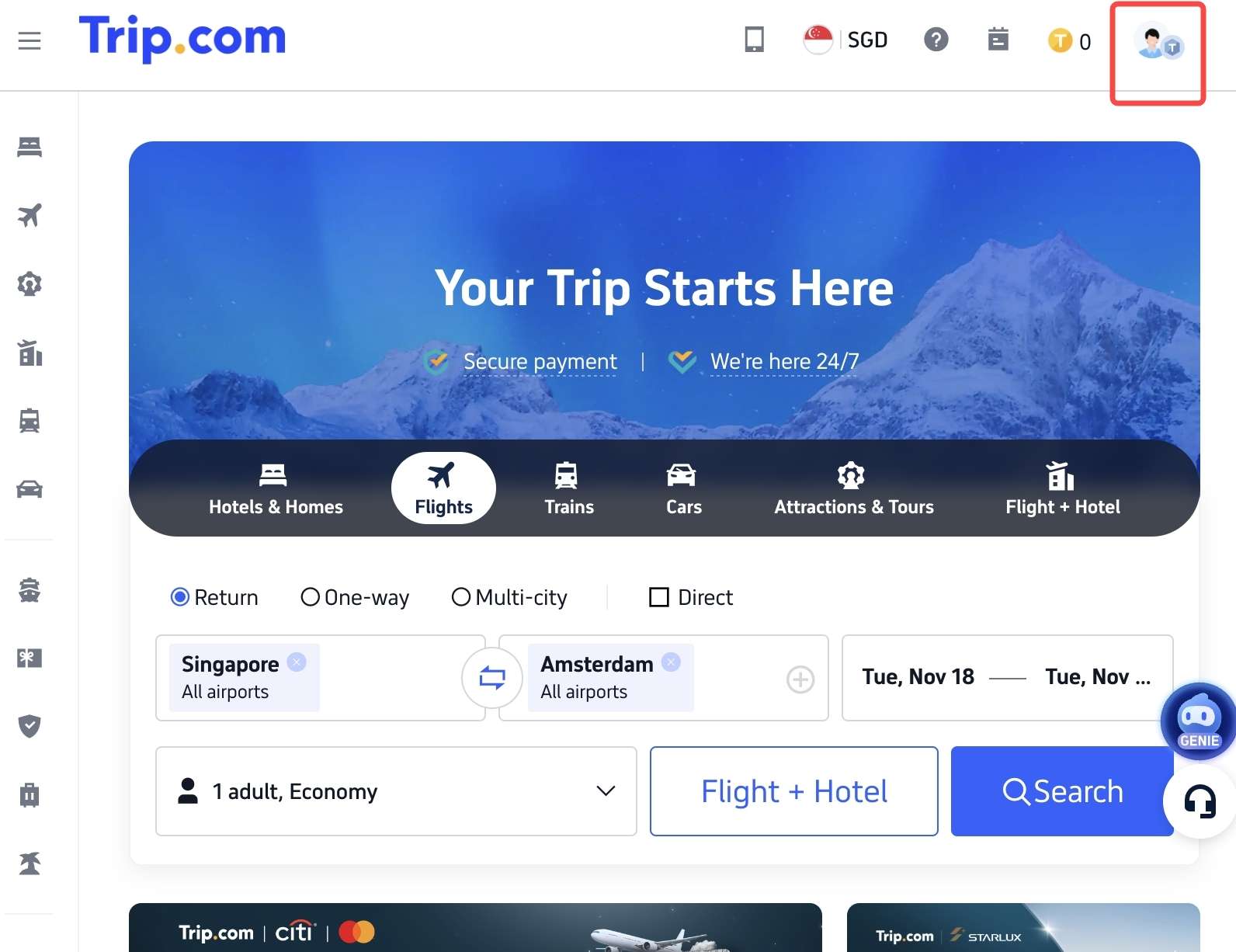
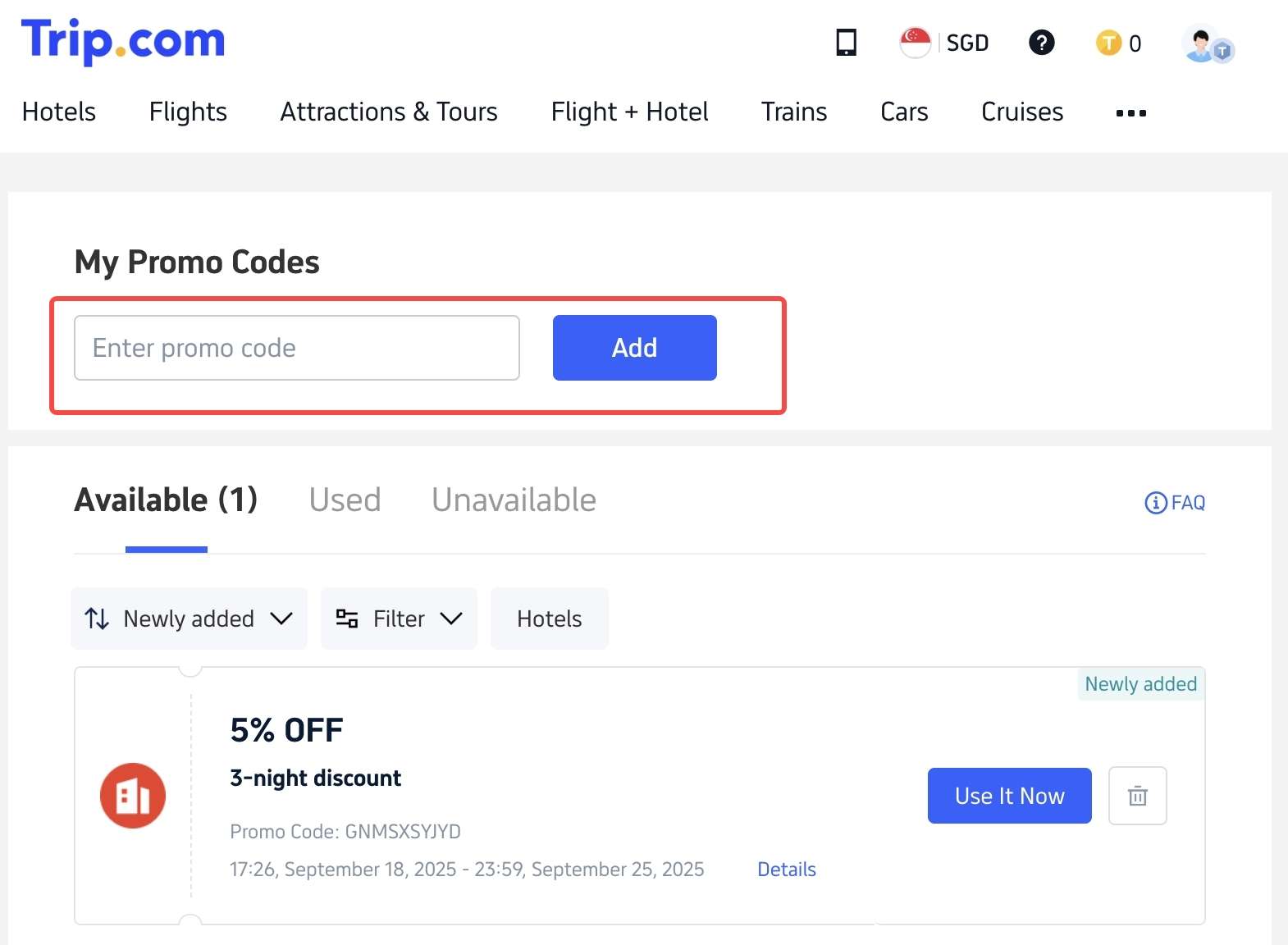
Step 1. On your desktop Trip.com website, click the user account icon in the top right hand corner of the website.

trip.com desktop main page

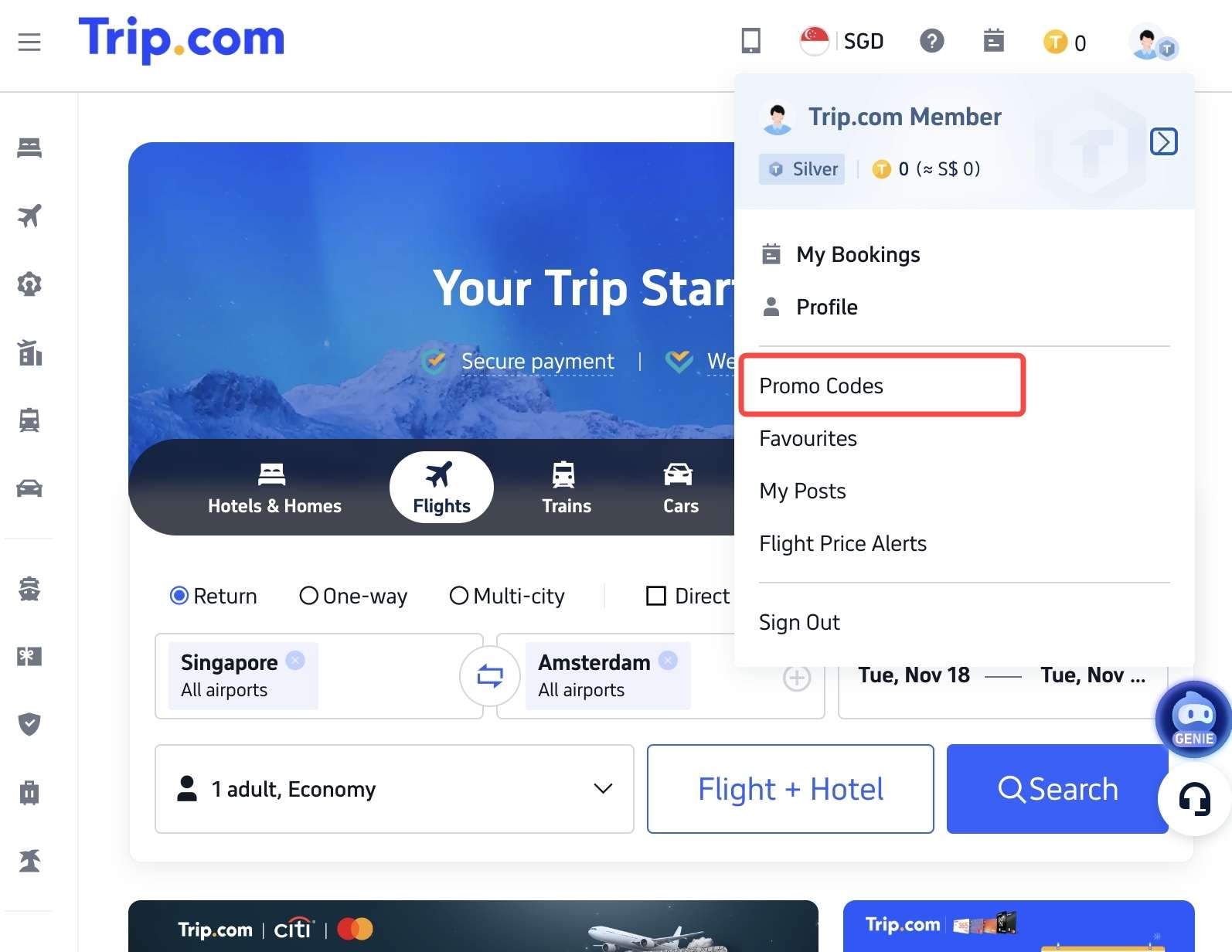
Step 2. In the drop-down bar, go to [Promo Codes].

trip.com desktop main page account dropdown bar

Step 3. You can either type in your promo code manually or copy and paste it from a campaign page. 

trip.com desktop promo code page

🔧Troubleshooting: Why Is My Trip.com Promo Code Not Working?

Reason 1: The Code Has Expired

Promo codes are valid only for a limited time, so if it’s past the expiry date, the code won’t work anymore. Always check the validity before applying.

Reason 2: You Haven't Met the Terms (e.g., Minimum Spend, Payment Method)

Many promo codes require a minimum spend or have specific conditions, such as paying with a card of a specific bank (eg. DBS/POSB, Citibank, HSBC, UOB, etc.). Ensure your booking meets the restrictions to activate the discount.

Reason 3: The Code is for a Different Product (Hotel vs. Flight)

Promo codes usually apply to specific categories like flights, hotels, or attractions, so please check that your code is valid for the type of booking you’re making.

Reason 4: It's a New User or App-Only Code

Some promos are exclusive to new users or app bookings. Existing users or those booking via the website may not qualify for these offers.

New User Only Promo Code: Some promo codes are specially designed for new users. If you’re booking for the first time, these codes give you extra savings, but they won’t work for repeat bookings.

App-Only Promo Code: Certain discounts are exclusive to bookings made through the Trip.com app. To enjoy these offers, be sure to download the app and book your trip there.

Reason 5: Your Locale Setting Is Not ‘Singapore’

If your Trip.com promo codes aren’t working, it may be because your account locale isn’t set to Singapore

Step 1. On the Trip.com APP main page, click [Account] in the bottom right corner.

trip.com app main page

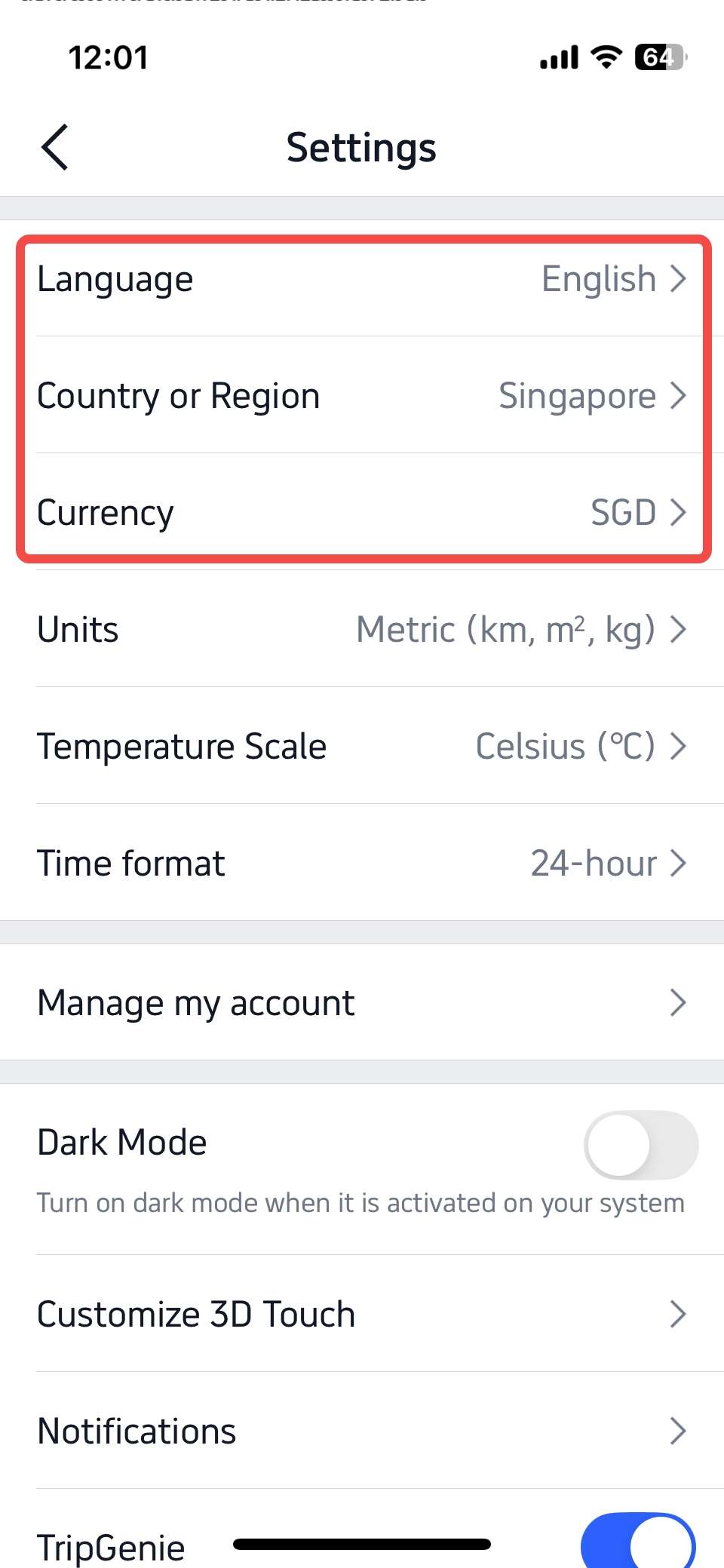
Step 2. On your account page, locate and click [Settings] in the top right corner.

trip.com app account page

Step 3. Under [Language], select ‘English’ or '繁體中文'. Under [Country or Region], select ‘Singapore’. Under [Currency], select ‘SGD’.

trip.com app account setting page

When these are set correctly, your locale will be Singapore, allowing you to view live Trip.com SG campaigns and access promo codes seamlessly.

Ready to start saving on your travels? With the tips and step-by-step guidance from this guide, using Trip.com promo codes is easier than ever—just a few clicks and you’ll unlock instant discounts on flights, hotels, and more. Don’t miss the next great deal—apply your promo code, plan your getaway, and enjoy maximum value every time you book!

FAQ: Common Questions on Promo Codes

  • Can I use more than one promo code on Trip.com?

    You can apply only one promo code per booking, so we recommend choosing the one that gives you the best savings.
  • What are Trip Coins and how do they work with promo codes?

    Trip Coins are loyalty rewards you earn on bookings, which can be used like cash to partially pay for your trips. You can apply Trip Coins during checkout alongside promo codes for extra savings.
  • Do Trip.com promo codes work on both flights and hotels?

    Yes, but some promo codes are specific to flights or hotels, so check the terms before applying.
  • How do I get a Trip.com promo code for a new user?

    New users can receive special promo codes and a first booking deal by downloading the app and signing up.
  • Why did my promo code only give a small discount?

    Discounts can vary based on code type, minimum spend, and booking conditions.
Disclaimer: This article has been provided by an individual contributor or third party platform. If there is any discrepancy regarding the copyright, please contact us directly and we will delete the content immediately.
>>
How to Use Trip.com Promo Codes