
Book Hotel and Flights Today, Pay Later Guide: Flexible Payment Options Explained

Author's Profile Picture
Flight Ticket and Hotel Booking: Book Now Pay Later

Traveling doesn’t have to mean paying everything upfront. With Trip.com’s Buy Now, Pay Later option, you can book flights and hotels today and split your payments into smaller, more manageable installments. This flexible payment method is perfect for travelers who want to lock in great deals without straining their budget.

What is “Buy Now, Pay Later” on Trip.com?

Buy Now Pay Later

Buy Now, Pay Later is a payment option that allows you to confirm your flight tickets and hotel bookings immediately while paying the cost over time. Trip.com partners with pay later apps such as Atome and credit card installments such as POSB Bank and OCBC Bank.

Instead of paying the full price at checkout, you will pay in installments, some of which are interest-free.

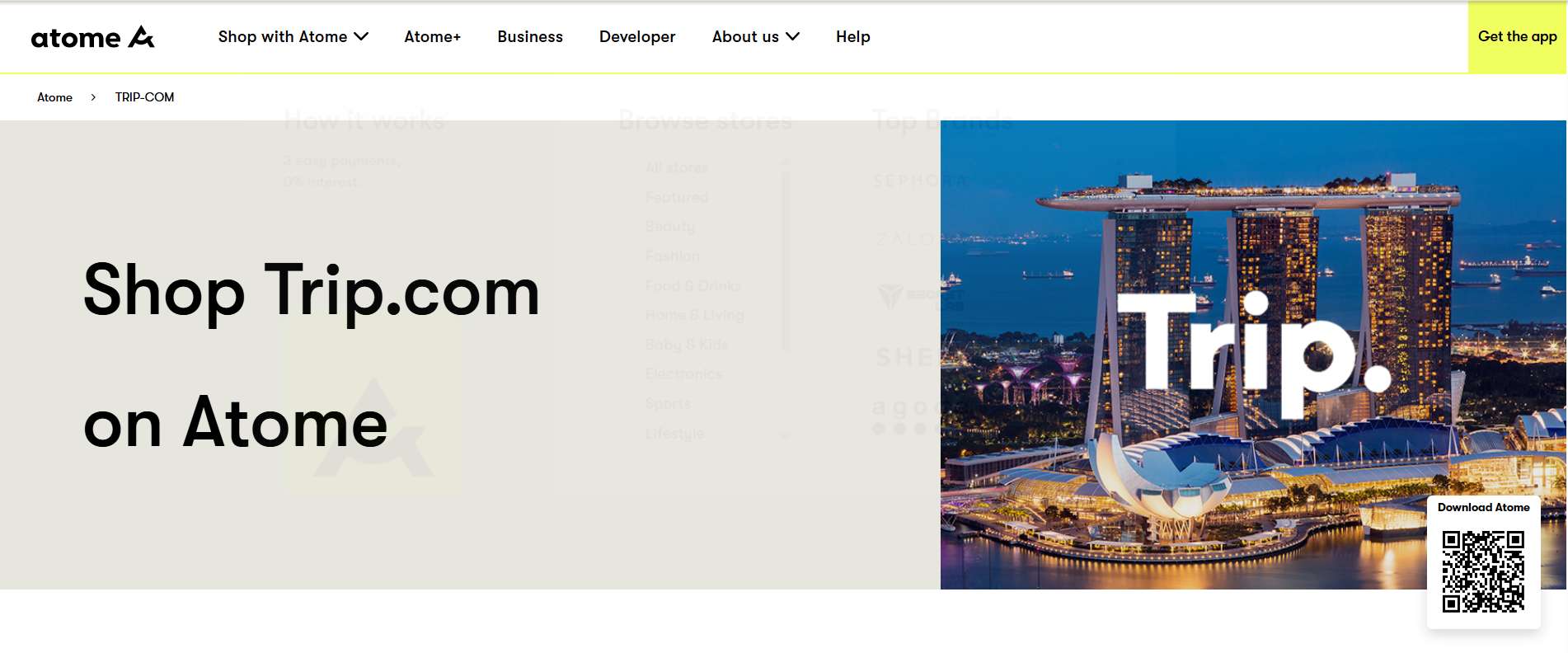
How to Use Atome on Trip.com

How to use Atome

Source: Atome.sg website

Booking with Trip.com Atome installment is simple:

  • Go to Atome App and click on Trip.com App
  • Search for your flight booking or hotel bookings
  • On the checkout page, select Atome payment method
  • Log in to your Atome account (sign up if new user)
  • Confirm your booking and pay only 1/3 upfront. The remaining two payments will be auto-deducted later with zero interest

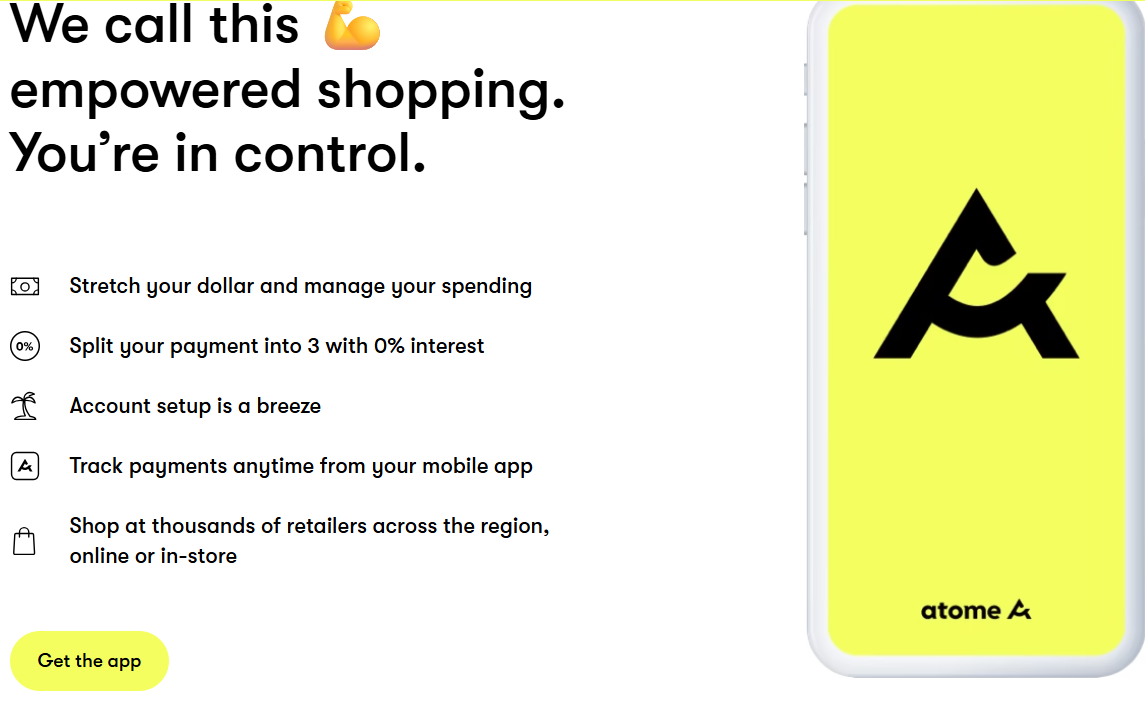
Benefits of Booking with Atome on Trip.com

Buy with Atome

Source: Atome.sg website

Interest-Free Payments

With Trip.com’s Pay Later option through Atome, you can split your booking into 3 easy installments, all completely interest-free and with no hidden fees, making it easier to manage your travel budget while still securing your flights and hotels right away.

Travel Now, Pay Later

With Trip.com’s Buy Now Pay Later Singapore option, you can book your flight or hotel instantly and confirm your reservation without paying the full upfront cost, giving you the flexibility to secure the best deals while spreading your payments over time.

Flexible Budgeting

Trip.com’s Atome Pay Later option helps you manage large travel expenses by breaking them down into smaller, manageable payments, so you can plan your trip with less financial pressure and more flexibility.

Seamless Checkout

The Pay Later feature is integrated directly into Trip.com’s booking system, meaning you can select your flight or hotel, choose a payment plan like Atome, and confirm your reservation in just a few clicks without needing to leave the Trip.com platform.

Things to Note Before Using Atome

Atome installment
Source: Atome.sg website

Eligibility

Atome is available in select countries across Asia.

Payment Schedule

The first payment is charged immediately, while the remaining two are deducted automatically every 30 days.

Refunds

If you cancel a booking, refunds are processed based on Trip.com’s refund policy and Atome will adjust your installment plan accordingly.

Spending Limits

Atome may set a maximum spending limit depending on your account history.

Trip.com Credit Card Installment with POSB Bank

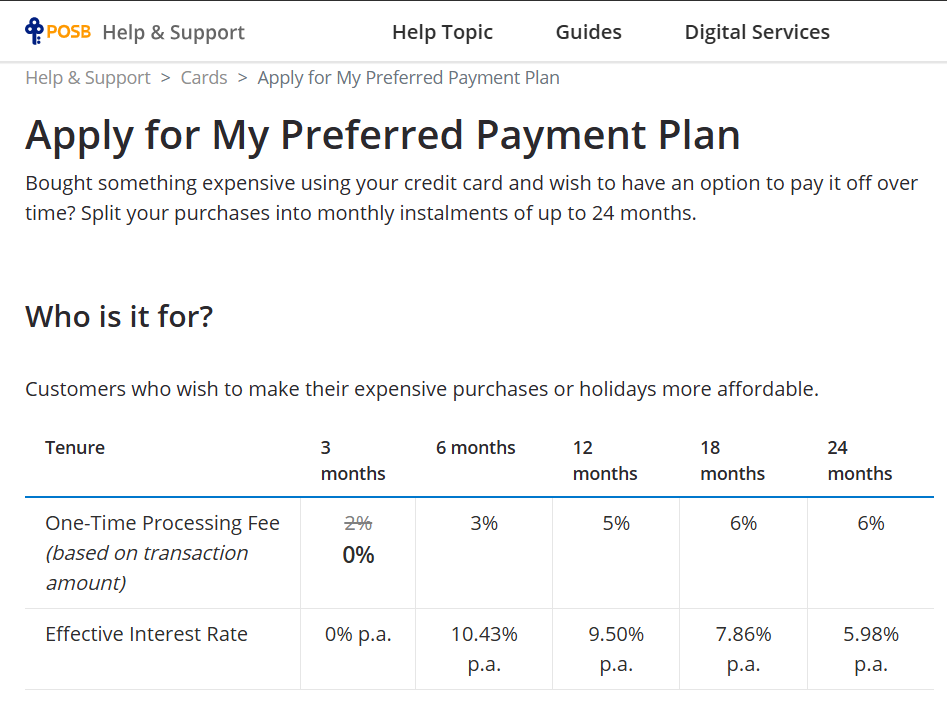
Apply for POSB Bank

Source: POSB Bank

In addition to Buy Now, Pay Later providers like Atome, Trip.com also supports POSB credit card installment plans for selected banks. If you’re a POSB cardholder in Singapore, you can split your flight or hotel booking into monthly installments directly at checkout.

💡 Tip: Always check the latest POSB installment promotions on Trip.com before booking, as banks may offer special interest-free campaigns for a limited time. POSB credit card installment make large purchases become easy for travellers.

How to Apply for My Preferred Payment Plan (POSB)

If you’ve booked your flight or hotel on Trip.com using your POSB/DBS credit card, you can convert your payment into affordable monthly installments with My Preferred Payment Plan. Here’s how:

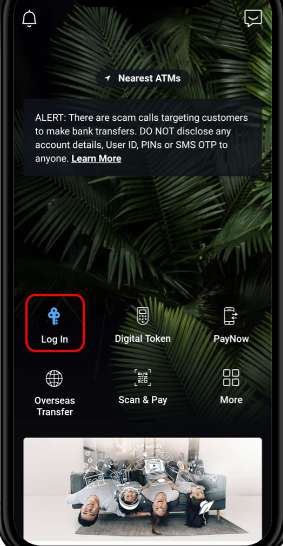
Steps 1: Log in to digibank

Open your POSB Digibank mobile app or internet banking.

Step 1 POSB Installment
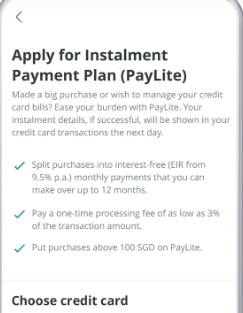
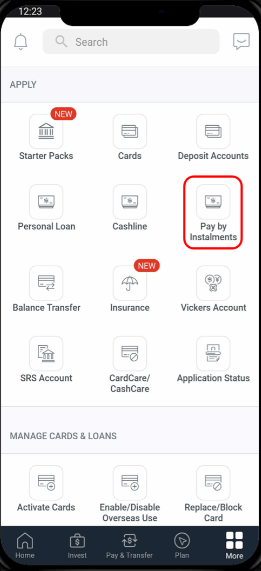
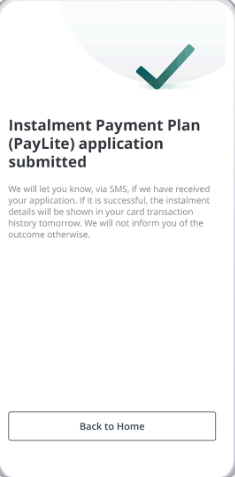
Steps 2: Go to “More, Apply"→ “Pay by Installment”

Step 2 POSB Installment

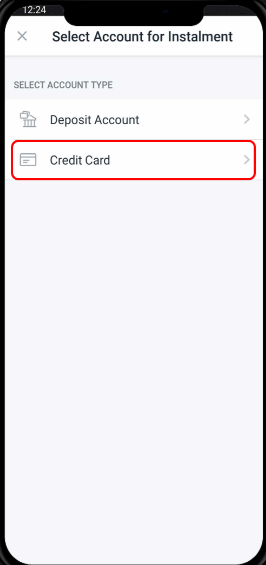
Steps 3: Click on Credit Card

Step 3 POSB Installment

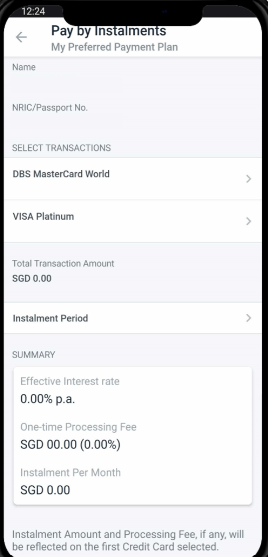
Steps 4: Under Select Transaction, Select Your Card

Step 4 POSB Installment

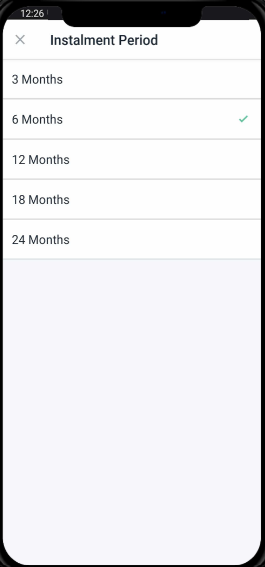
Steps 5: Select Eligible Transaction and Select Installment Period

Find your Trip.com booking transaction from the list of eligible payments and choose between 3, 6, 12, or 24 months depending on your preference.

Step 5 POSB Installment

Last Steps: Click Apply and Application Successful

Check the monthly repayment amount and any applicable processing fees and submit your POSB installment plan instantly.

Step 6 POSB Installment

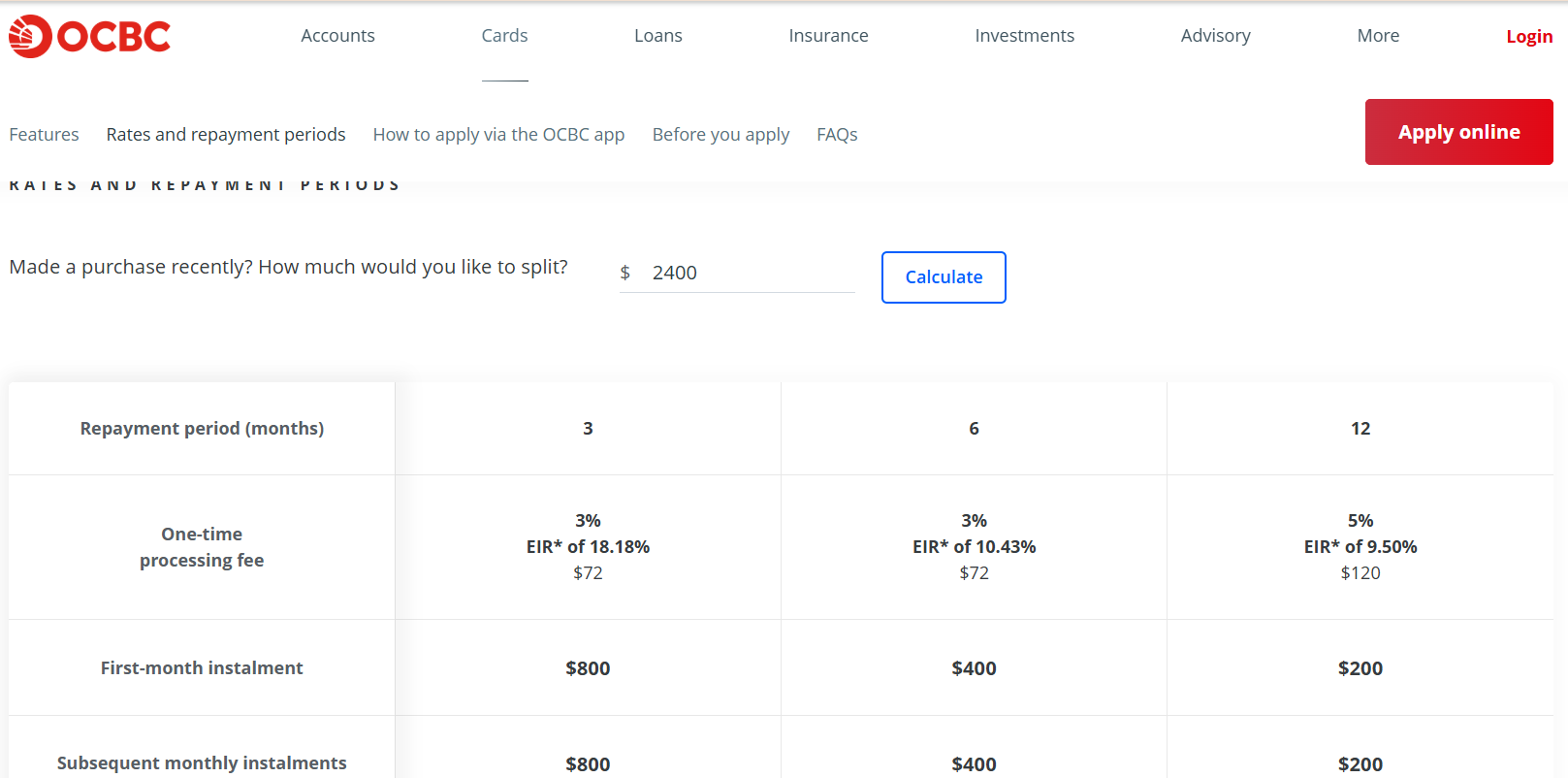
Trip.com Credit Card Installment with OCBC Bank

OCBCB Installment

Besides POSB, Trip.com also supports OCBC credit card installment. This option lets you turn your flight or hotel bookings into smaller monthly payments, making big-ticket trips easier to manage.

How to Apply for OCBC Installment Plan

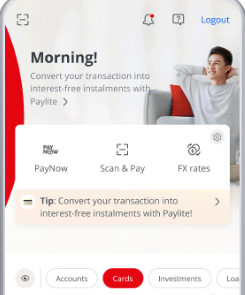
Steps 1: Log in to OCBC Digital Mobile App or Internet Banking

Navigate to Cards → Payment Plans.

Step 1 OCBC Installment

Steps 2: Select the Card to Make Transaction

Step 2 OCBC Installment

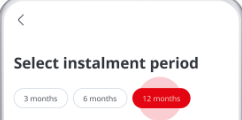
Steps 3: Select Your Transaction and Installment period

Choose the booking you want to convert into installments and choose from 3, 6, 12, or 24 months (subject to your card’s eligibility).

Step 3 OCBC Installment

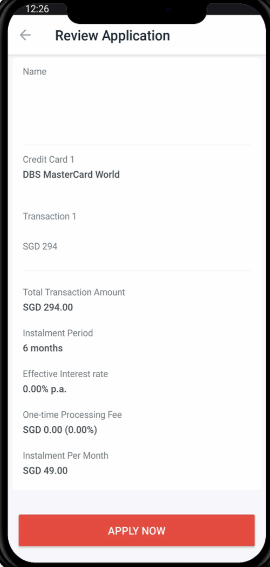
Last Steps: Review the installment and submit

Check the monthly repayment schedule, fees (if any), and confirm instantly.

Step 4 OCBC Installment
💡 Tip: If you don’t see your Trip.com charge in the OCBC installment plan list, wait until the transaction is posted, then try again.
Singapore-Seoul
Seoul - Singapore
See All Flights
Singapore
SIN
Seoul
ICN
Wed, Mar 4
Thu, Mar 5
One way
17% off
From 17,181.08PHP 14,197.58
Singapore
SIN
Seoul
ICN
Wed, Mar 4
Thu, Mar 5
One way
17% off
From 17,181.08PHP 14,197.58
Singapore
SIN
Seoul
ICN
Wed, Mar 4
Thu, Mar 5
One way
16% off
From 17,181.08PHP 14,447.69
Singapore
SIN
Seoul
ICN
Wed, Mar 4
Thu, Mar 5
One way
14% off
From 17,181.08PHP 14,831.18
Singapore
SIN
Seoul
ICN
Wed, Jan 28
Wed, Jan 28
One way
14% off
From 17,181.08PHP 14,839.52
Singapore
SIN
Seoul
ICN
Wed, Jan 28
Wed, Jan 28
One way
14% off
From 17,181.08PHP 14,839.52
Singapore
SIN
Seoul
ICN
Fri, Jan 16
Fri, Jan 16
One way
13% off
From 17,181.08PHP 14,947.89
Singapore
SIN
Seoul
ICN
Wed, Feb 4
Thu, Feb 5
One way
12% off
From 17,181.08PHP 15,147.98

Final Thoughts

Vacation with trip.com

With Trip.com’s Buy Now, Pay Later, you can book both flights and hotels without paying the full price upfront. Whether you’re planning a weekend getaway or a long holiday, paying in installments makes travel more accessible and budget-friendly. Lock in today’s deals, travel stress-free, and manage your payments with ease.

FAQ: Buy Now, Pay later with Trip.com

  • Are there extra fees for using Buy Now, Pay Later on Trip.com?

    Many installment plans are interest-free, but some may charge interest or fees. Always check the terms before confirming.
  • Can I get a refund if I booked with Pay Later?

    Yes, but it depends on the Trip.com cancellation policy and your BNPL provider. If eligible, your installment plan will be adjusted.
  • How do I know if Pay Later is available for my booking?

    If your flight or hotel is eligible, the “Buy Now, Pay Later” option will appear at the payment step.
Disclaimer: This article has been provided by an individual contributor or third party platform. If there is any discrepancy regarding the copyright, please contact us directly and we will delete the content immediately.
>>
Buy Now, Pay Later