
Benefits of Trip.com Contact Service

- Customised Service: Trip.com contact service offers tailored assistance, allowing customers to directly speak with a professional customer support member to address their questions or problems.
- 24/7 Service: Trip.com hotline service is available 24/7, enabling customers to contact them at any hour of the day or night.
- Language Diversity: With support in 40 languages, Trip.com call service makes it simpler for customers from various regions to effectively convey their issues.
Full List of Trip.com Hotline
Trip.com offers 24/7 Customer Service for various languages in 40 Countries and Regions, including English, Japanese, Korean, French, etc. Here is the full list of Trip.com hotline:
📞 3125 4664
✈️ Flights, hotels, trains, and cars: 24/7
🏨 Other Bookings: 09:00–02:00 (+1) (Singapore Time)
🌍 From Outside Singapore
📞 +65 3138 5161
✈️ Flights, hotels, trains, and cars: 24/7
🏨 Other Bookings: 09:00–02:00 (+1) (Singapore Time)
How to Find Trip.com Hotline on Trip.com App
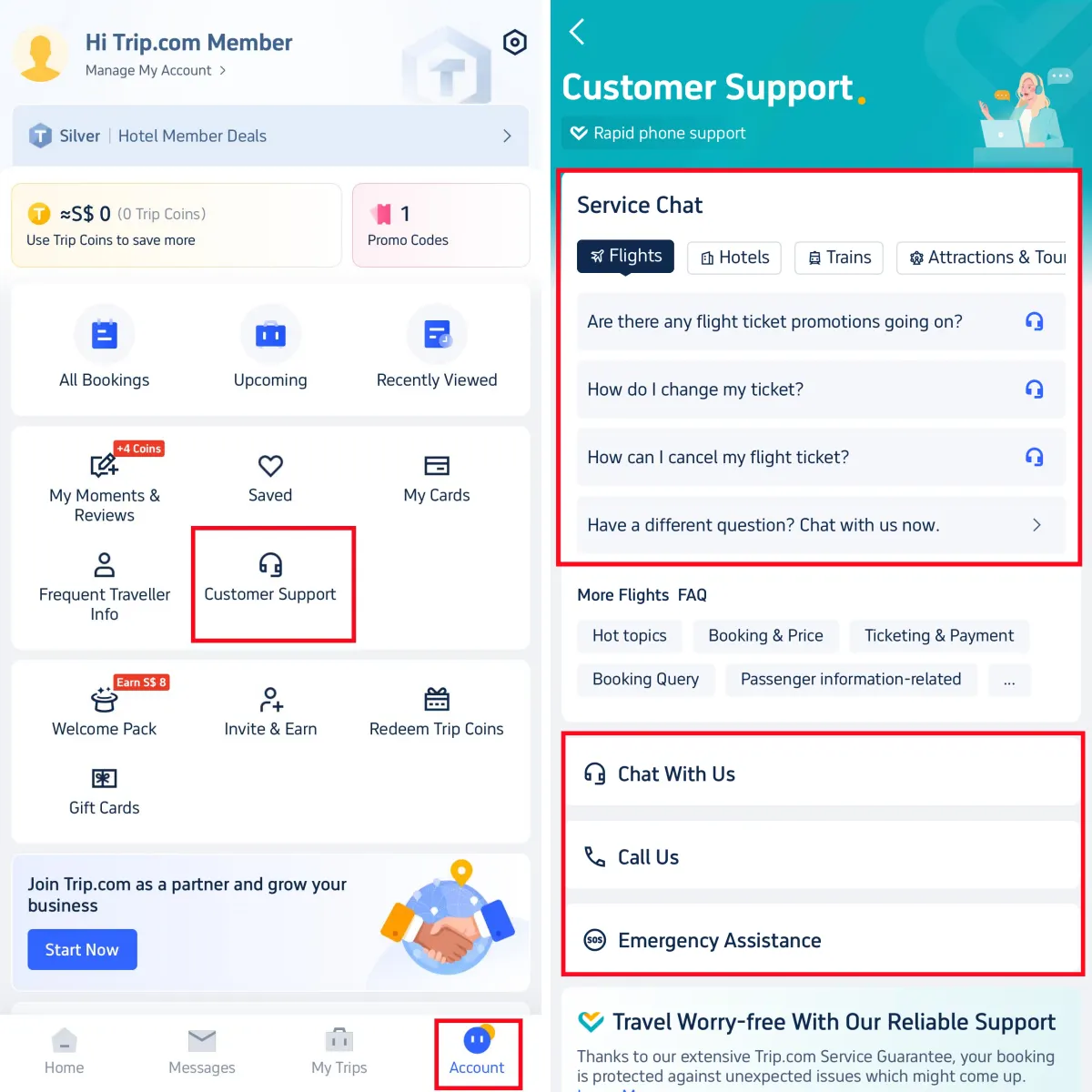
Step 1: Enter the Trip.com App to Find Trip.com Hotline
- Log in to your Trip.com account and go to "Account" section. Then click on the "Customer Support" button to enter the detail page.

Step 1
Step 2: Choose Trip.com Call Service to Find Trip.com Hotline
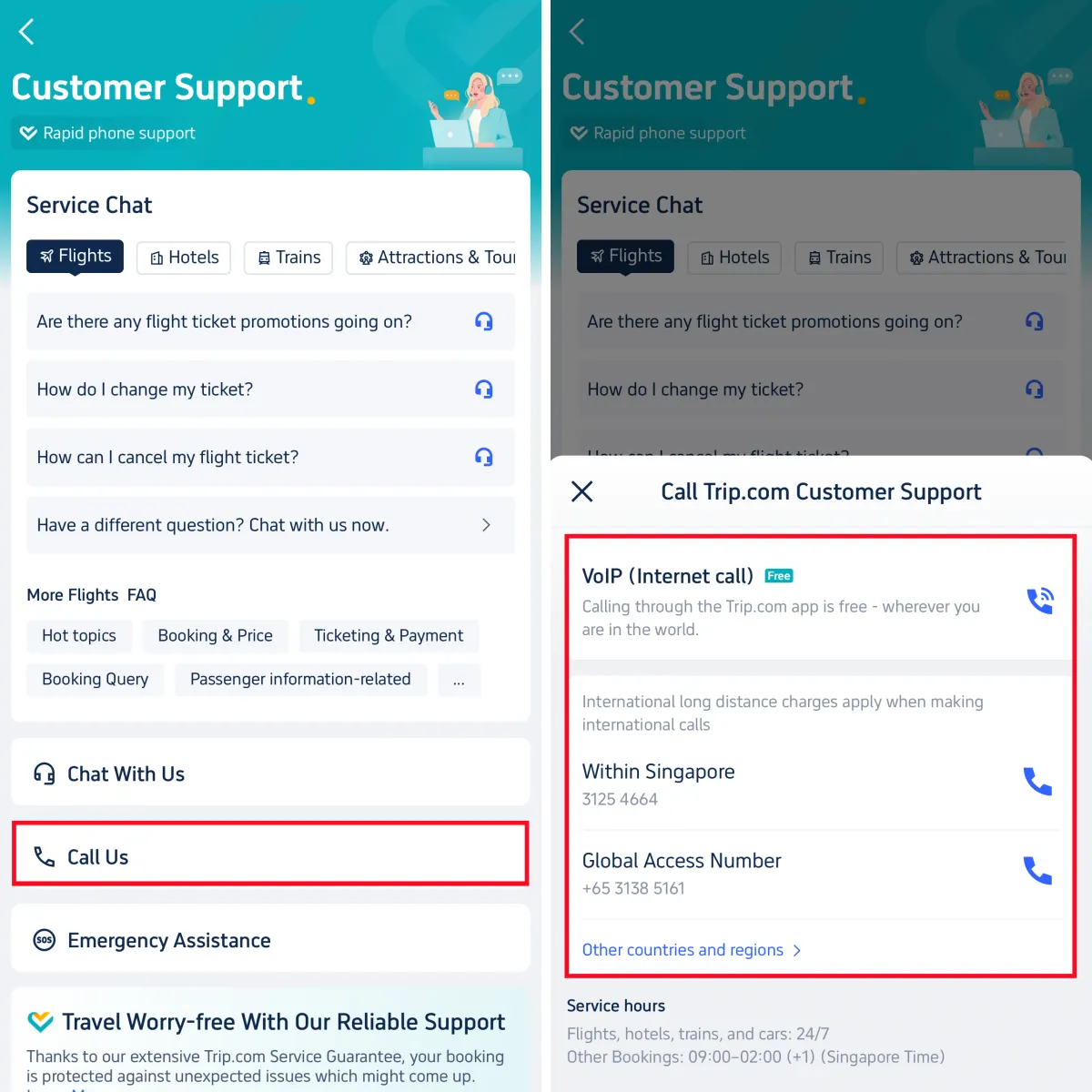
- Trip.com offers various customer services, including chat service, call service, and emergency assistance. For Call service, click on "Call Us" to enter the Trip.com hotline page. Customers can choose Internet call or Global call based on their specific need.

Step 2
Step 3: Find Trip.com Hotline of Other Countries & Regions
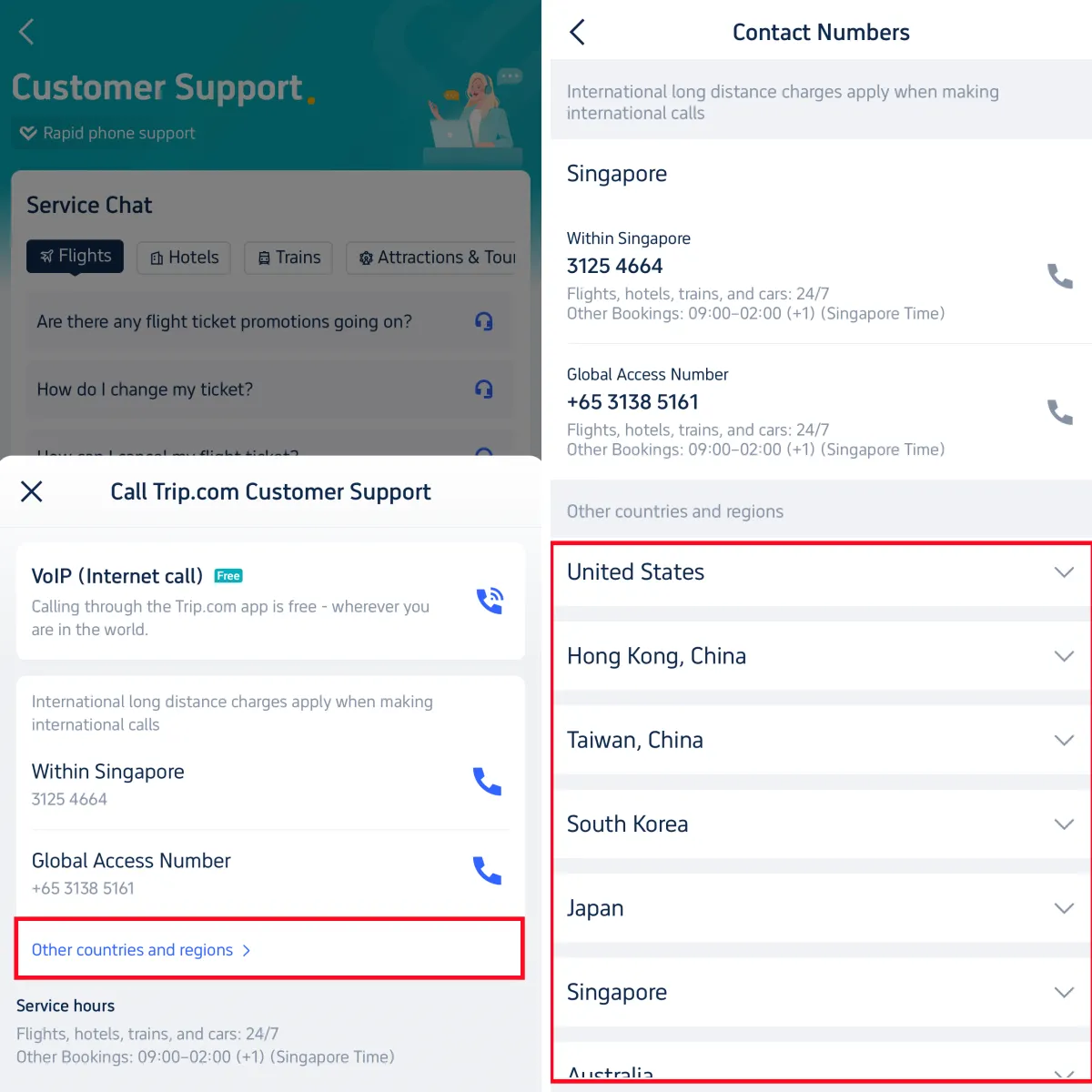
If customers need to find Trip.com hotline from other countries and regions, click on the button "Other countries and regions" to find the hotline numbers.

Step 3
*The screenshots are only for reference.
How to Find Trip.com Hotline on Trip.com Website
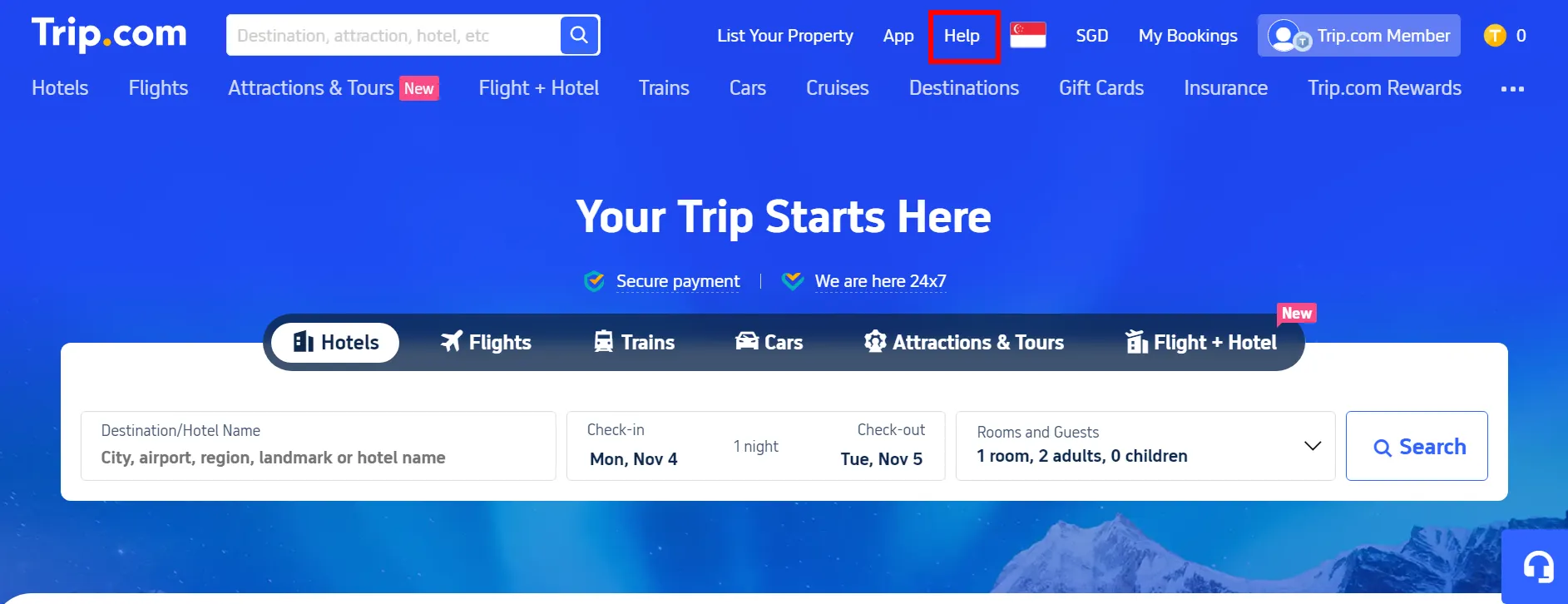
Step 1: Tap "Help" at the Top of the Trip.com website
- Visit the Trip.com website and click on "Help" at the top right to the detail page.

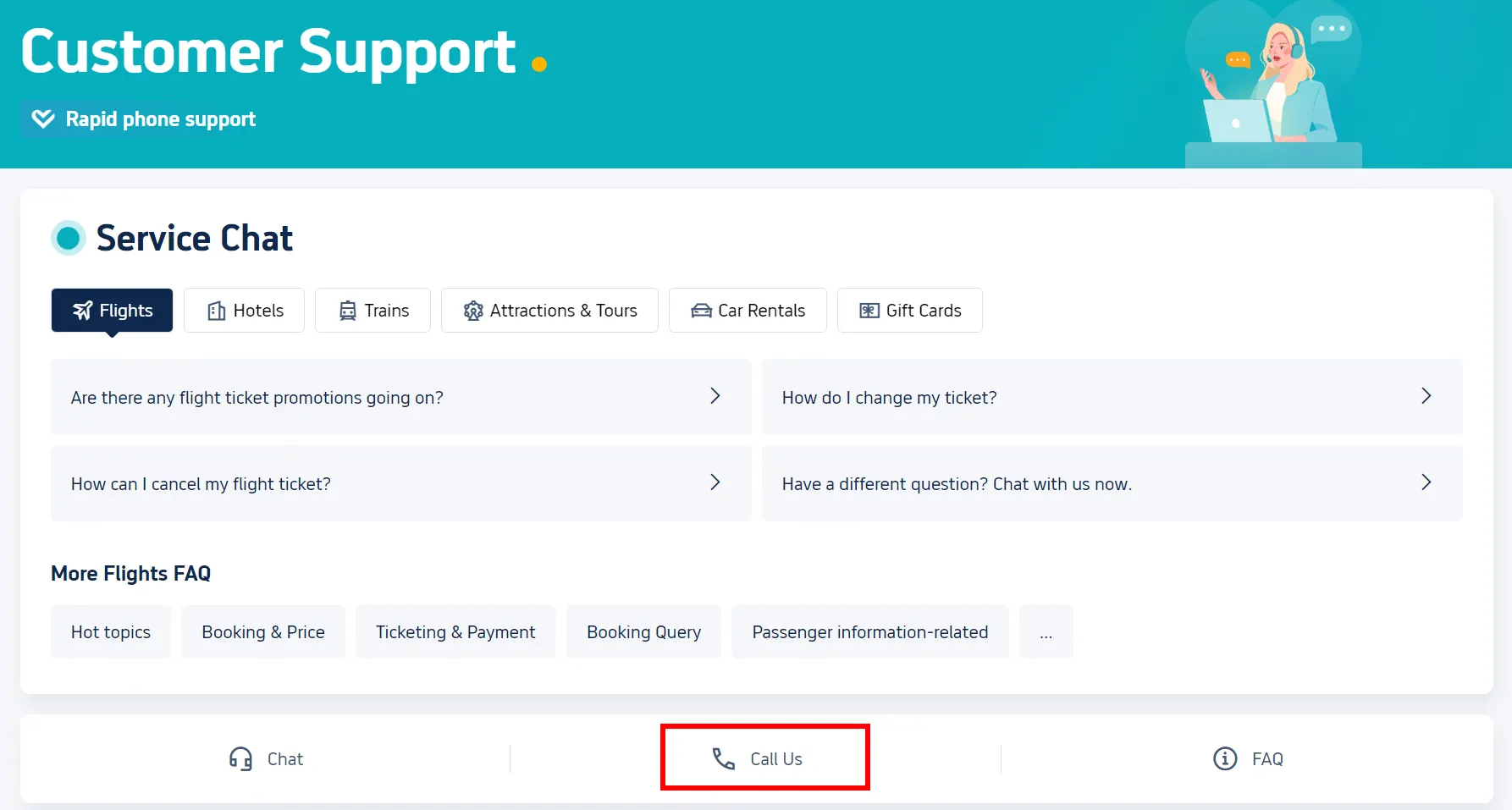
Step 2: Select "Call Us" on Customer Support Page
- Click on "Call Us" to enter the detail page about Trip.com hotline.

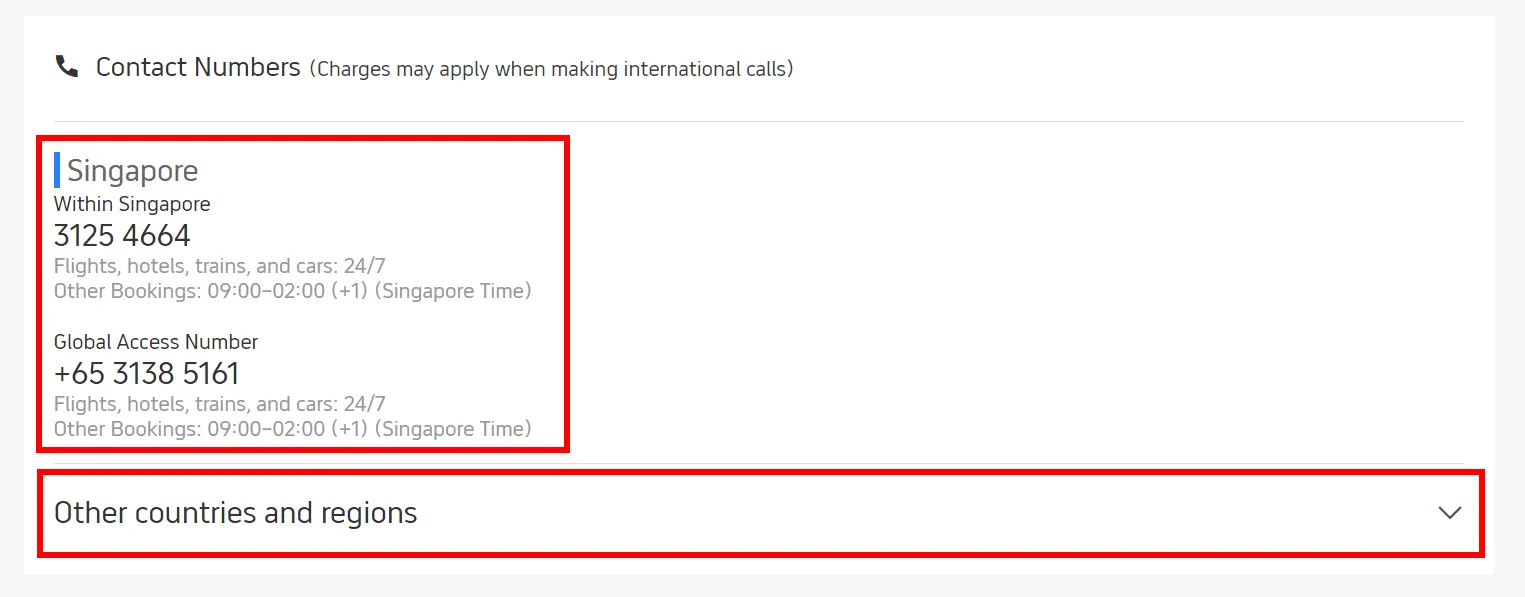
Step 3: Find Trip.com Hotline
On the detail page, you can find local hotline right away, and you can also check the Trip.com hotline for other countries or regions by clicking on "Other countries and regions".

*The screenshots are only for reference.
Read More
How to Select Seat in Flight on Trip.com
A step-by-step guide to choosing your flight seat on Trip.com, before or after booking. Learn about fees, pro-tips for the best seats & what to do if you can't.
November 12, 2025
Trip.com Hotel Refund Guide: Policy, Status & How Long It Takes
Need to cancel a Trip.com hotel booking? Our step-by-step guide covers the refund policy, processing times, and how to check your refund status.
November 24, 2025
Trip.com VIP Lounge List2025: Your Guide to Free Airport Access | Trip.com
See the full list of participating airports for Trip.com VIP Lounge access. Learn how to qualify, redeem your free pass, and see what facilities are included.
November 24, 2025