



How to Use Amap (Gaode Map) in China: A Foreigner’s Guide

Author's Profile Picture
Amap (Gaode Map)

Planning a trip to China and wondering how to get around without Google Maps? Meet Amap (also known as Gaode Map)! It’s one of China’s most popular and reliable navigation apps. It’s similar to Google Maps but designed specifically for local roads, traffic, and services.

It’s owned by tech giant Alibaba and trusted by over a billion users for everything from real-time directions to ride-hailing. For foreigners visiting China, Amap is a reliable and powerful tool to help you get around, especially since Google Maps doesn’t work well there.

How to Download and Set up Amap (Gaode Map)?

Amap (Gaode Map) logo

Download Amap (Gaode Map)

You can download Amap for free on both the App Store (iOS) and Google Play (Android). 

If you’re already in China and can’t access Google Play, try downloading it from Huawei AppGallery, Xiaomi Store, or other local app stores. It’s recommended to download Amap before you launch China.

Set the Language

Amap does offer basic English support. To change it:

Go to Me (我的) → Settings (设置) → General (通用设置) → Language (语言) → Choose English.

Tip: You don’t need a Chinese number to start using Amap. You can skip login and use it in guest mode — it still works fine for navigation and searching places.

💡 Pro Tip: Ready to book your trip? Don't forget to check out the latest deals on flights to China and hotels in China.

How to Use Amap (Gaode Map) in China?

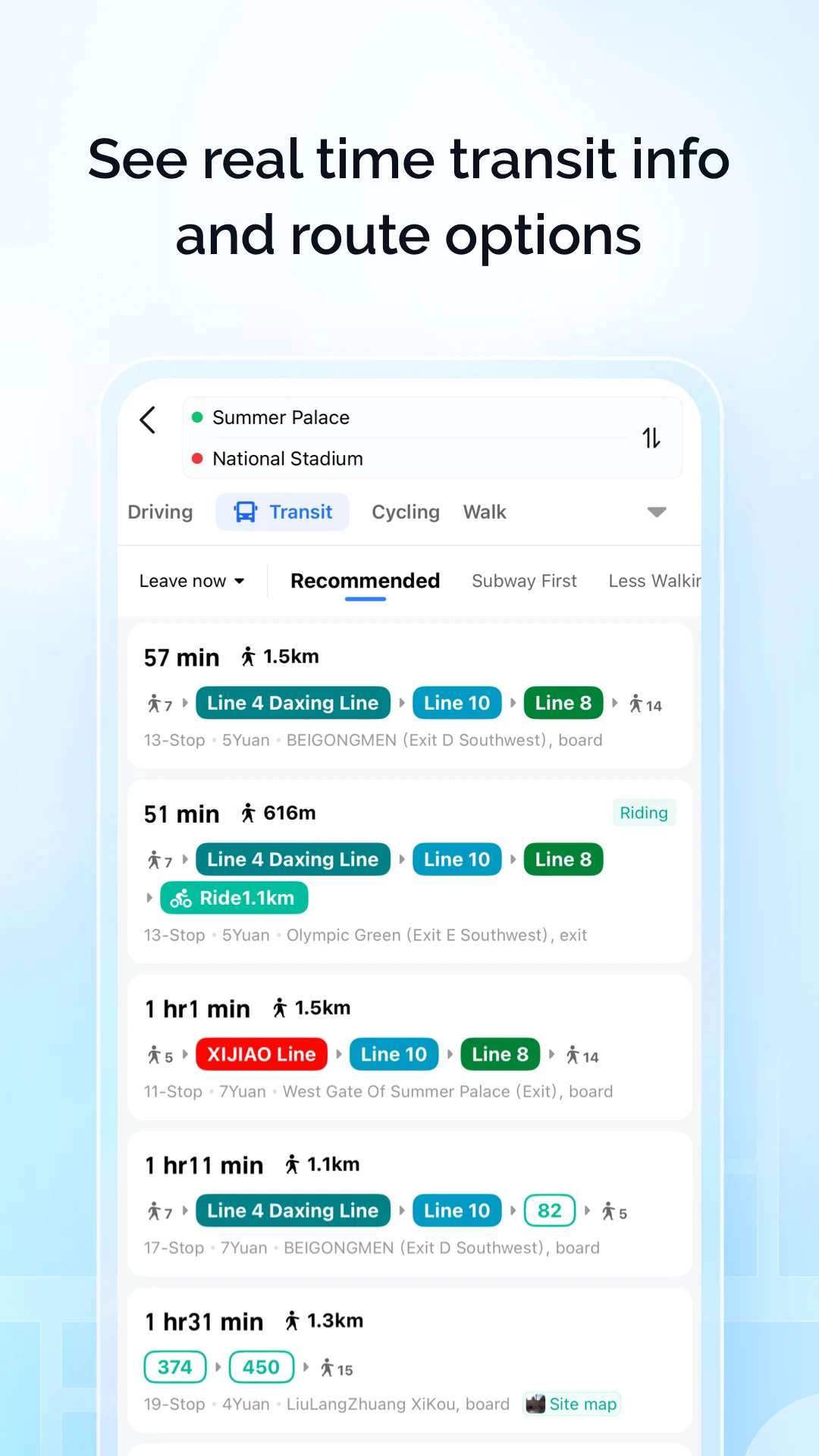
1. Real-Time Navigation

Amap supports walking, driving, cycling, and public transport navigation. Just type your destination, pick your transport mode (like bus, metro, bike, walk, driving, etc.), and hit “Go”. It gives you turn-by-turn directions, estimated time, and route options.

Amap (Gaode Map) Real-Time Navigation

Source: Google Play

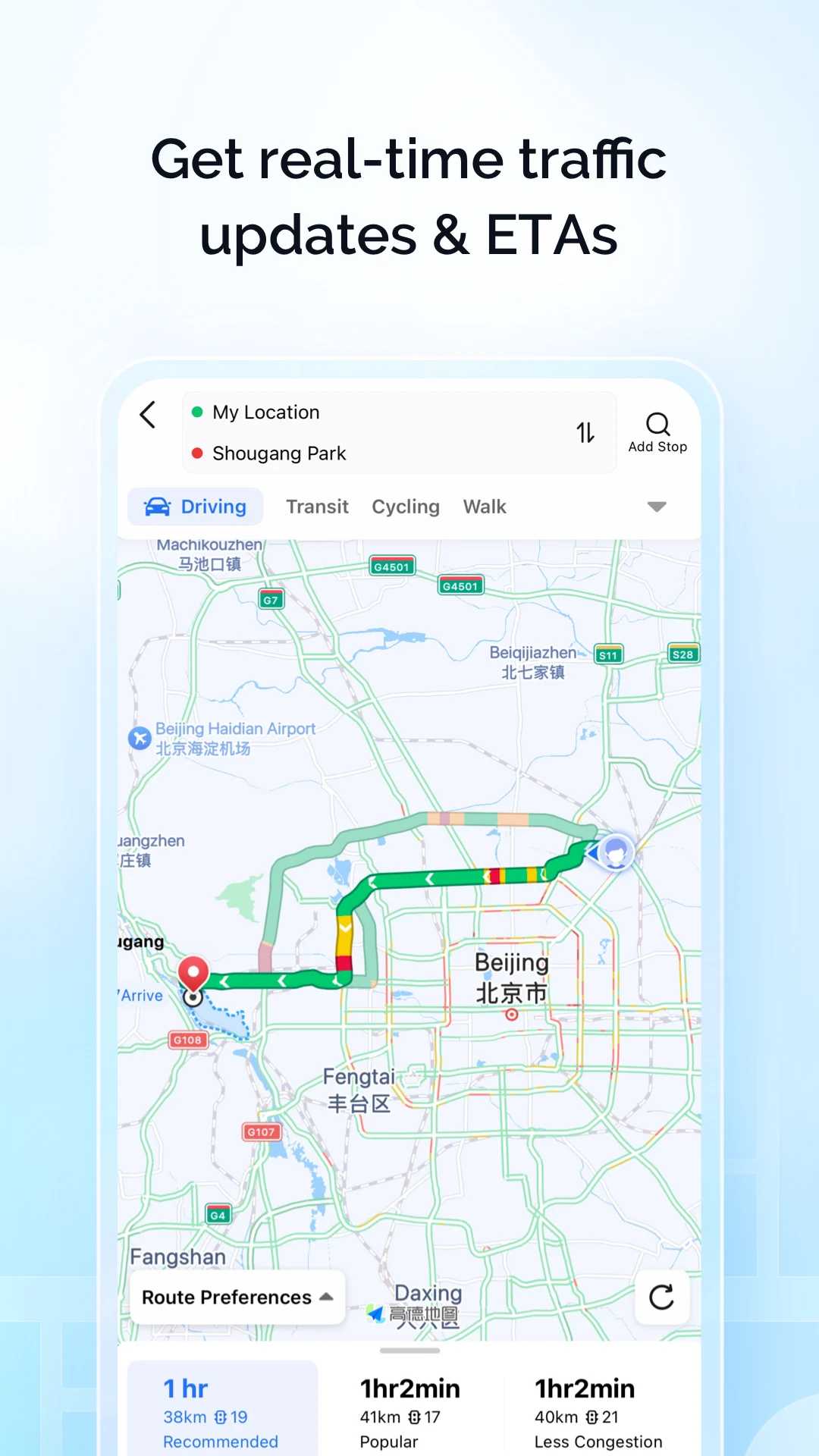
2. Live Traffic Info & Smart Rerouting

Amap shows live traffic conditions in red, orange, and green. It’ll even auto-reroute you if there's a jam ahead. You can turn on the voice guidance to helo you better on the road.

Amap (Gaode Map) Live Traffic Info

Source: Google Play

3. “Nearby” Search

Tap the “Nearby” button or search bar to find restaurants, shopping malls, toilets, ATMs, hotels and more around you. It’s especially helpful if you’re in a new area and just want to explore.

4. Offline Map

When travelling in China, internet access might not always be reliable or cheap. Luckily, Amap offers an offline map feature that lets you download maps in advance and use them without internet connection.

How to Download Offline Maps:

  1. Open Amap and go to Me (我的) → Offline Maps (离线地图).
  2. Choose the city or region you want to download, for example, Beijing, Shanghai, or Guangzhou.
  3. Download the map data before you head out.
  4. Enable “Auto-Update” for weekly map refreshes.

What You Can Do Offline:

  • View detailed maps and zoom in/out freely.
  • Search for locations already saved in the offline map.
  • Use basic navigation like walking routes.

Limitations:

  • Real-time traffic updates and rerouting won’t work offline.
  • Some advanced features like public transport schedules and live ride-hailing require an internet connection.

Tip: Download maps for all the cities you plan to visit before your trip or while you have Wi-Fi. This way, you won’t get stuck without navigation in places with poor signal.

5. Extra Tools

Amap comes with lots of bonus features:

  • Subway maps for major cities (just search “Metro” or tap the city icon).
  • Speed camera alerts during driving navigation.
  • Multi-stop route planning for more complex trips.
  • Estimated fare and toll info for drivers.
😀Pro Tip: To stay connected throughout your visit, consider getting a China eSIM. Just activate and go!

Buy Cheap China eSIM

See All Attractions
384349 booked
4.7/511544 reviews
Mainland China | 5G/4G eSIM | Day Pass/Total Package | Support Tiktok & ChatGPT | 24H Billing | 1-365 days | QR code
SIM card
€ 0.36
213850 booked
4.6/55492 reviews
Mainland China/Hong Kong/Macao/Taiwan | 5G eSIM | Day Pass/Total Package | 24H | 1-30 days | QR code
SIM card
€ 0.37
447210 booked
4.7/520184 reviews
Mainland China 5G eSIM | Day Pass/Total Data Package | ChatGPT Available | 24-Hour Billing | 1-30 Days | QR Code
SIM card
€ 0.36

Amap (Gaode Map) for Ride-Hailing and Taxis

Amap (Gaode Map) for Ride-Hailing and Taxis

Source: Shanghai Gov

Amap allows you to book taxis and ride-hailing services directly within the app. Just enter your destination and select a car type. You’ll see available drivers nearby and estimated wait times. Confirm your ride, and the driver will come to pick you up.

Most rides booked through Amap require payment via Alipay or WeChat Pay, the two main mobile payment platforms in China. If you’re a tourist, it’s a good idea to set up one of these payment methods beforehand to avoid hassle. Some taxi drivers might accept cash, but digital payment is faster and safer.

Before booking, Amap shows you a price estimate so you know what to expect. Always check the driver’s details (license plate, name) before getting in.

🔥Go China Promotion

Book your China trip with Go China and enjoy amazing savings! Get up to 50% OFF flight coupon drops, 5% off hotels, 6% off China attractions & tours, 5% off high-speed rail, and 10% off airport transfers. Plus, there are more surprises waiting for you.

Go China Promotion

📅Promotion period: Evergreen 2025 (GMT+8)

Amap (Gaode Map) vs Baidu Maps vs Google Maps in China

Amap (Gaode Map) vs Baidu Maps vs Google Maps

Many foreigners wonder which app works best between Amap (Gaode Map), Baidu Maps, and Google Maps. Here’s a quick comparison to help you decide which one suits your needs while visiting China.

Feature

Amap (Gaode Map)

Baidu Maps

Google Maps

Language Support

Chinese with some English UI

Mainly Chinese, limited English

English, limited Chinese support

Navigation Accuracy

High, designed for China

High, but more local-focused

Limited, often inaccurate

Real-time Traffic

Yes, regularly updated

Yes, regularly updated

Yes, but data often incomplete

Public Transport Info

Yes, multi-city support

Yes, multi-city support

Yes, but less accurate

Offline Maps

Yes, downloadable offline maps

Yes, downloadable offline maps

Yes, but inconvenient to update

Taxi / Ride-hailing

Yes, supports multiple platforms

Yes, mostly for locals

No

Friendly for Foreigners

Quite friendly, some English UI

Less friendly, needs Chinese

Not suitable without VPN

Need VPN in China?

No

No

Yes

Special Offer: Exclusive Hotels Deal for New Users

From now until stock last, you can enjoy up to 8% off when you register as a member by desktop, mobile and app, click here to view more!

Pro Tips for Foreigners Using Amap (Gaode Map) in China

Use Map App in China
  • Download Offline Maps in Advance

Before your trip or when you have Wi-Fi, download maps of the cities you’ll visit. This saves data and helps when the internet is spotty.

  • Use Chinese Keywords for Better Search Results

Typing place names in Chinese gives more accurate results. Use Google Translate or ask locals for the Chinese names of places.

  • Set Up Alipay or WeChat Pay for Smooth Ride-Hailing

Many ride options require these payment apps. Setting them up early makes booking taxis or Didi rides hassle-free.

  • Save Frequent Places

Add your hotel, favorite restaurants, or landmarks to favorites for quick access.

  • Be Prepared for Partial English

Some parts of the app (like street names or voice guidance) might be in Chinese. Screenshots and a little basic Chinese can help.

  • Check Traffic Updates Before Leaving

Use Amap’s live traffic info to avoid rush hours or jams, especially if you’re driving.

  • Share Your Location When Taking Rides

For safety, share your live ride info with friends or family.


Getting around in China can seem overwhelming at first, but with Amap (Gaode Map) on your phone, it’s much easier than you’d expect. Whether you're navigating busy city streets, catching the metro, or booking a ride, Amap gives you reliable tools tailored for China’s travel scene.

While it may take a little time to get used to the app’s quirks and partial English support, it’s definitely worth it. With a few tips, some prep, and a bit of curiosity, you’ll be exploring like a local in no time.

💡 Tip: Want more tools for your trip? Check out our guides on the best China map app and must-have apps for China travel. Super handy for first-time visitors!

More Essential Apps to Use in China

Essential China Travel Apps

FAQs About Amap (Gaode Map)

  • Can I use Amap in English?

    Partially. The app interface can be switched to English, but many place names and voice instructions remain in Chinese.
  • Do I need a Chinese phone number to use Amap?

    No, you can use it without logging in. A Chinese number is only needed for full account access or syncing across devices.
  • Is Amap free to use?

    Yes, it's completely free, including all navigation and map features.
  • Can I use Amap for public transport routes?

    Yes! It offers detailed metro, bus, and train routes in most major cities.
  • Is Amap accurate for walking directions?

    Very accurate. It even shows small alleys and pedestrian shortcuts that Google Maps might miss.
Disclaimer: This article has been provided by an individual contributor or third party platform. If there is any discrepancy regarding the copyright, please contact us directly and we will delete the content immediately.