🔥Save More with Up to 5% OFF
Use our promo code to enjoy up to 5% OFF (up to S$3) on your attraction tickets, tours and eSIMs! Only for new users!

By Trip.com
June 24, 2026
When booking flights, hotels, or travel activities online, choosing the right payment option is essential.
Trip.com offers a wide range of payment methods designed to suit global travelers, making it convenient whether you are booking from Malaysia or anywhere else.
This guide covers all available Trip.com payment methods, how they work, and tips to ensure a smooth booking experience.
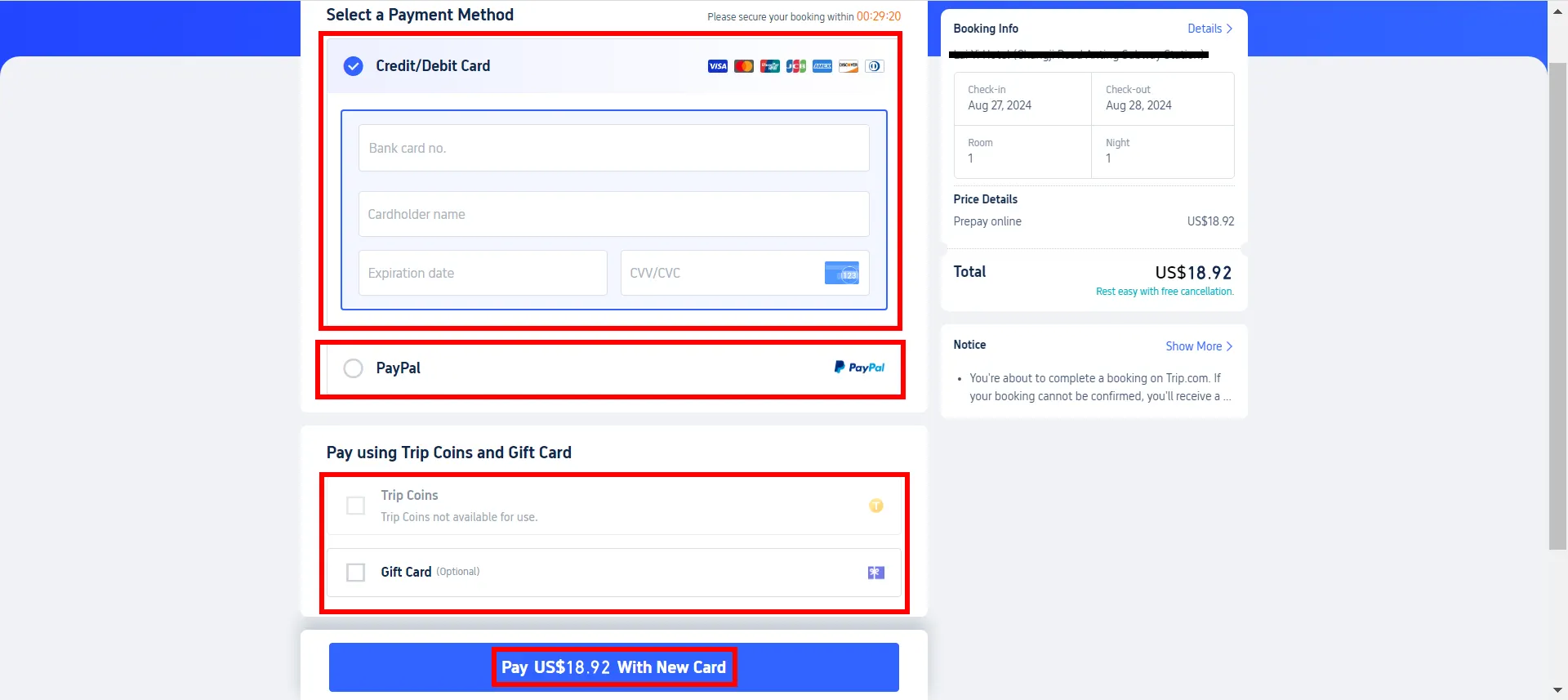
These options are available on most platforms, including desktop, mobile web, and the Trip.com app.
Trip.com supports multiple payment options across its app and website, including:
Payment Method | Description |
|---|---|
Credit & Debit Cards | Widely accepted option for fast and secure payments across flights, hotels, and activities. |
PayPal | Offers a convenient and secure way to pay without entering card details each time. |
Digital Wallets (Apple Pay & Google Pay) | Enables quick checkout using mobile devices with secure authentication like Face ID or fingerprint. |
Trip Coins (Rewards System) | Loyalty points earned from bookings that can be used to offset future travel costs. |
Gift Cards | Prepaid credits that can be redeemed during checkout, ideal for gifting travel experiences. |
Pay Later Options | Flexible booking options allowing you to reserve now and pay at a later date or at the hotel (selected bookings). |
Payment Method | iOS | Android | Desktop Web | Mobile Web |
|---|---|---|---|---|
Credit Card & Debit Card | ✔️ | ✔️ | ✔️ | ✔️ |
PayPal | ✔️ | ✔️ | ✔️ | ✔️ |
Google Pay | ✔️ | ✔️ | ✔️ | ✔️ |
Apple Pay | ✔️ | ❌ | ✔️ | ❌ |
Trip Coins | ✔️ | ✔️ | ✔️ | ✔️ |
Gift Card | ✔️ | ✔️ | ✔️ | ✔️ |
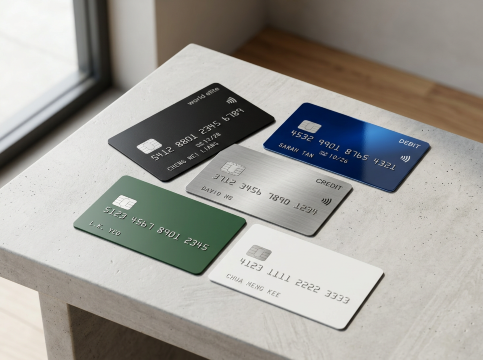
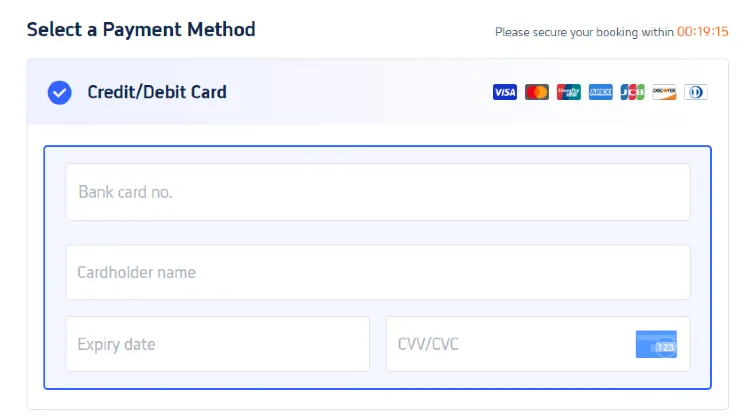
The most widely used and accepted method on Trip.com is paying via credit or debit card.
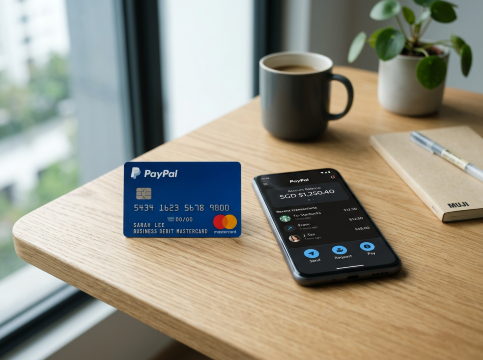
PayPal is another popular option on Trip.com.
Benefit | Description |
|---|---|
Convenience | No need to enter card details every time, making checkout faster and easier |
Buyer Protection | Provides an added layer of security and protection for online transactions |
Cross-Platform Use | Works seamlessly across all devices and platforms, including mobile and desktop |

Use our promo code to enjoy up to 5% OFF (up to S$3) on your attraction tickets, tours and eSIMs! Only for new users!
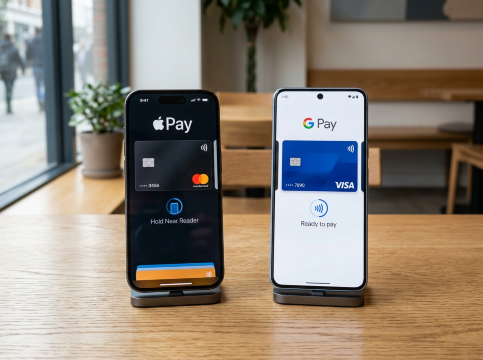
Trip.com also supports modern mobile payment solutions:
Benefit | Description |
|---|---|
Faster Checkout | Enables a quick and seamless payment process with minimal steps |
Secure Authentication | Uses Face ID, fingerprint, or PIN for enhanced security |
No Manual Input | Eliminates the need to manually enter card details during checkout |

How to earn miles AND trip coins?
If you don't know it yet, you're missing out! Earn your airline miles while booking your flights with Trip.com! Plus, earn Trip Coins with each flight booking - coins earned can be used to offset your future purchases for flights, hotels, attractions and more!
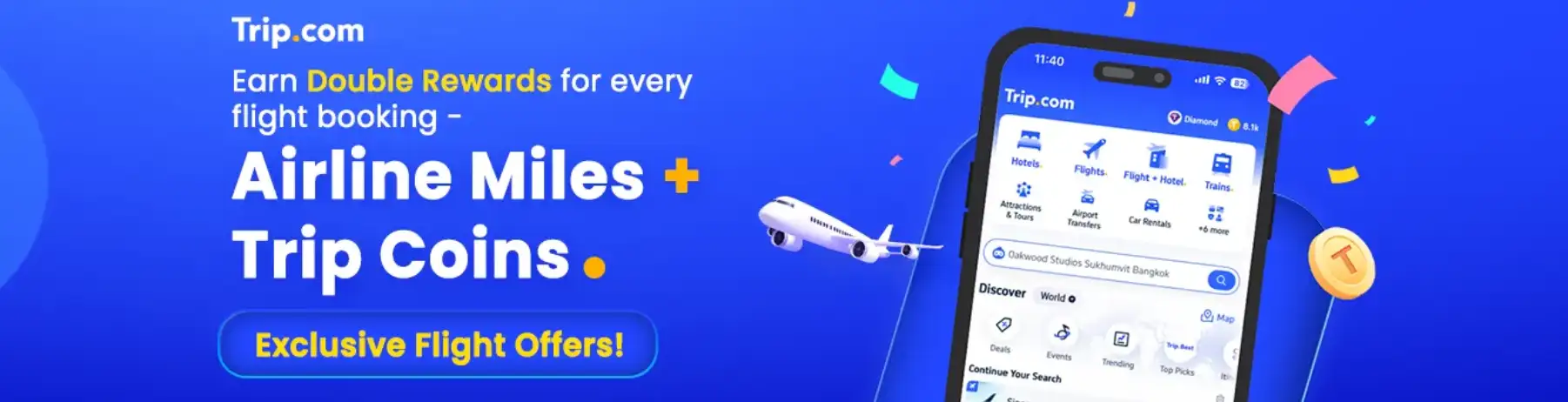
📅Promotion period: Evergreen.
Trip Coins are part of Trip.com’s loyalty program.
Feature | Description |
|---|---|
Earn Coins | Earn coins when booking hotels, flights, or writing reviews |
Offset Costs | Use coins to reduce the total cost of your bookings |
Flexible Redemption | No minimum threshold for redemption in many cases |
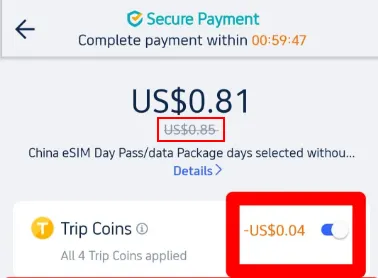
Step | Description |
|---|---|
Select a Service | Choose from hotels, flights, local experiences, or other available services on the Trip.com homepage |
Booking Process | Proceed to the payment page after selecting your desired service |
Apply Trip Coins | Select the Trip Coins option before finalizing payment to see the discount applied |
Finalize Payment | Complete the booking with the adjusted amount after the Trip Coins discount |
Discover the world with Trip.com! Book the perfect hotel anywhere in the world and get an unbeatable 10% discount if you're a first-time user! Download our app now and start planning your next trip with ease.
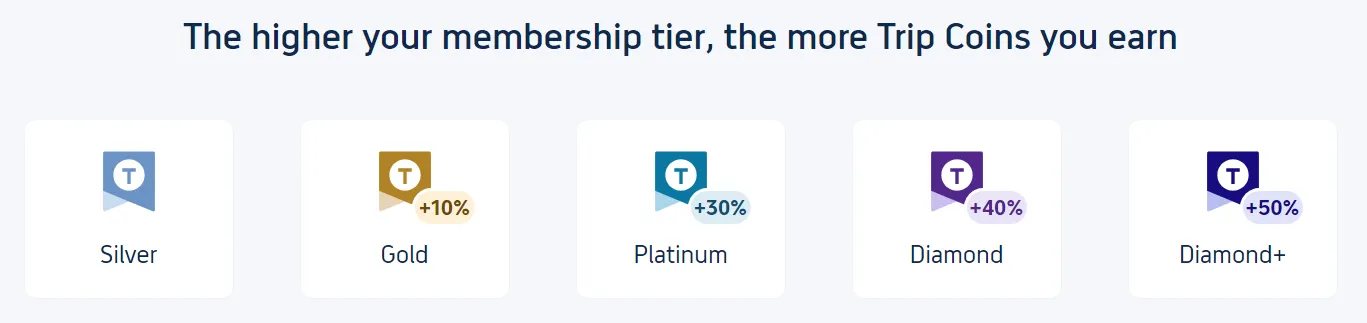
As a frequent Trip.com user, I love the perks that come with earning Trip Coins!
It’s super simple: every time you book, whether it’s a hotel, flight, train ticket, attraction pass, or even an airport transfer, you earn Trip Coins, which you can use to score discounts on your next booking.
Membership Tier | Upgrade Criteria |
|---|---|
Silver | Register a Trip.com account |
Gold | Complete 1 eligible booking after Silver tier (flights, hotels, tours, etc.) |
Platinum | Complete 3 eligible bookings within 1 year after reaching Gold |
Diamond | Complete 8 eligible bookings (min. total spend: USD $1,000) within 1 year after reaching Platinum |
Diamond+ | Spend USD $10,000 within 1 year after reaching Diamond |
Black Diamond | Invitation-only: Spend USD $20,000 within 1 year after reaching Diamond+ and complete your member profile (via Account > Settings > Manage my account > Update member profile) |
Trip Coins can be earned in the following ways:
Every time you book a flight, hotel, car rental, or other travel services through Trip.com, you earn Trip Coins.
Providing feedback on your travel experiences can also earn you Trip Coins. Writing detailed reviews and sharing photos of your trip can help other travellers and earn you rewards.
Share your experiences from your hotel stays to earn up to 1,200 Trip Coins per month. Provide detailed feedback on the amenities, service, and overall experience. Including photos can earn you even more coins.
Conditions | Trip Coins Earned |
Less than 20 characters | 10 Trip Coins |
20-50 characters | 20 Trip Coins |
More than 50 characters | 50 Trip Coins |
Upload photos | Extra 10 Trip Coins |
Review within 3 days of stay | Extra 10 Trip Coins |
Write your first reviewHotels with fewer than 15 reviews | Extra 50 Trip Coins |
Review attractions and activities you’ve experienced. Describe what you enjoyed, and any tips for future visitors. Pictures will help enhance your review. Writing a review of at least 100 characters and uploading 3 photos for each attraction can earn you 30 Trip Coins. You can earn up to 600 Trip Coins per month.
Write Review, Win Prizes Here!
Trip Moments is the content platform on the Trip.com app where you can share travel photos and stories with other users to earn travel rewards. Engage with posts, participate in contests, and complete level-up tasks on Trip Moments to earn Trip Coins!
Conditions | Trip Coins Earned |
Participate in contest posts | Rewards vary, please refer to each event page |
Increase user level(complete upgrade tasks) | Refer to the User Level Guide for tasks and rewards |
Complete monthly tasks(must reach Level 6 or above) | Successfully posting 5 "featured" Trip Moments earns 300 Trip Coins |

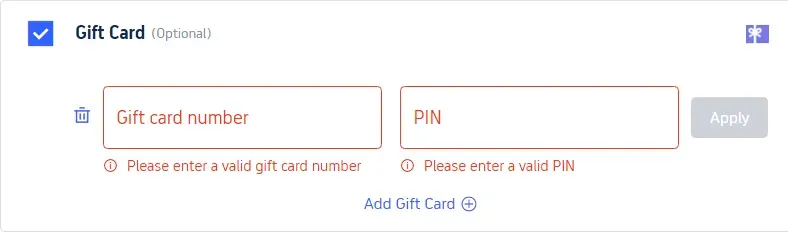
Trip.com gift cards can be used as a payment method during checkout.
Feature | Description |
|---|---|
Flexible Payment | Can be combined with other payment methods for added convenience |
Gifting Option | Useful for gifting travel experiences to friends and family |
Easy Redemption | Simple to use with a code and PIN during checkout |
Hotels in Singapore
Trip.com Afterpay refers to a book now, pay later hotel booking model tied to free cancellation policies, not the traditional Afterpay installment service.
It lets you reserve a hotel room without upfront payment, ideal for flexible plans.
Trip.com offers flexible booking options for selected hotels:
Feature | Description |
|---|---|
Pay at Hotel | Reserve now and pay directly at the hotel during your stay |
Free Cancellation | Cancel bookings within a specified period without charges |
Delayed Payment | Payment is charged closer to the stay date for better flexibility |
Discover the world with Trip.com! Book the perfect hotel anywhere in the world and get an unbeatable 10% discount if you're a first-time user! Download our app now and start planning your next trip with ease.
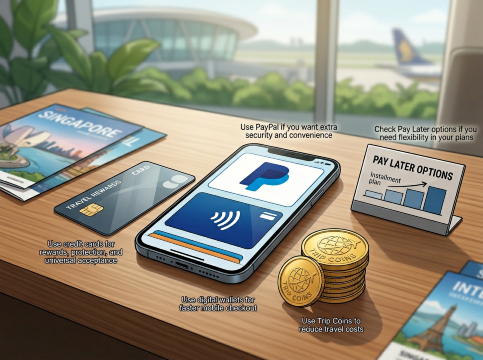
PayPal adds an extra layer of protection by allowing you to pay without directly sharing your card details with merchants. It also makes checkout faster, especially if you already have a linked card or bank account.
Credit cards are one of the most widely accepted payment methods on Trip.com. They may also offer travel rewards, cashback, air miles, purchase protection, and travel insurance benefits, depending on your card issuer.
If you prefer to spread out your travel expenses, Buy Now, Pay Later (BNPL) options can help manage your budget. Be sure to review repayment schedules, fees, and eligibility requirements before choosing this option.
Digital wallets such as Apple Pay and Google Pay can simplify the payment process, especially when booking through the Trip.com mobile app. They offer a quick, secure, and convenient way to complete transactions.
If you have accumulated Trip Coins through previous bookings, promotions, or rewards activities, use them to offset eligible bookings and reduce the overall cost of your trip. Even small savings can add up over multiple bookings.
Trip.com provides a wide range of flexible and secure payment methods, making it easy for travelers worldwide to book trips with confidence.
Whether you prefer traditional card payments, digital wallets, or reward-based discounts, there is an option to suit every travel style.
Before confirming your booking, always check which payment methods are available for your specific itinerary, as options may vary depending on location, service type, and device.
Trip.com is a global online travel agency that offers 24/7 customer service in multiple languages.
With easy booking services for flights, hotels, and more, Trip.com provides additional benefits such as free airport lounge access, Trip Coins rewards, and reduced refund fees on train tickets.
 2485 booked
















![Jakarta [ Old Town + Taman Mini + Merdeka Square + Cathedral + Istiqlal Mosque]](https://ak-d.tripcdn.com/images/0352t12000ntqrgyd8E7F_C_568_320.jpg)




![Jakarta 1-day tour [Chinatown + Beach + Dutch Town + Presidential Palace + Merdeka Square, Jakarta]](https://ak-d.tripcdn.com/images//0583j12000r5os8ph9689_C_568_320.jpg)












![Skyliner Keisei railway ticket (Tokyo airport express: Narita International Airport-Ueno/Nippori) [optional+Tokyo subway discount package]](https://ak-d.tripcdn.com/images//0580f12000qjpzexo5F36_C_568_320.jpg)
![[Limited-Time Special Offer] Kamakura High School Front, Kamakura Ancient Capital, Enoshima, Enoden Day Trip](https://ak-d.tripcdn.com/images/0353t12000nu26tboB2C7_C_568_320.jpg)