🔥Save More with Up to 5% OFF
Use our promo code to enjoy up to 5% OFF (up to S$3) on your attraction tickets, tours and eSIMs! Only for new users!


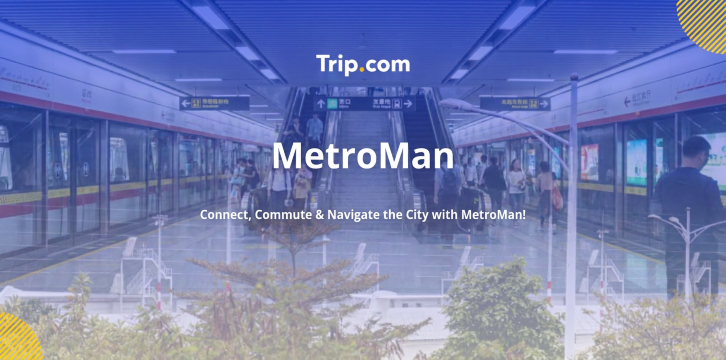
If you often travel to Beijing, Shanghai, Guangzhou, Chengdu, Xi'an or other big cities in China, MetroMan (called Ditie Tong 地铁通 in China) is the app you need. It was made especially for taking the metro, and has been translated into English, with strong offline features. It has become the app people use most when they visit.
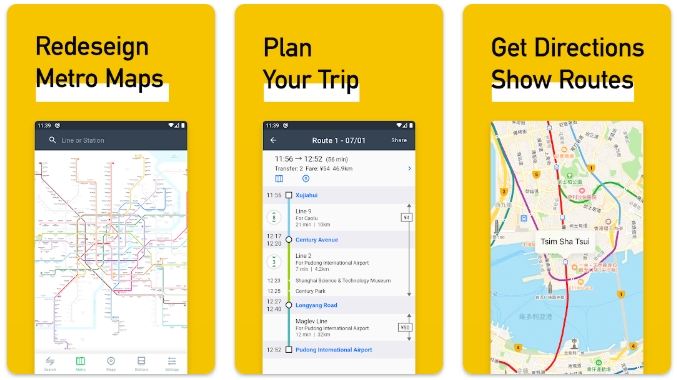
Source: Google Play
MetroMan is really simple to use. It has all the important things you need when you travel. The best things about MetroMan are:
You can download the map of different cities using Wi-Fi before you leave Singapore. After you save it, you can plan your route on the MetroMan when you are underground or in a place without signal. This single feature makes it invaluable for tourists who only buy short-term China eSIMs.
Input your start station and destination station. MetroMan can help:
People who use MetroMan really love this feature. MetroMan helps you figure out which exit letter to take when you want to go to places like landmarks, shopping areas and tourist spots. Some big metro stations in China have a lot of exits, about 8 to 12 exits. If you pick the exit, you might have to walk for an extra 15 minutes. MetroMan is very useful for this reason.
English is fully supported, alongside Traditional Chinese, Japanese, Korean, French, German and more. Singapore travellers can lock the app permanently to English with one setting change.
Follow these steps before departing Singapore to avoid connectivity delays once you land in China.

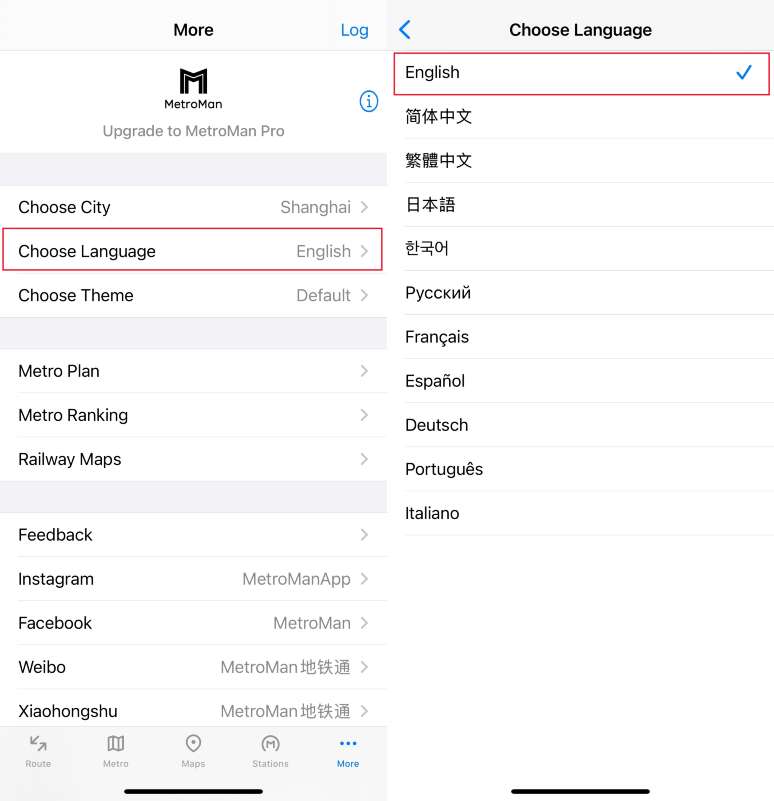
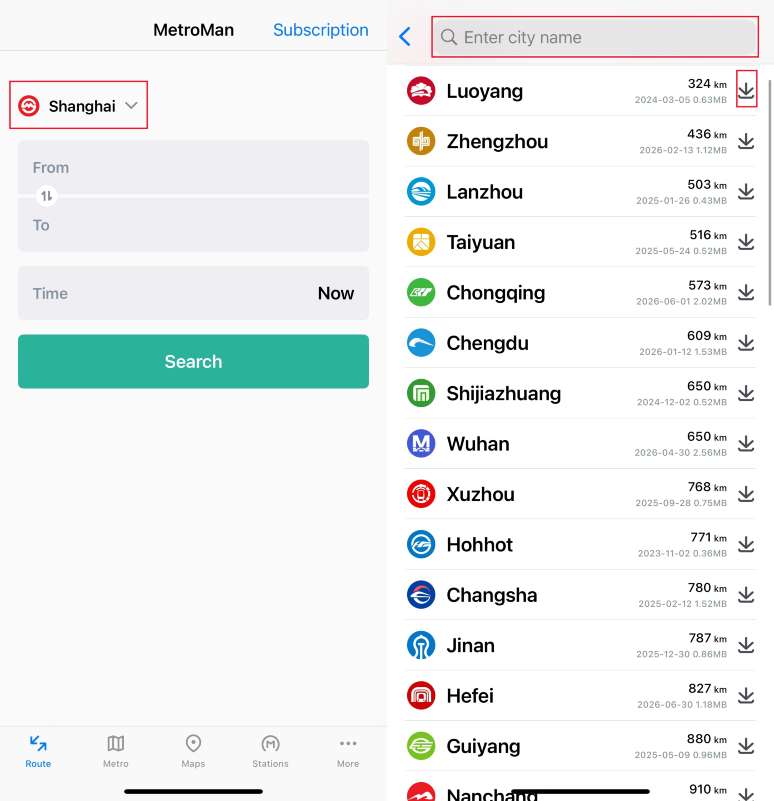
Tip: Download these files on Wi-Fi. Avoid using expensive roaming data to download large map packs once you arrive in China. You can delete unused city packs later to free phone storage.
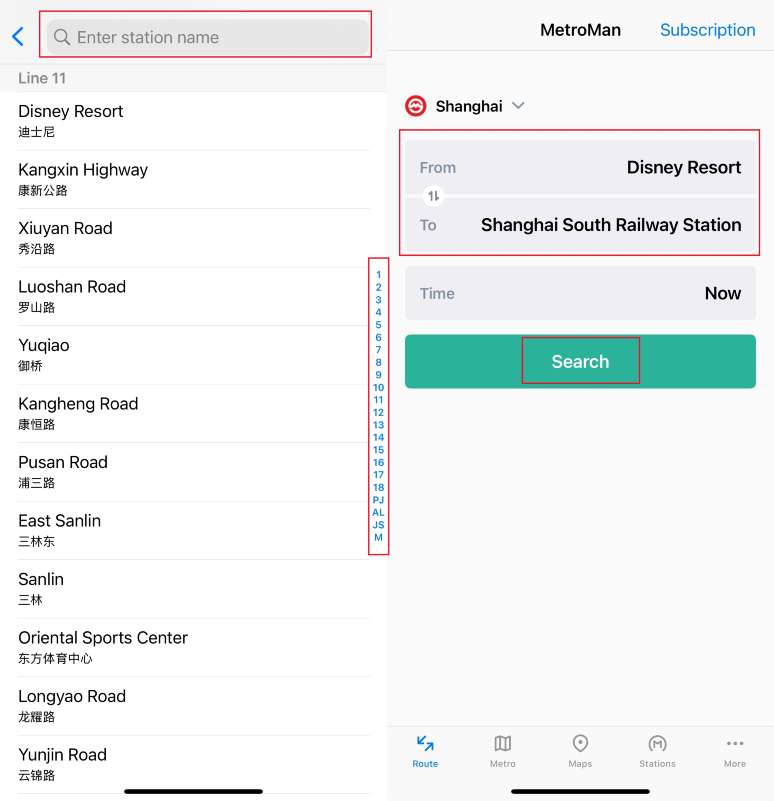
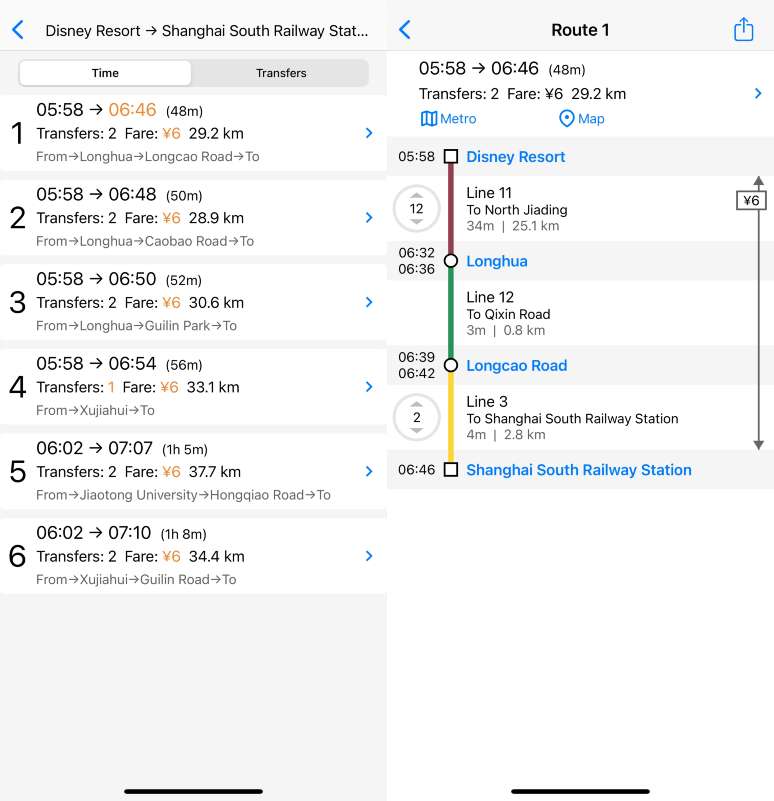
Tap any station name to open station details. The timetable tab shows the earliest and final train for every direction on that line. Many Singapore tourists miss last trains after dinner or evening attractions; this simple check prevents expensive late-night taxi rides.
Use our promo code to enjoy up to 5% OFF (up to S$3) on your attraction tickets, tours and eSIMs! Only for new users!
Buy Cheap eSIM Here
Remember: MetroMan does not operate ticket scanning. You must prepare a way to enter metro stations separately.
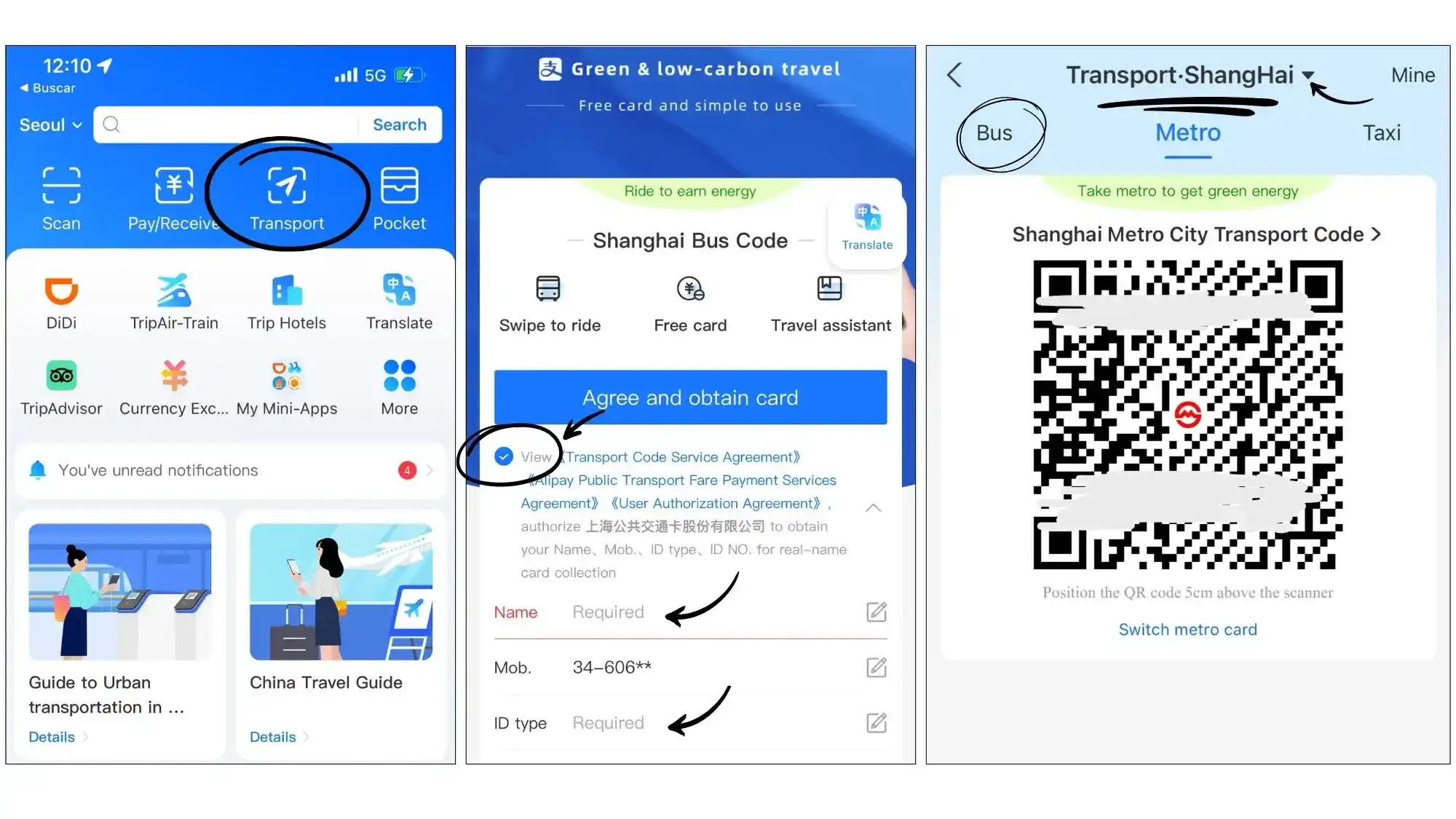
Download Alipay and complete tourist identity verification using your passport. Search “Subway Code”, select your city, and generate a scannable QR code at the gate. Works across nearly all major Chinese metro networks.
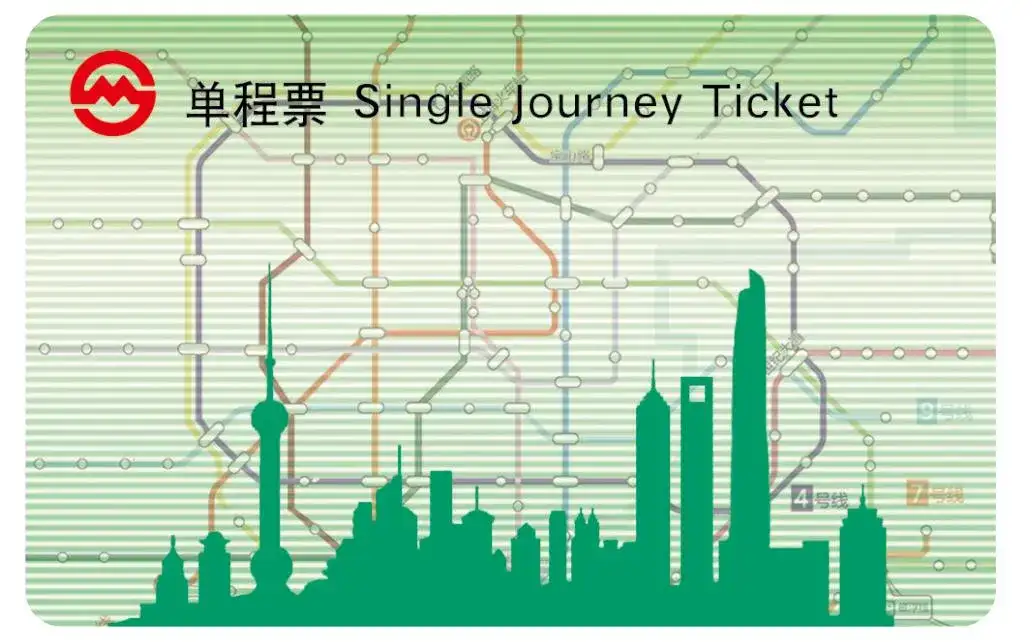
All metro stations have ticket machines with English language mode. Insert cash or scan international credit cards to buy disposable plastic tickets.
Purchase a rechargeable transit card at station service counters. Useful if you stay in one city for more than five days.
Perfect travel workflow for travellers: MetroMan → plan your route and confirm exit number → Alipay QR code → scan and board the metro.
China has an urban rail network that covers more than 53 cities and it is still growing. When people from Singapore visit China, they have some problems when they use map apps to get around.
The problems are:
MetroMan is a better option because it only helps you with metro travel. Here is a comparison to show how MetroMan is better than options for people, from Singapore:
App | English Interface | Offline Metro Maps | Dedicated Exit Guidance | Best For Singapore Visitors |
MetroMan | ✅ Full English UI | ✅ Downloadable city packs | ✅ Detailed exit suggestions | Planning all metro journeys |
Google Maps | ✅ | ❌ Unreliable coordinates in China | ❌ Limited station data | Not recommended for mainland China |
Amap (Gaode) | ⚠️ Partial English translation | ✅ | ⚠️ Requires internet | Walking/taxi navigation complement |
City-specific official metro apps | ❌ Mostly Chinese-only | ❌ Rarely offline | ❌ Minimal guidance | Avoid for non-Mandarin speakers |
Here are the key advantages for users:
 2211183 booked