


 477808 booked


![[Singapore] Starhub | 5G Travel SIM Card | Multiple Package Options | Pick-up at Singapore Airport | EZLINK Transportation Card (Optional)](https://ak-d.tripcdn.com/images/0353l12000txtphly4D62_C_568_320.jpg)


🔥Save More with Up to 5% OFF
Use our promo code to enjoy up to 5% OFF (up to S$3) on your attraction tickets, tours and eSIMs! Only for new users!

If you are often travel to overseas, you are probably familiar with using an eSIM because purchasing a data plan before departure and activating it as soon as you arrive makes you stay connected and convenient.
However, once your trip has ended, you may wonder whether you should remove the eSIM that you are no longer need and how to delete it correctly.
Here is the guide for a step by step how to manage your eSIM, from installation, activation and removal.
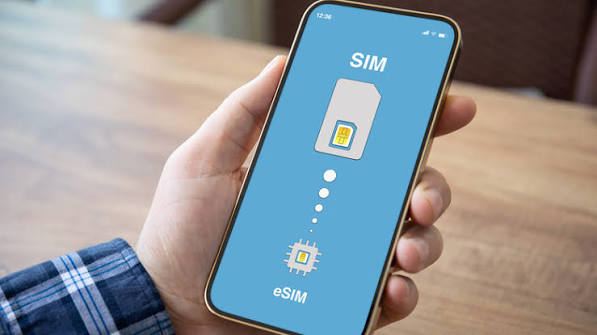
An eSIM is a digital SIM that built into your phone, instead you are inserting a physical SIM card, you can download and activate a mobile plan directly on your device.
eSIM are popular for international travel because you can purchase a data plan for another country and keep your regular SIM active, depends on your phone and mobile provider.
For instance, if you want to use an eSIM in Japan or South Korea but still want to keeping regular Singapore number available to calls or messages.
For a physical plastic SIM card, you'll need to insert the actual card into your phone's SIM tray, but an eSIM is downloaded directly to your device instead.
Because of this, most of the setup process is done via your carrier's app or through your phone's settings.
For travelers, we think that has the advantage of not having to keep track of tiny SIM cards while on the go, and you don't risk losing your main SIM while traveling abroad.
Plus, some phone models can even manage multiple , making it a top choice for travelers.
| What to Check | Why It Matters |
|---|---|
Is the eSIM still active? | You may lose mobile service when it is removed |
Do you still need the number? | You may not be able to restore the same eSIM yourself |
Is the plan still valid? | Check whether you have remaining data or validity |
Do you have another SIM or eSIM? | Make sure you still have a way to connect to a mobile network |
Is the eSIM from a travel provider? | You may need a new eSIM if you delete it before the plan expires |
Do you need the eSIM for another trip? | Keep it if you plan to use the same profile again and your provider allows it |
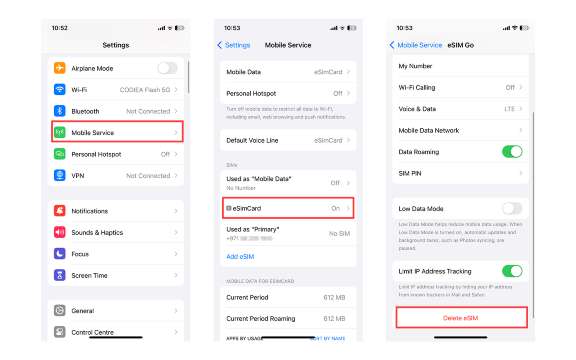
Deleting an eSIM from your mobile device is simple and can be done directly through the Settings menu.
If only one eSIM is installed, you can select it and remove it immediately.
If your device contains several mobile plans, make sure you choose the correct eSIM before confirming its deletion.
Open the Settings app on your iPhone.
Select Mobile Service. On some iPhones or iOS versions, this may be labelled Cellular.
Under the SIMs or mobile plans section, select the eSIM you want to remove.
If you have multiple SIMs, check the phone number or label carefully before continuing.
Look for the option to Delete eSIM or Delete Plan.
Tap it and follow the on-screen instructions to confirm.
After deleting the eSIM, return to the Mobile Service settings and check that your remaining SIM or eSIM is still selected for mobile data, calls and messages as needed.
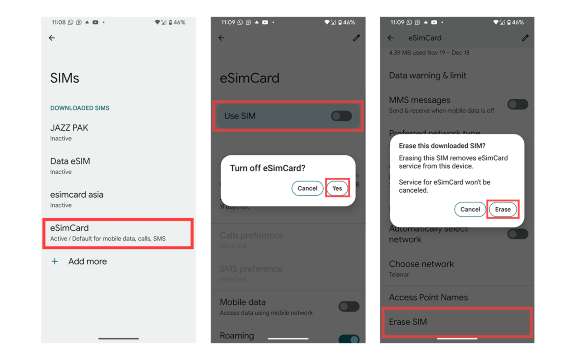
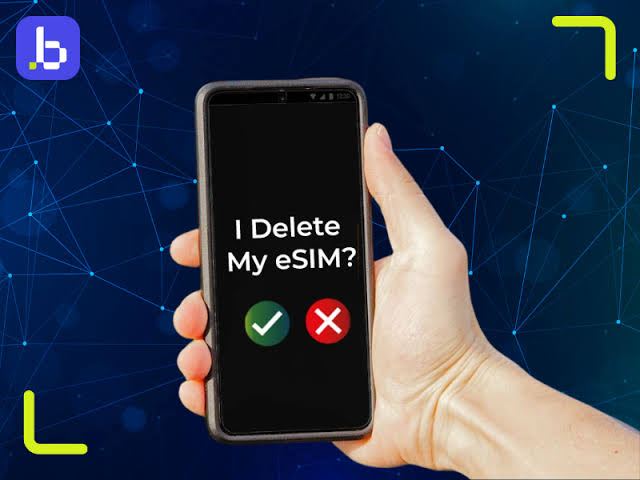
If you've already deleted it but you still see the network name or messages about, don't be panic!
What you're seeing doesn't always mean that the eSIM is still active.
Try checking first if:
Fly from Singapore
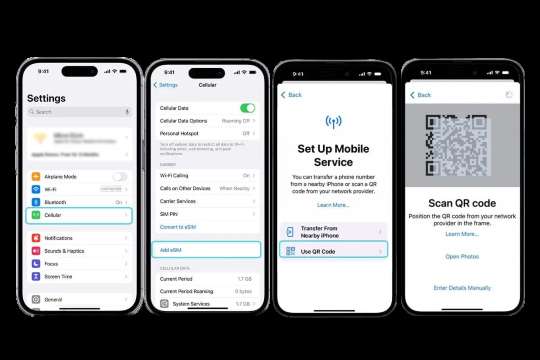
Remove an eSIM does not always mean that you can reinstall it using the original QR code because some providers allow the same code to be scanned again while others require you to request a replacement eSIM or a new QR code.
The process depends on the provider's policy.
So, if you are purchased a one time travel eSIM package, review its terms and conditions before removing it as some packages are linked to a specific device or can only be installed once.
For an eSIM that are connected to your primary phone number, avoid deleting it if you only want to stop using the line temporarily but turning the line off in your phone's settings is usually the safer option.

Yes, if the eSIM belongs to you and you are transferring or selling the phone, you should remove your personal mobile plans as part of preparing the device.
However, do not simply delete the eSIM without checking your mobile provider's instructions. If the number is important, make sure you have transferred or reactivated the service on your new phone first.
You should also back up your data and follow the manufacturer's recommended steps for erasing your personal information.
Deleting the eSIM from your mobile phone generally removes the digital SIM from the device, but it doesn not mean that your mobile subscription has been cancelled.
For example, if you have a monthly mobile plan, you may still be charged after deleting the eSIM unless you separately cancel the service with your provider.
Remember, always check the provider's terms before deleting the eSIM.
After removing a travel or secondary eSIM, check your mobile settings.
Go to Settings → Mobile Service and make sure your main SIM is selected for:
Go to your SIM manager or mobile network settings and select your main SIM for:
You can then test your connection by making a call or opening a website using mobile data.
Use our promo code to enjoy up to 5% OFF (up to S$3) on your attraction tickets, tours and eSIMs! Only for new users!
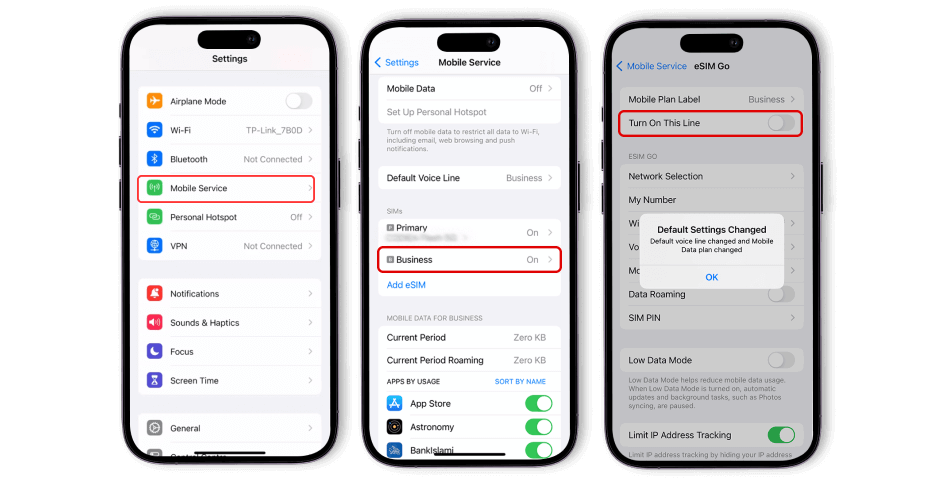
If your goal is "I don't want to use it right now, but I might want to use it again later," we think temporarily turning it off is a better option than deleting it.
For example, if you have a Singapore eSIM and a Japanese eSIM on your phone, you can set the Japanese eSIM as your primary SIM while traveling in Japan, but keep the Singapore eSIM active.
Then, when you return to Singapore, you can simply switch it back.
Go to , then toggle off . This will temporarily disable that line, but the profile will remain on your device and won't be deleted.
This method is perfect for those traveling to multiple countries, as you won't need to reinstall every time you want to switch back to a previous plan.
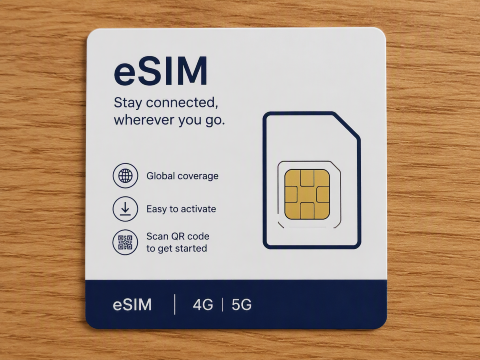
Deleting an eSIM only takes a few steps but it is important to check on your mobile plan first.
If an eSIM has expired, removing it can help your SIM settings organised but if the plan is still active and you may need it again, you can consider to turning it off instead.
But most importantly, do not delete an eSIM simply because you want to stop it temporarily.
Do not forget to check whether the provider allows reinstallation before removing the profile from the phone.