NO.1
NO.1








🔥Unlock 8% OFF on Car Rentals
Whether you're planning a road trip, a business journey, or just need a reliable ride, now is the perfect time to save. Use the coupon to enjoy this exclusive offer. Rent a car today and hit the road with extra savings!


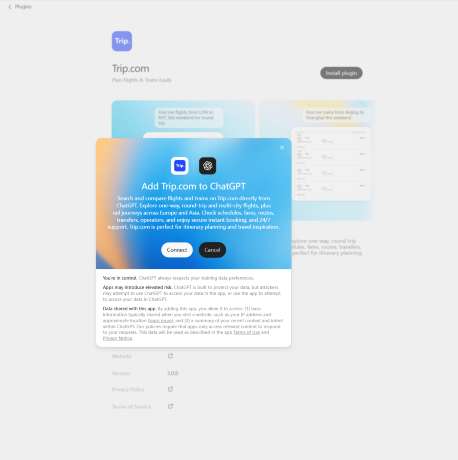
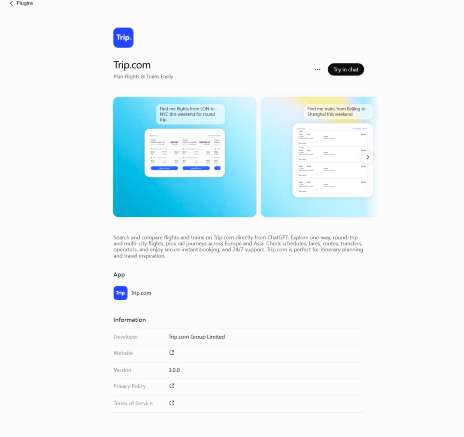
Trip.com App in ChatGPT letting the users to search, compare and book travel services using AI platform.
You can just ask ChatGPT to help you to find flights, hotels, train tickets, main attractions and car rentals to continue booking with Trip.com without takes a lot of time.
Whether you're planning a weekend getaway from Singapore or an international holiday, the Trip.com integration makes travel planning faster and more convenient.
Hotels in Singapore

Trip.com App in ChatGPT is an integration that combines ChatGPT's AI with Trip.com's travel booking platform.
You can use simple English dialogue to describe your trip instead of navigating through dropdown menus and filters.
You can ask ChatGPT to locate choices for you, whether you're looking for a short domestic stop or a lengthy foreign trip. This represents a substantial change from the conventional method of searching on the web.
With this, it helps to simplify the entire travel planning process, from research accommodation to transportation booking.
| Feature | How It Helps | Example Prompt |
|---|---|---|
Natural Conversations | Chat naturally instead of using multiple search filters. ChatGPT understands your travel needs and quickly narrows down suitable options. | "Find cheap flights from Singapore to Tokyo in October.""Recommend hotels near Orchard Road under S$200.""Plan a 5-day itinerary for Seoul." |
Personalised Recommendations | Receive travel suggestions tailored to your preferences, including your budget, destination, travel dates, number of travellers, hotel rating, and nearby attractions. | "Find a 4-star hotel in Bangkok under S$150 per night with free breakfast." |
Save Time | Skip comparing multiple travel websites. ChatGPT gathers relevant travel options in one conversation before directing you to Trip.com to complete your booking. | "Compare flights and hotels for a 4-day trip to Bali next month." |
Travel Inspiration | Discover new destinations based on your travel style, budget, or interests when you're unsure where to go. | "What are the best family holiday destinations in Asia?""Suggest romantic getaways from Singapore.""Recommend affordable beach holidays." |
Whether you're planning a road trip, a business journey, or just need a reliable ride, now is the perfect time to save. Use the coupon to enjoy this exclusive offer. Rent a car today and hit the road with extra savings!
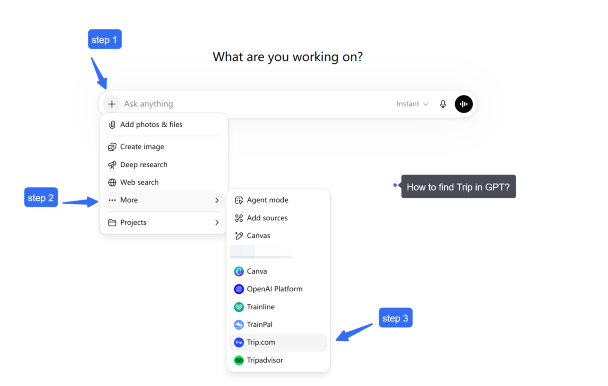
Of course, many users can access the Trip.com app in ChatGPT but the availability is based on your account subscription plan after you sign in.
Try to find the Trip.com in Apps or Explore GPTs section in the sidebar to connect the app but if you cannot, don't worry as ChatGPT continues to introduce new features and integrations, the location and method for accessing apps may change over time.
Searching for flights and hotels with Trip.com in ChatGPT is simple and straighforward.
You can just write your travel needs in your natural language, including the destination, travel dates, and preferences.
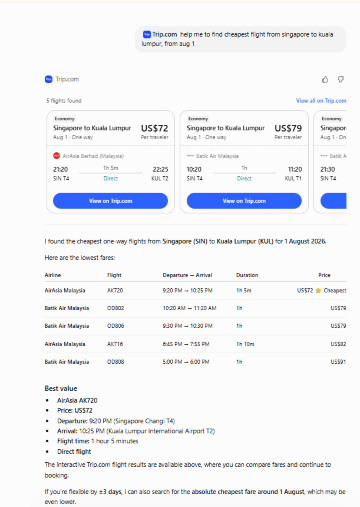
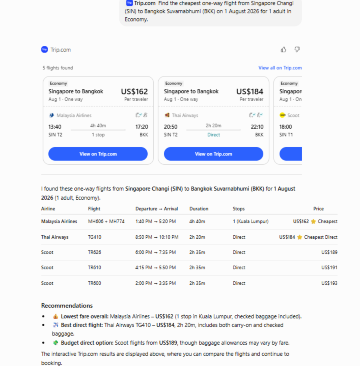
With this, Trip.com in ChatGPT will help you to compare the prices of available flight and hotels options, including schedules, routes, duration, and fares when available.
For example:
Tips:
To get more relevant results, include key details such as:
Examples:
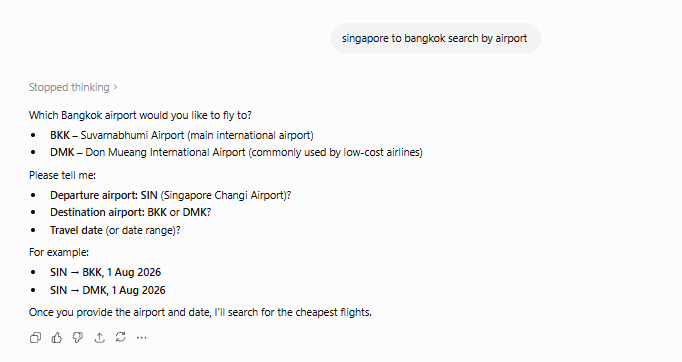
Remember, you can start broad. If you aren't sure which airport in Bangkok you want to use, just say "Bangkok."
The AI will show you options, and then you can narrow it down once you see the prices and times.
When asking for information, the more detailed the description, the more accurate the result.
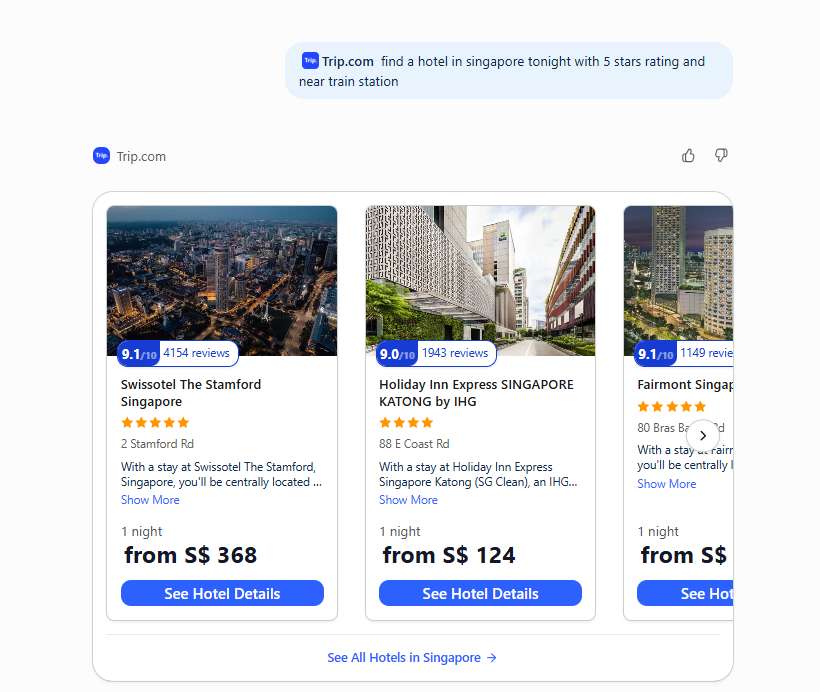
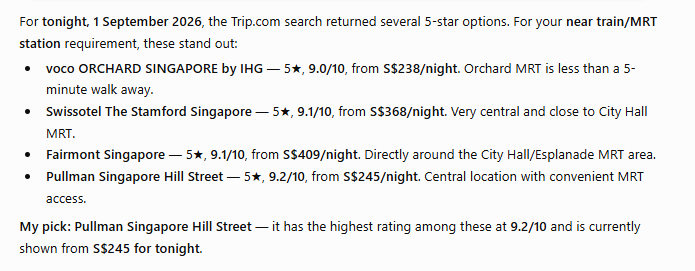
You can now searching for hotels by your designated destination, dates, number of guests, star rating or preferred facilities.
You can set a prompt of hotels near a train station, near business district or family friendly hotels.
Then, you can compare options using details such as price, guest reviews and ratings or room type.
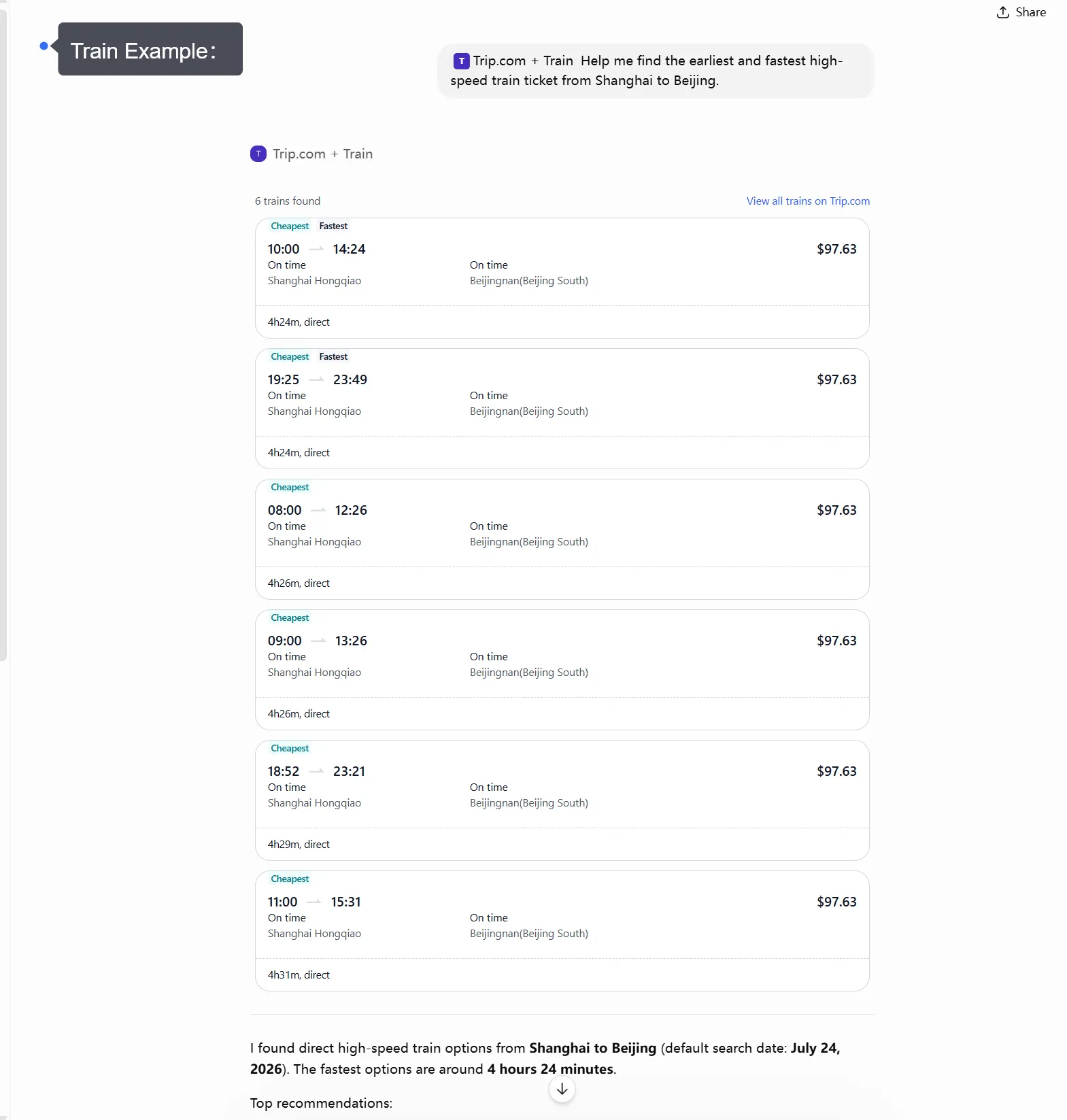
The best of using plugins are it can help to find the train routes and schedules for any destinations.
You can search the prompt based on the routes, departure and arrival stations, journey times, transfers and fares.
This is useful if you want to explore the city without having to look for the train station and departure times one by one.
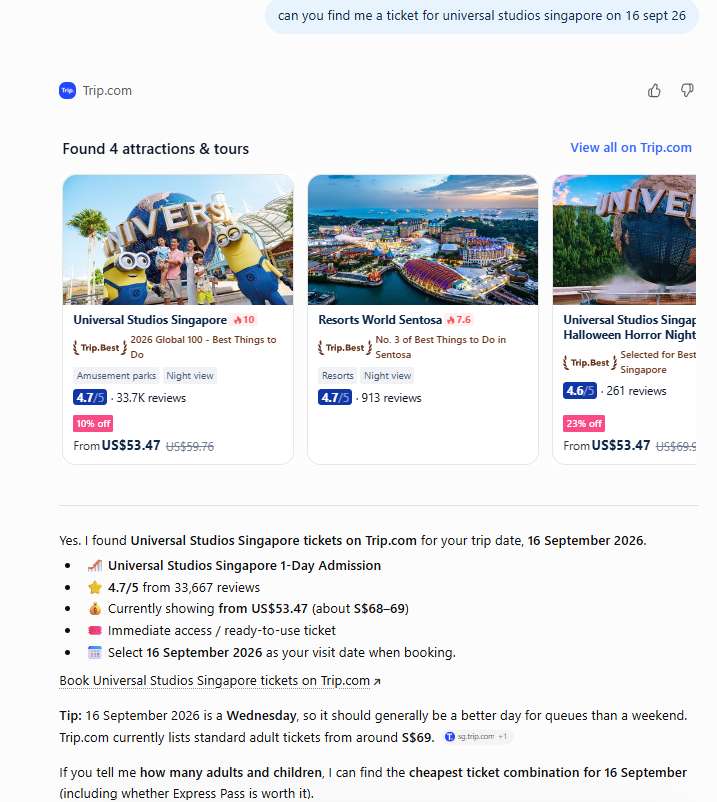
Good news! You can now use the plugin to explore things at the attractions and tours.
You can now write on the prompt of searching the tickets of the popular attractions for example theme parks, museums or day tours.
The results may shows the cheapest tickets and tips on the attractions and tours.
After your first search, you can continue the conversation with Trip.com in ChatGPT to refine and compare different travel options.
For flights, you can compare:
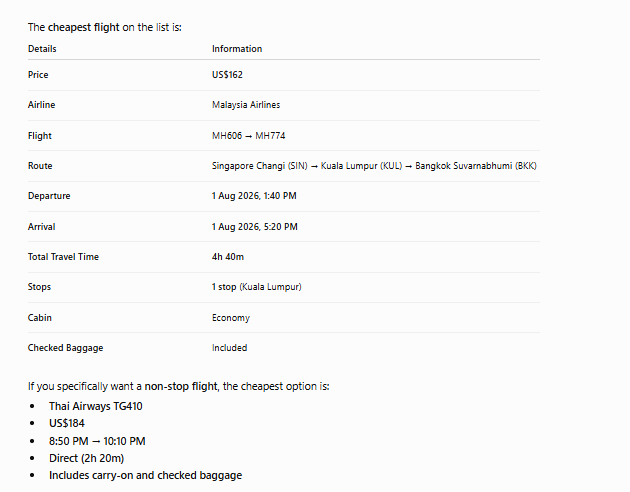
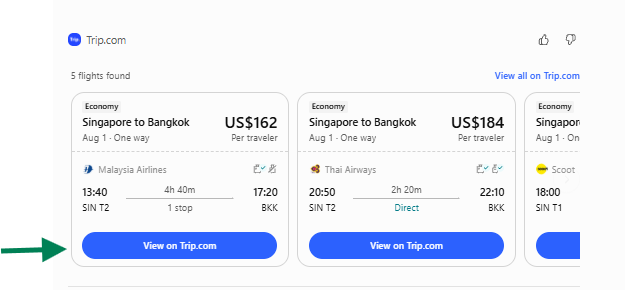
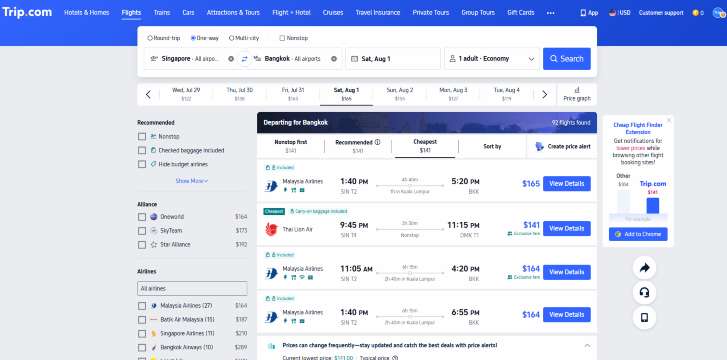
Before you check out with your booking, review the key details to make sure that your choice matches your travel plans.
For flights, check:
Fly from Singapore

Trip.com in ChatGPT makes travel planning more convenient and easy by allow you to search flights and trains through straighforward conversations.
Instead of navigating the multiple websites, you can just ask ChatGPT to help you compare the fares within the budget, explore travel routes and options.
As the integration continues to evolve, additional travel services and features may be introduced, making it even easier to plan, organise, and book your trips, all within a single ChatGPT conversation.
Future travel need | What users may want to do | Example future prompt |
Hotels | Compare locations, prices, and amenities like "pet-friendly" or "free Wi-Fi." | “Find hotels near Shinjuku for two adults with breakfast.” |
Car rentals | Search for SUVs, economy cars, or luxury vehicles at specific pickup points. | “Find a rental car at LAX from Friday to Monday.” |
Attraction tickets | Book museum entries, theme park passes, or local tours. | “Find attraction tickets in Singapore for this weekend.” |
Airport transfers | Coordinate a ride from the airport to your hotel. | “Find airport transfer options from Bangkok airport to my hotel.” |
Travel bundles | Put together a full package to save time and money. | “Help me plan a 5-day trip to Seoul with flights and hotel.” |

The Trip.com App in ChatGPT can make travel planning more quick and easy with the help of AI recommendations with Trip.com's booking services.
By providing your travel preferences in the search bar, you will received the suggestions that can help you to plan an itinerary or compare the best price for flight.