Trip.com Map View : Find Cheap Flights with Interactive Map

By Trip.com
June 25, 2026

If you’re flexible with where or when you travel, Trip.com’s Map View is a powerful tool to uncover cheap flights you might otherwise miss.
Instead of searching one destination at a time, Map View lets you compare fares visually and spot the best deals at a glance.


What Is Trip.com Map View?
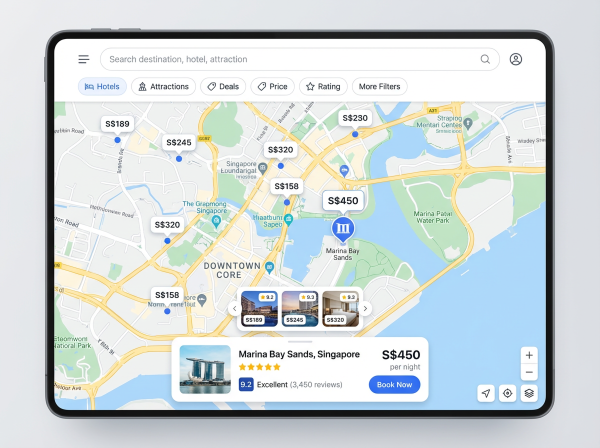
Trip.com Map View is a feature that displays flight prices on an interactive world map.
You can see multiple destinations and their fares simultaneously, making it ideal for travelers who want the cheapest option, not just a fixed route.
It’s especially useful if you’re open to different destinations or planning a spontaneous trip.
How to Access Map View on Trip.com?
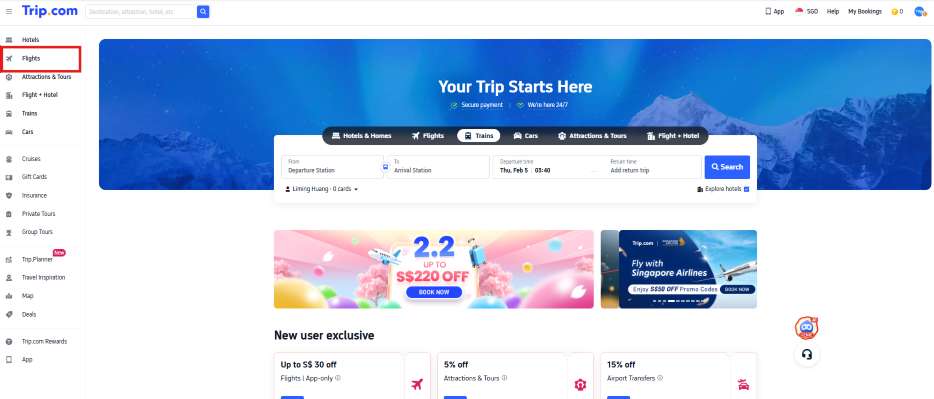
Step 1: Open the Trip.com website or app
- Select 'Flights'
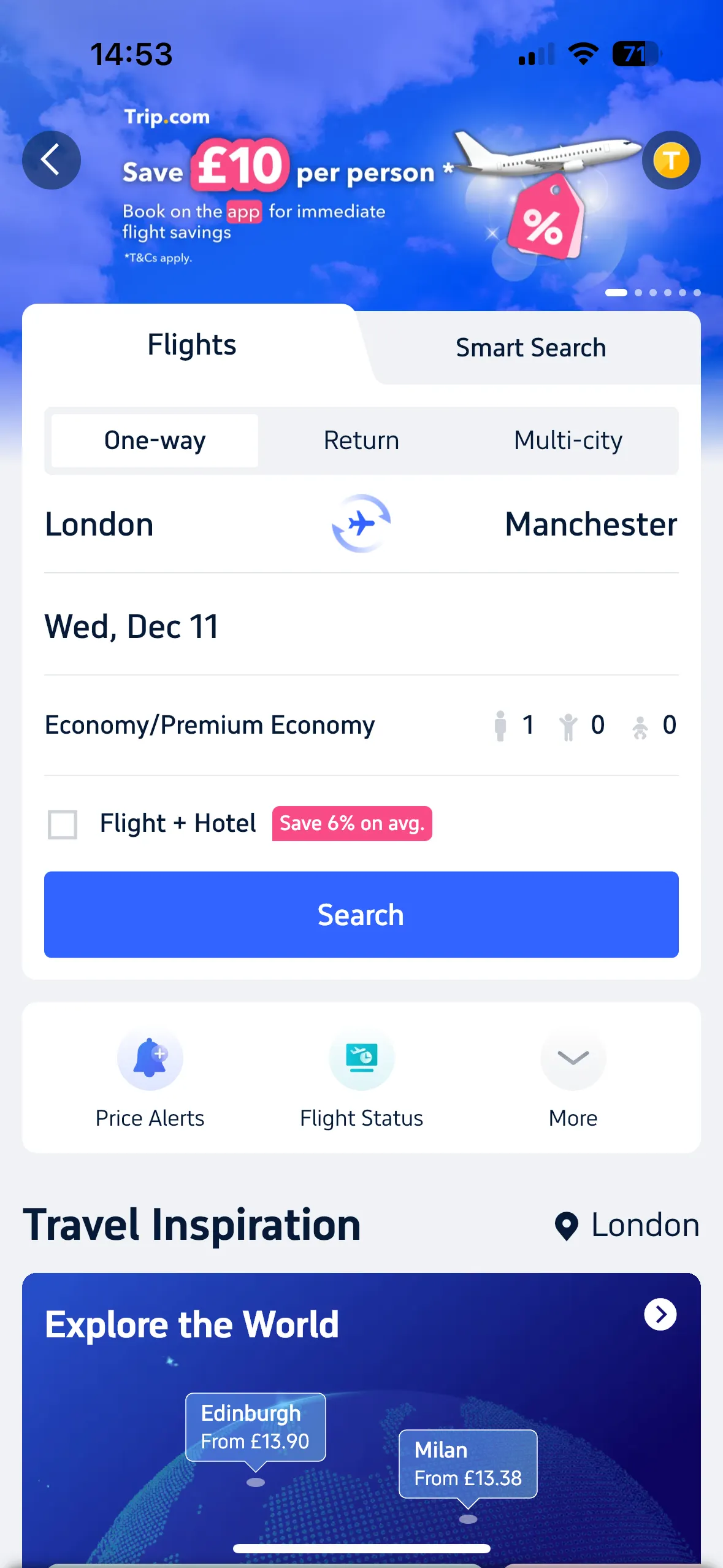
- For those using the app, you’ll want to navigate to the ‘Flights’ tab.
- From there, scroll down to the ‘Travel Inspiration’ and click on the arrow next to the title ‘Explore the World’.
Step 2: Enter your departure city
- Choose your travel dates (or stay flexible)
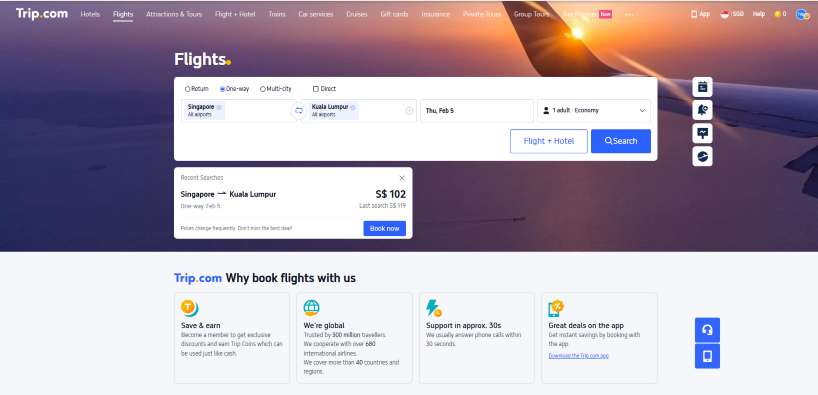
Step 3: Switch to 'Map View' to see prices displayed across destinations
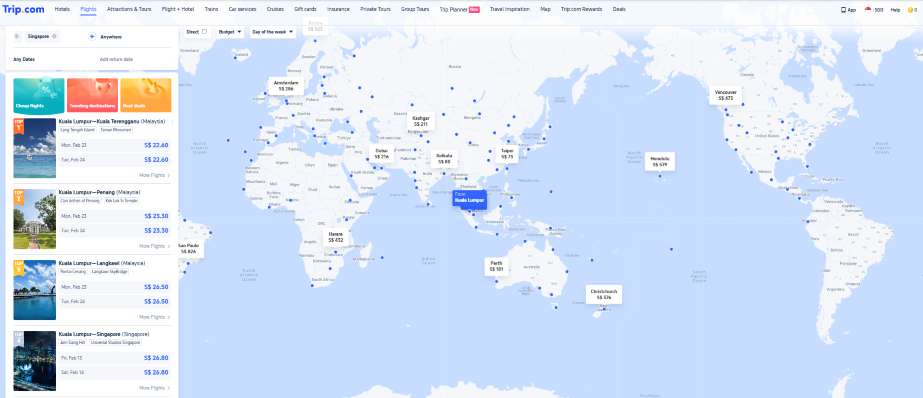
How to Find Cheap Flights Using Map View?
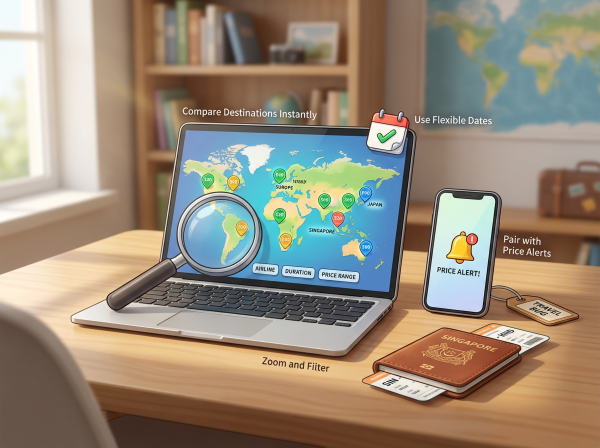
🌍 Compare Destinations Instantly
Instead of guessing where to go, Map View shows prices across regions and countries. This helps you discover unexpectedly affordable destinations.
📅 Use Flexible Dates
Changing travel dates within Map View can reveal big price differences. Midweek departures and off-peak days often show noticeably lower fares.
🔍 Zoom and Filter
Zoom in on specific regions or apply filters such as airlines, flight duration, or price range to narrow down the best-value options.
🔔 Pair with Price Alerts
Once you spot a route you like, set up price alerts so you’ll be notified when fares drop further.
When Map View Works Best?
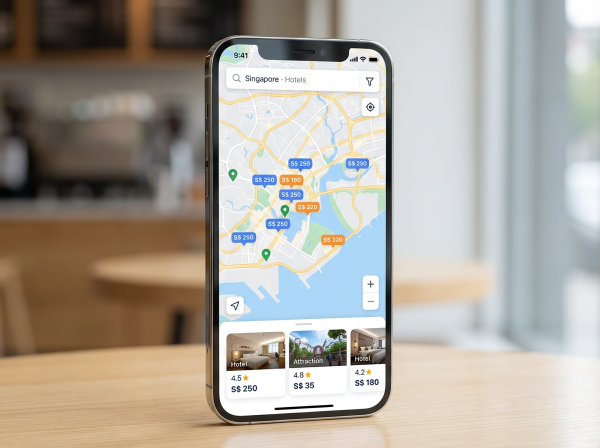
Trip.com Map View
- When you’re destination-flexible
- Planning trips during off-peak or shoulder seasons
- Searching for budget-friendly getaways
- Looking for last-minute or spontaneous travel deals
🔥Trip.com Weekend Promo Codes!
Taking advantage of public holidays and plan your long weekend getaways! Discover unbeatable flight fares to Penang, Kuala Lumpur, Bali and more. Snatch flight promo codes on Saturdays and Sundays at 00:00!
Psst..earn double rewards (Trip Coins and Airline miles) and enjoy Flyer Exclusive rates for hotels after booking flights! Time to fly off worry-free with our 24/7 Customer Support!

📅Promotion period: Sat - Sun.
Pro Tips for Bigger Savings
- Check Map View late at night or midweek
- Combine low fares with Trip Coins, cashback, or credit card promotions
- Watch prices over several days before booking
Final Thoughts
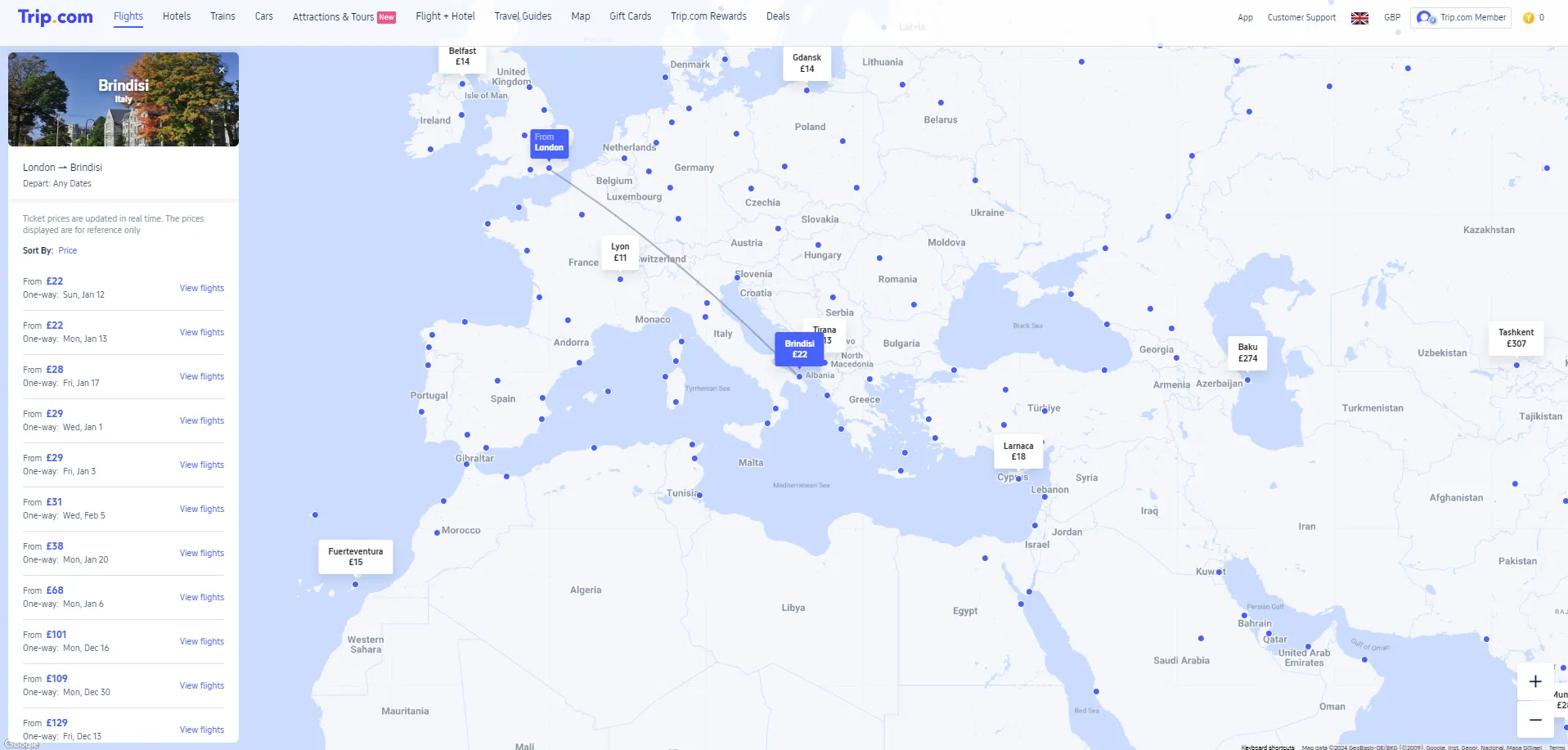
Trip.com Map View turns flight searching into a visual experience, making it easier to spot low fares and travel smarter.
If you’re chasing the best deals and open to new destinations, this tool can help you stretch your travel budget and uncover hidden gems around the world.
FAQ: Trip.com Map View for Cheap Flights
-
What is Trip.com Map View?
-
How do I access Map View on Trip.com?
-
Can I find cheaper flights using Map View?
-
Does Map View support flexible travel dates?
-
Is Trip.com Map View available on mobile?
Find Cheap Travel Deals & Explore Destinations on Trip.com
-
Popular Content
-
Top Flight Links
-
Popular Hotels
-
Popular Things to Do
-
Featured guides
-
Trip.com links
- Trip.com Customer Service
- Trip.com VIP Lounge
- Buy Now Pay Later
- Trip.com Contact
- Trip.com Cancellation Policy
- How to Use Trip com Promo Codes
- Best Credit Cards
- Singapore Airlines Baggage Allowance
- scoot-baggage-allowance
- luggage size cabin
- How to Book a Student Flight Ticket
- Singapore Airlines Change Flight
- Best Day to Book Flights
- Trip.com Flight Refund
- Flight Classes Explained
- CA490 Flight Status
- SQ869 Flight Status
- MU7705 Flight Status
- ZG053 Flight Status
- MU2434 Flight Status
- QG523 Flight Status
- CA1651 Flight Status
- Plane tickets from Singapore to Kuala Lumpur
- Plane tickets from Singapore to Fukuoka
- Cheap flights from Singapore to Shanghai
- Plane tickets from Singapore to Bangkok
- Cheap flights from Singapore to Seoul
- Cheap flights from Singapore to Manila
- Cheap flights from Singapore to Tokyo
- Plane tickets from Singapore to Chengdu
- Hotels near Hefeinan Railway Station
- Hotels near Johor Bahru Senai International Airport
- Hotels near Hongcun Aju Theater
- Hotels near Zixiao Palace
- Hotels near Beijing Road
- Chengdu Hotels
- Tokyo Hotels
- Kuala Lumpur Hotels
- Kunming Hotels
- Phu Quoc Island Hotels
- Hotel Les Matins de Paris
- Ramada by Wyndham Seoul Dongdaemun
- Mercure Guangzhou Beijing Road Pedestrian Street Hotel
- Airport International Hotel (Xuzhou Guanyin Airport)
- Atour Hotel (Chengdu Taikoo Li)
- Malaysia 5G eSIM | Supports mainstream apps including TikTok, Google Maps & ChatGPT | Day Pass/Total Package | 24H Billing | 1-30 days | QR code
- Singapore 4G eSIM | Supports Google Maps / ChatGPT | Daily/Total Data Plans | 24-Hour Billing | 1–30 Days | QR Code
- Vietnam Airport VIP Fast Track Service
- VIP Fast Track service for immigration clearance at Tan Son Nhat Airport in HCM
- Foreign Tourist Day Tour: Panda Valley / Dujiangyan / Mt Qingcheng / Blue Tear / Chengdu
- Huanglongjiuzhai Railway Station - Jiuzhaigou | Departure/Return | Rideshare/Private Charter | Bus/Nanny/5-9 Seater Business | Shuttle Bus | Vehicle Type Optional | Any Combination | T
- Guilin Yangshuo Impression Liu Sanjie Landscape Performance + Complimentary Exclusive Coffee Drink - Pick Up at Designated Restaurant
- Mainland China 5G eSIM | Dual Network • All AI & TikTok | 1–365 Days | QR Code
- Busan SIM Card
- Chicago Yacht Charter
- Split Day Tours
- Phu Quoc Island Local Tour Guides
- Barcelona Restaurant Discounts
- Oslob Boat Tickets
- Fukuoka Prefecture Transport Card
- China Power Bank Limit
- Trip.com Customer Service
- train to kl from singapore
- Shanghai Metro
- China Train Map
- China Entry Requirements
- Hong Kong Public Holidays 2027
- train from singapore to jb
- China Plug
- Thailand Plug
- universal studios singapore tickets
- Renew Autopass Singapore
- Taiwan Plug
- Vietnam Arrival Card
- Singapore Malaysia Cross Border Taxi
- Big Transport from Tokyo to Fukuoka
- Osaka Station to Kyoto Station
- Bangkok to Pattaya
- Trip.com Promo Code
- Trip.com Flight Deals
- Trip.com Credit Card Promotions
- How to Book Cheap Hotels
- How to Book Cheap Flights
- Trip.com Member Rewards
- Trip Weekly Hotel Sales
- Online Hotel Booking
- Online Flight Booking
- Trip.com Travel Guide
- Book China Train Tickets
- Trip.com Seat Selection
- Singapore Public Holidays 2027
- Trip.com 优惠码
- Trip.com Travel Guides
- Trip.com 10.10 Mega Sale