Uber Eats Guide: Features, Benefits & How to Order Food Online

Food delivery has become an essential part of everyday life, as more people now prefer ordering meals through mobile apps instead of picking them up themselves.
With just a few taps, users can browse thousands of restaurants, compare menus and prices, track their orders in real time, and enjoy a wide variety of local and international cuisines without leaving home.
It is convenient and easy if you have to working late or relaxing and spending time with a family at home, you can enjoy the meals together.
Fly from Singapore

What Is Uber Eats?
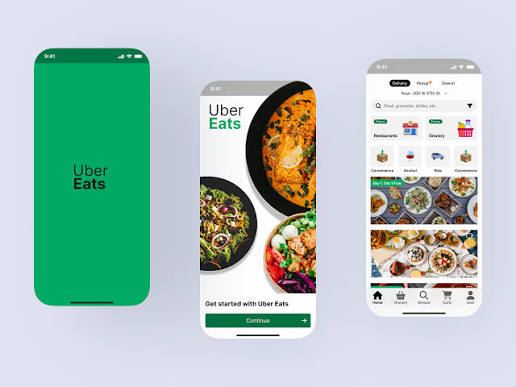
Uber Eats app is a platform of buying food and groceries online and delivery it to your doorstep which is developed by Uber Technologies in 2014.
This service is very popular in the world that operating in multiple countries where the app connects with local restaurants, cafes, grocery stores and partnered shops.
The app is available on both Android and iOS devices and supports multiple languages and payment methods, making it convenient for both locals and international travellers.
Key Features of Uber Eats
Thousands of Restaurants and Grocery Delivery
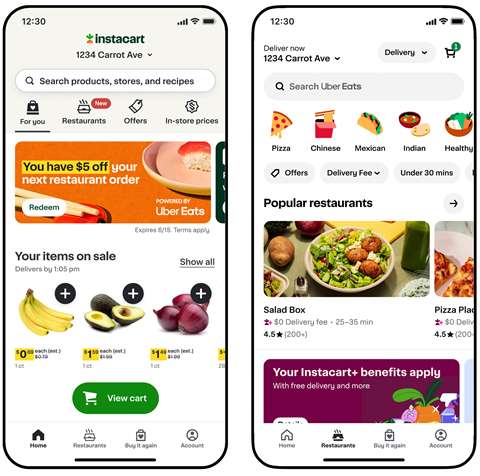
Uber Eats partners with varities of restaurants, from local cafes to the street food vendors, making a wide selection for the users to choose.
If you are craving for pizza, Korean fried chicken or even healthy salads, you will find various choices of menu nearby.
In many cities, Uber Eats also delivers groceries and everyday essentials where you can just add to cart your household that need to be buy without visiting a supermarket.
Real-Time Order Tracking
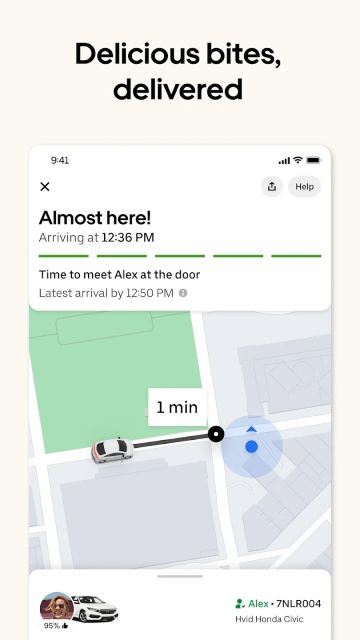
After you have place your order, you can track on delivery in the app, from restaurant preparation to the driver's location and estimated arrival time.
This will helps you to keep on track exactly when your food will arrive.
Scheduled Deliveries
Uber Eats also can delivered your meal in specific time with the feature of schedule orders.
This is useful for lunch meetings, family dinners, or special occasions.
Multiple Payment Options
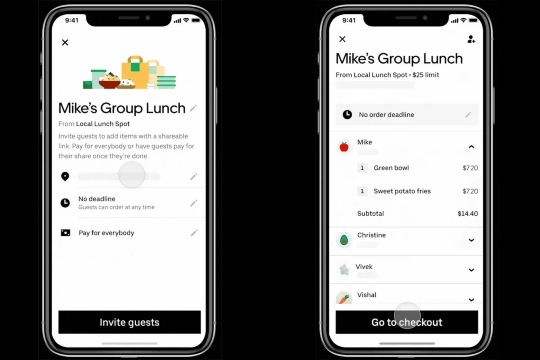
Uber Eats supports several payment methods, including:
- Credit cards
- Debit cards
- Digital wallets
- PayPal (in selected countries)
- Uber Cash (where available)
- Cash (available only in selected markets)
How to Use Uber Eats
Step 1: Install the app and create account
- Download app in Google Play Store or Apple Store
- Create account or sign in
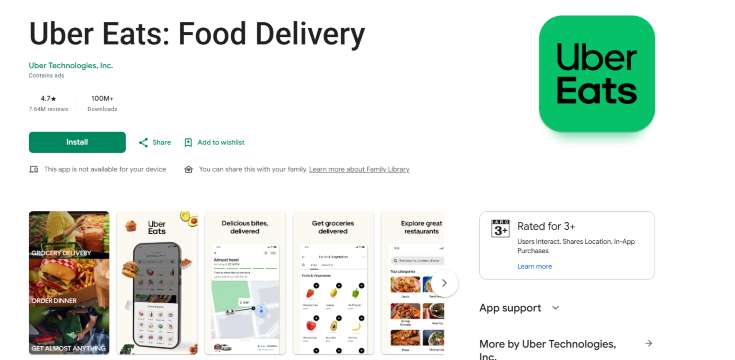
Step 2: Browse nearby restaurants or grocery stores and choose delivery address
- Customers can also order from two nearby restaurants in same order with no additional fee
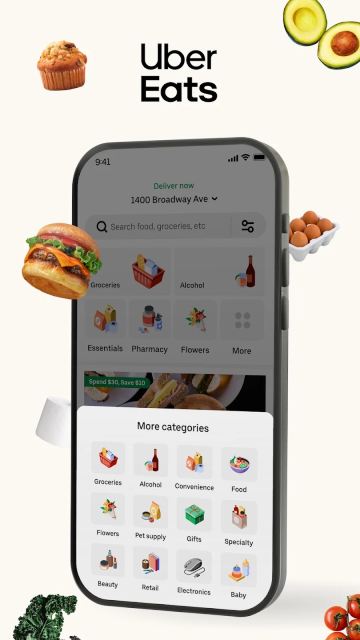
Step 3: Select your favourite items and add them to your cart then select payment method
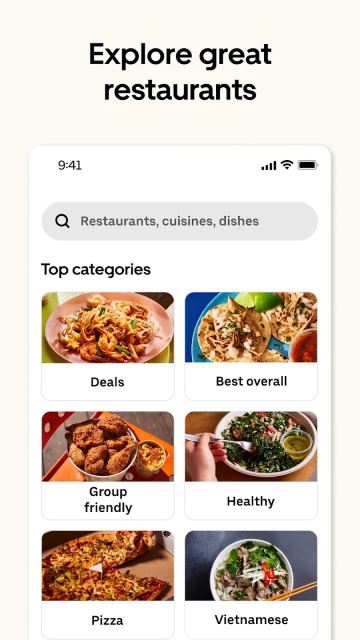
Step 4: Place your order and track delivery

Enjoy Your Food!
Uber Eats is everyday essentials that help users to find convenient solution for their busy lifestyles to make order with just a tap on their mobile phone.
Whether you're ordering lunch at work, dinner at home, or groceries for the week, Uber Eats makes food delivery faster, easier, and more accessible than ever.
FAQ: Uber Eats App
-
Is Uber Eats available worldwide?
-
Can I order groceries on Uber Eats?
-
How do I pay for Uber Eats?
-
Can I track my order?
-
Can I order from multiple restaurants at the same time?
Find Cheap Travel Deals & Explore Destinations on Trip.com
-
Popular Content
-
Top Flight Links
-
Popular Hotels
-
Popular Things to Do
-
Featured guides
-
Trip.com links
- Trip.com Customer Service
- Trip.com VIP Lounge
- Buy Now Pay Later
- Trip.com Contact
- Trip.com Cancellation Policy
- How to Use Trip com Promo Codes
- Best Credit Cards
- Singapore Airlines Baggage Allowance
- scoot-baggage-allowance
- luggage size cabin
- How to Book a Student Flight Ticket
- Singapore Airlines Change Flight
- Best Day to Book Flights
- Trip.com Flight Refund
- Flight Classes Explained
- CA490 Flight Status
- SQ869 Flight Status
- MU7705 Flight Status
- ZG053 Flight Status
- MU2434 Flight Status
- QG523 Flight Status
- CA1651 Flight Status
- Plane tickets from Singapore to Kuala Lumpur
- Plane tickets from Singapore to Fukuoka
- Cheap flights from Singapore to Shanghai
- Plane tickets from Singapore to Bangkok
- Cheap flights from Singapore to Seoul
- Cheap flights from Singapore to Manila
- Cheap flights from Singapore to Tokyo
- Plane tickets from Singapore to Chengdu
- Hotels near Hefeinan Railway Station
- Hotels near Johor Bahru Senai International Airport
- Hotels near Hongcun Aju Theater
- Hotels near Zixiao Palace
- Hotels near Beijing Road
- Chengdu Hotels
- Tokyo Hotels
- Kuala Lumpur Hotels
- Kunming Hotels
- Phu Quoc Island Hotels
- Hotel Les Matins de Paris
- Ramada by Wyndham Seoul Dongdaemun
- Mercure Guangzhou Beijing Road Pedestrian Street Hotel
- Airport International Hotel (Xuzhou Guanyin Airport)
- Atour Hotel (Chengdu Taikoo Li)
- Malaysia 5G eSIM | Supports mainstream apps including TikTok, Google Maps & ChatGPT | Day Pass/Total Package | 24H Billing | 1-30 days | QR code
- Singapore 4G eSIM | Supports Google Maps / ChatGPT | Daily/Total Data Plans | 24-Hour Billing | 1–30 Days | QR Code
- Vietnam Airport VIP Fast Track Service
- VIP Fast Track service for immigration clearance at Tan Son Nhat Airport in HCM
- Foreign Tourist Day Tour: Panda Valley / Dujiangyan / Mt Qingcheng / Blue Tear / Chengdu
- Huanglongjiuzhai Railway Station - Jiuzhaigou | Departure/Return | Rideshare/Private Charter | Bus/Nanny/5-9 Seater Business | Shuttle Bus | Vehicle Type Optional | Any Combination | T
- Guilin Yangshuo Impression Liu Sanjie Landscape Performance + Complimentary Exclusive Coffee Drink - Pick Up at Designated Restaurant
- Mainland China 5G eSIM | Dual Network • All AI & TikTok | 1–365 Days | QR Code
- Singapore Yacht Charter
- Jeju City Tours with Hotel Pickup
- Phu Quoc Island Connectivity Solutions
- Tokyo Airport Services
- Fukuoka Prefecture Transport Card
- Oxford Transportation
- My Tho Bus Tickets
- China Power Bank Limit
- Trip.com Customer Service
- train to kl from singapore
- Shanghai Metro
- China Train Map
- China Entry Requirements
- Hong Kong Public Holidays 2027
- train from singapore to jb
- China Plug
- Thailand Plug
- universal studios singapore tickets
- Renew Autopass Singapore
- Taiwan Plug
- Vietnam Arrival Card
- Singapore Malaysia Cross Border Taxi
- Frankfurt Airport to City
- Osaka Station to Kyoto Station
- Bangkok to Pattaya
- Trip.com Promo Code
- Trip.com Flight Deals
- Trip.com Credit Card Promotions
- How to Book Cheap Hotels
- How to Book Cheap Flights
- Trip.com Member Rewards
- Trip Weekly Hotel Sales
- Online Hotel Booking
- Online Flight Booking
- Trip.com Travel Guide
- Book China Train Tickets
- Trip.com Seat Selection
- Singapore Public Holidays 2027
- Trip.com 优惠码
- Trip.com Travel Guides
- Trip.com 10.10 Mega Sale