🔥Save More with Up to 5% OFF
Use our promo code to enjoy up to 5% OFF (up to S$3) on your attraction tickets, tours and eSIMs! Only for new users!

One thing that often trips up travellers after arriving in China is finding a reliable map app. Google Maps may not work in China directly with a standard connection. In this article, we'll cover why Google Maps doesn't work in mainland China, quick fixes to try as soon as you arrive, and the best alternative apps,
To put it simply, in mainland China, even if your phone is connected to the internet, Google Maps just won't load. With international roaming or certain travel eSIMs, you might be able to open Google Maps thanks to differences in network routing.
Connectivity | Connecting to Google Maps | Practicality for getting around |
Hotel Wi-Fi in mainland China | It can be tricky | Low |
Airport Wi-Fi in mainland China | It can be tricky | Low |
Local SIM cards for mainland China | It can be tricky | Low |
International roaming | may open | Inside |
Travel eSIM | may open | Inside |
Google Maps web version | It may be partially visible | Low |
Apple Maps | If you have an iPhone, you're all set | Medium to High |
AMap, Baidu Maps | promising | High |
In this article, "China" refers to mainland China.
In Hong Kong and Macau, communication environments and conditions for using Google services may differ from those in mainland China. Just because you could use Google Maps in Hong Kong doesn't mean you'll be able to use it the same way in mainland China, including cities like Shanghai, Beijing, Guangzhou, Shenzhen, and Chengdu.
If you're heading to mainland China, be sure to prepare an eSIM, roaming, and map apps that work there.
Use our promo code to enjoy up to 5% OFF (up to S$3) on your attraction tickets, tours and eSIMs! Only for new users!
Buy Cheap eSIM Here
If you arrive in China and find that Google Maps isn't working, first try to determine whether it's a general connectivity issue or just a problem with Google services.
Symptoms | Possible causes | Things to check first | Ready-to-use alternatives |
Only Google Maps won't open | Restrictions on connecting to Google services | Check if other sites open | Apple Maps, AMap |
Other sites won't open either | No connection | eSIM, Wi-Fi, and roaming settings | Airport Wi-Fi, hotel Wi-Fi |
Current location not found | Location permissions are off | Allow location and precise location | Search by address, search by station name |
The map opens, but I can't search | Map data and naming issues | Search by Chinese name/address | AMap, Baidu Maps |
The route seems a bit off | Insufficient map information | Comparing with Apple Maps and AMap | Prioritize local map apps |
No hotels found | Mismatch between English and Chinese names | Use the Chinese address from your booking confirmation | Copy hotel address |
If other sites besides Google Maps won't open either, first check your connection itself.
Please check in the following order.
Before you turn on roaming, be sure to check the rates and terms with your mobile carrier.
Enabling roaming without checking the rates first could lead to a hefty bill.
If only Google Maps won't load, the issue might not be your overall connection, but rather a problem connecting to Google services.
In this case, rather than spending time trying to fix Google Maps, let's switch to the next method.
Immediately after you arrive, it's more important to make sure you can get to your hotel or destination than it is to try and fix Google Maps.
If Google Maps or an alternative map app opens but doesn't show your current location, please check your location permissions.
Apple requires location services to optimize your experience with Maps, and
It explains that turning off location services will disable some features, such as turn-by-turn navigation.
Here are the things to check:
GPS signals can be unstable in airports, subway stations, underground malls, and large commercial facilities. Please head outside and try checking your location again.

Source: mobyinfo
If you can't use Google Maps in mainland China, the best alternative apps will depend on what kind of smartphone you have. To cut to the chase: if you're on an iPhone, try Apple Maps first; if you're on either iPhone or Android, go with AMap or Baidu Maps.
App | Who this is for | Strengths | Things to keep in mind |
Apple Maps | iPhone users | Easy to use | Not available on Android |
AMap Global | iPhone/Android | Great for getting around China | Be sure to check language and SMS verification requirements |
Baidu Maps | For Chinese address verification | Packed with local insights | Don't assume an English UI |
Google Maps | International Roaming Users | familiar and easy to use | Be mindful of connectivity and usability in mainland China |
If you're an iPhone user, try Apple Maps first.
Apple explains that Apple Maps uses map services from Amap Software Co., Ltd. in China. They also explain that signing in to your Apple Account isn't required when using Apple Maps in China.
However, for details on local shops, building entrances, subway exits, and bus information, it's a good idea to double-check with AMap for peace of mind.
A great alternative that's easy to use on both iPhone and Android is AMap Global (Gaode Maps). According to the AMap Global listing on Google Play, for travel in China, it offers guidance after arrival, internet connectivity.
In short, it's safer not to assume that AMap will work perfectly with a Singapore phone number.
Baidu Maps can be used as a backup tool when searching for local information within China.
According to the Baidu Maps listing on the App Store, it supports public transit, walking, driving, trains, flights. It is explained that it supports route planning for multiple modes of transportation, such as buses.
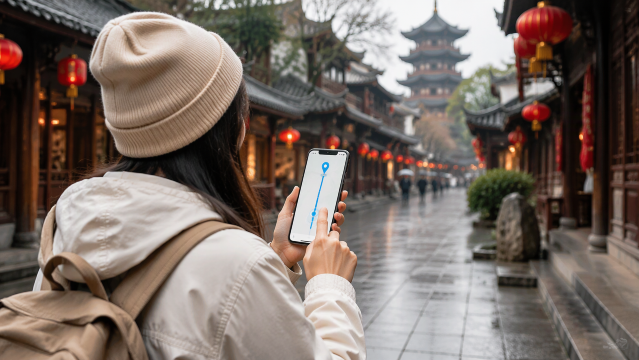
When using map apps in China, it's safer not to rely solely on searching by English names.
The most reliable way is to use the official Chinese name and address.
Here are the places to check:
Even if you can't find it by searching in English, you might be able to find it using the Chinese name.
In major Chinese cities, you'll often find multiple hotels or commercial facilities with similar names in the same area.
Beyond just the hotel name, be sure to save the following information as well.
Especially in large commercial complexes in cities like Shanghai, Beijing, Shenzhen, and Guangzhou, knowing the building name and entrance number is key!
Before you head to mainland China, make sure you've taken care of these preparations.
It's important to search for and save your routes while you're still in Singapore, rather than setting up your map app for the first time after you arrive.
 2266328 booked