
TripGenie by Trip.com: Your Smart AI Travel Assistant for Easy Trip Planning


TripGenie is Trip.com’s AI-powered travel assistant integrated into its app. It’s designed to help you plan, book, and manage your trips more easily, acting like a smart companion throughout your journey.
More than just a search tool, TripGenie acts as a personal travel companion, guiding you through every stage of your trip, from finding flight deals and hotel recommendations to crafting custom itineraries and even suggesting local restaurants or attractions once you arrive.
The assistant integrates seamlessly with Trip.com’s extensive global database, giving you access to millions of flights, hotels, and activities within seconds.


What Is TripGenie?
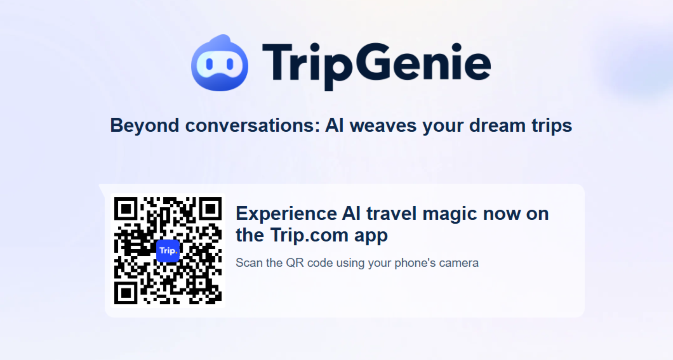
- TripGenie is an AI assistant by Trip.com that responds to both text and voice commands, allowing you to ask for travel ideas, price comparisons, itinerary suggestions, and more.
- It’s built using large language models and is deeply integrated with Trip.com’s booking and search backend, so it can link you directly to flights, hotels, activities, or other relevant app pages.
- TripGenie goes beyond simple Q&A: it weaves personalized itineraries, suggests best routes, gives reminders, and can assist you during the trip itself.
Recent Upgrades & Features
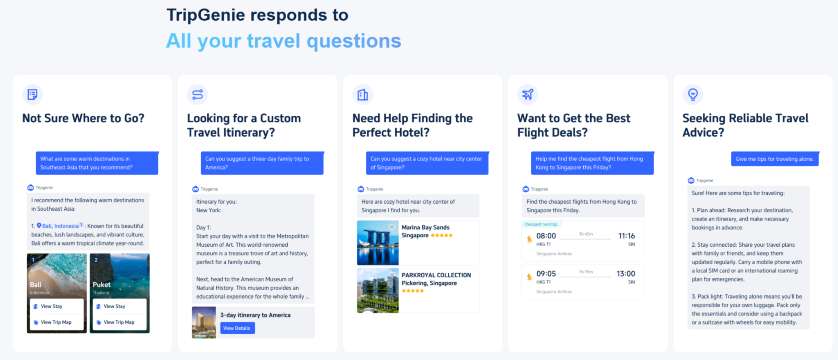
Trip.com has continued expanding TripGenie’s capabilities. Some of the standout additions:
Feature | Description |
|---|---|
Enhanced itinerary generation | TripGenie can now generate full day-by-day trip plans based on your preferences. |
Collaborative editing | You can invite friends or travel companions to help edit the itinerary together. |
Travel alerts & real-time updates | Flight changes, booking reminders, and local notifications are woven into the assistant’s suggestions. |
Menu Assistant & live translation | One of the newer features is the Menu Assistant which helps translate and explain local restaurant menus. TripGenie is also adding multi-modal support (voice + image / translation) for real-time assistance. |
Trip.com Widget & contextual prompts | A widget on your phone surfaces relevant TripGenie tools depending on where you are or what you’re doing, making it easier to access without opening the full app. |
Benefits & Use Cases
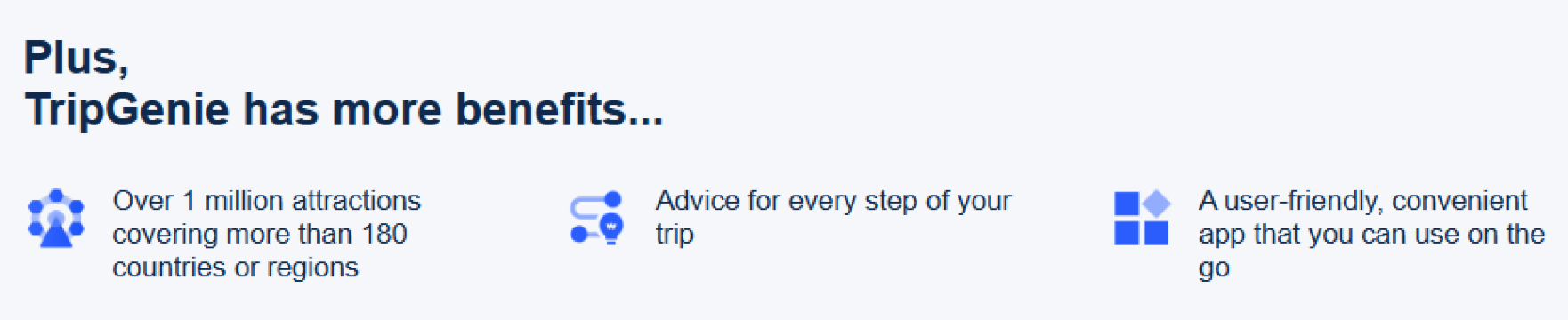
Time Saving
Instead of toggling between multiple sections, you can ask TripGenie “find me 5-day trip plan in Bangkok” and it delivers a ready-to-go itinerary with links.
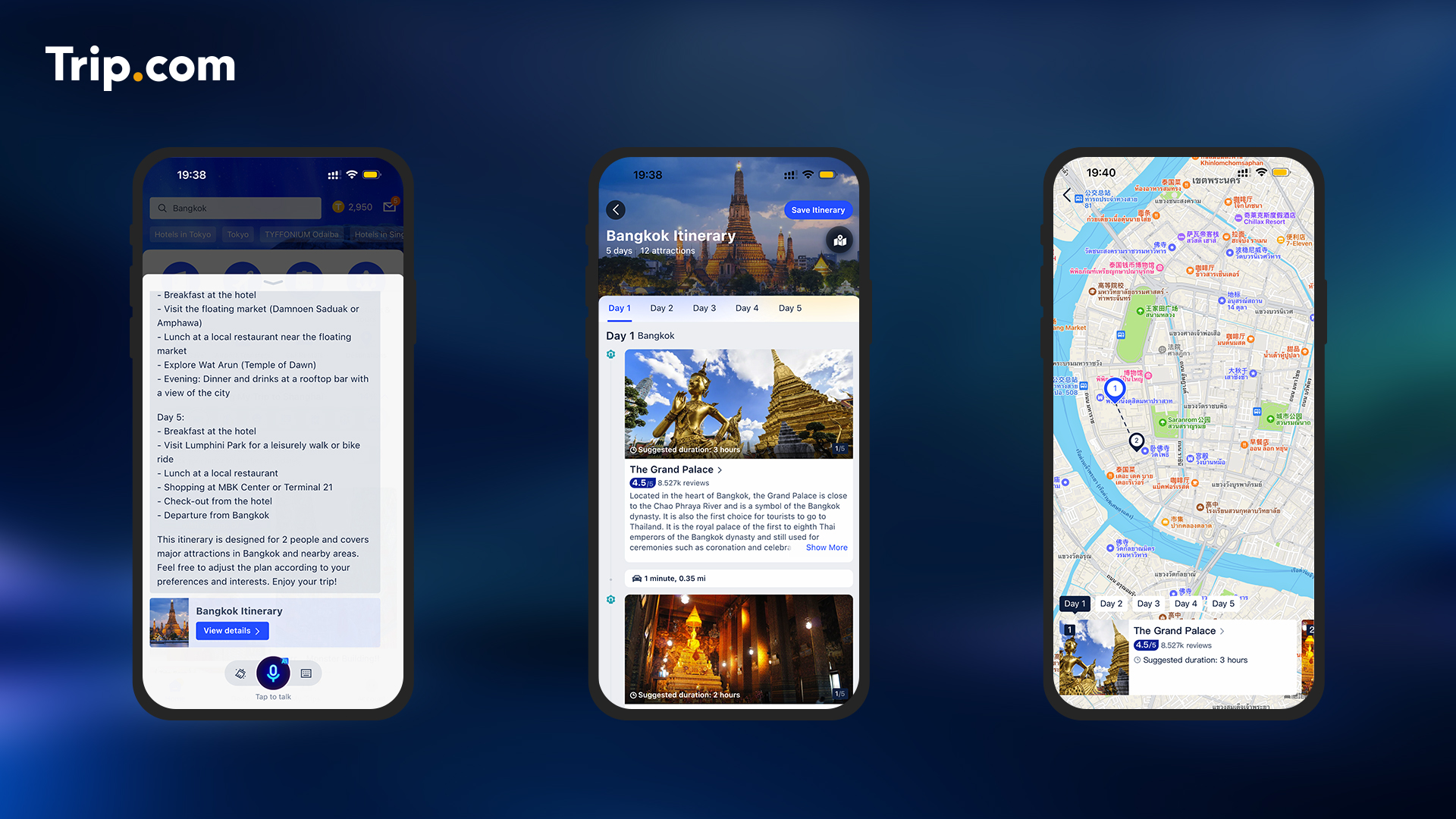
Seamless Transitions
Ask about hotels, flights, restaurants, then switch to itinerary mode in one flow. No manual copying of results
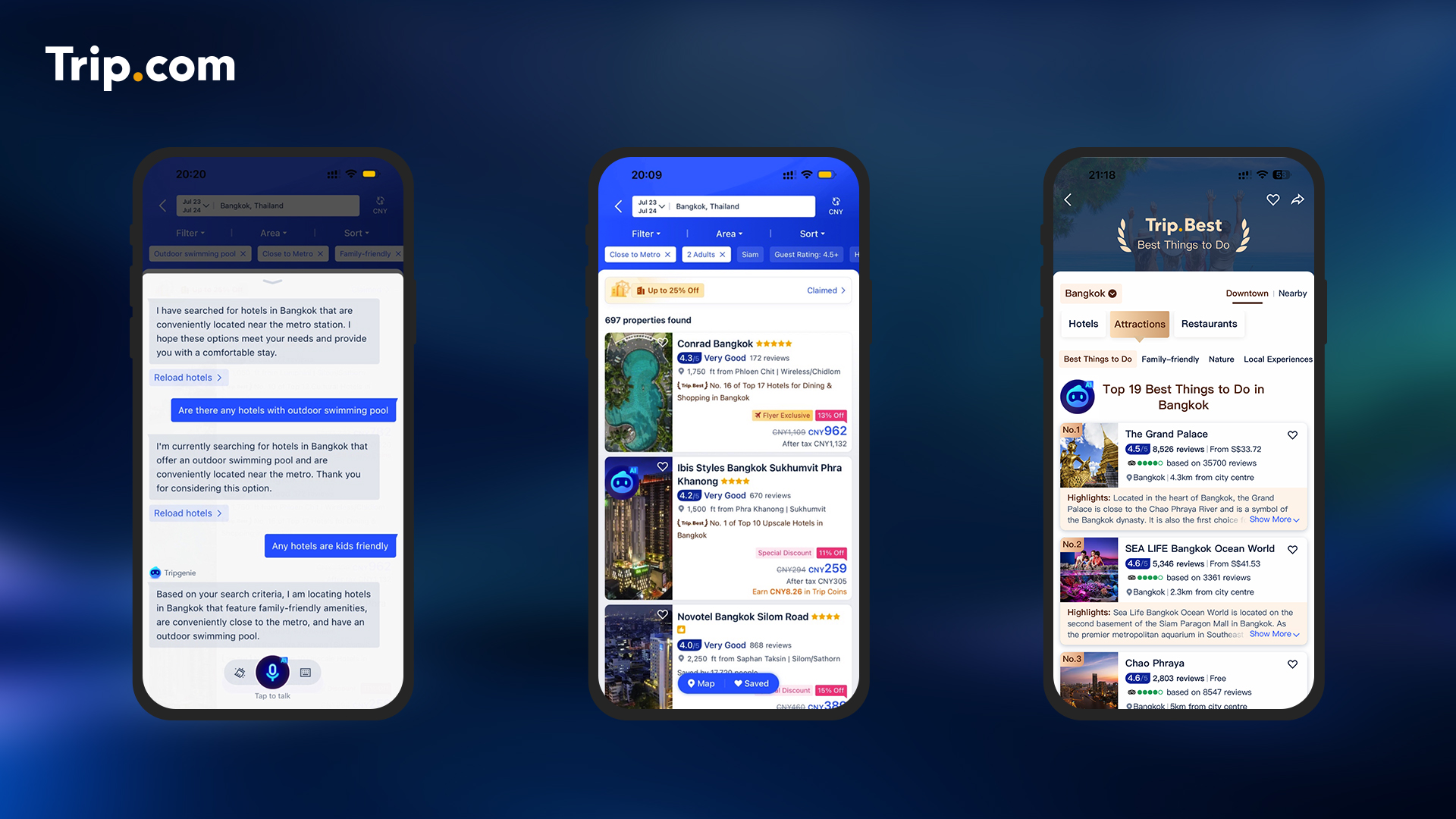
Proactive Assistance
TripGenie can act beyond just answering, it now anticipates your needs,
For example: menu translation or suggesting local experiences
Language & Cultural Help
Especially useful when traveling in places where you don’t know the language: menus, transport options, and local tips become easier via its assistance.
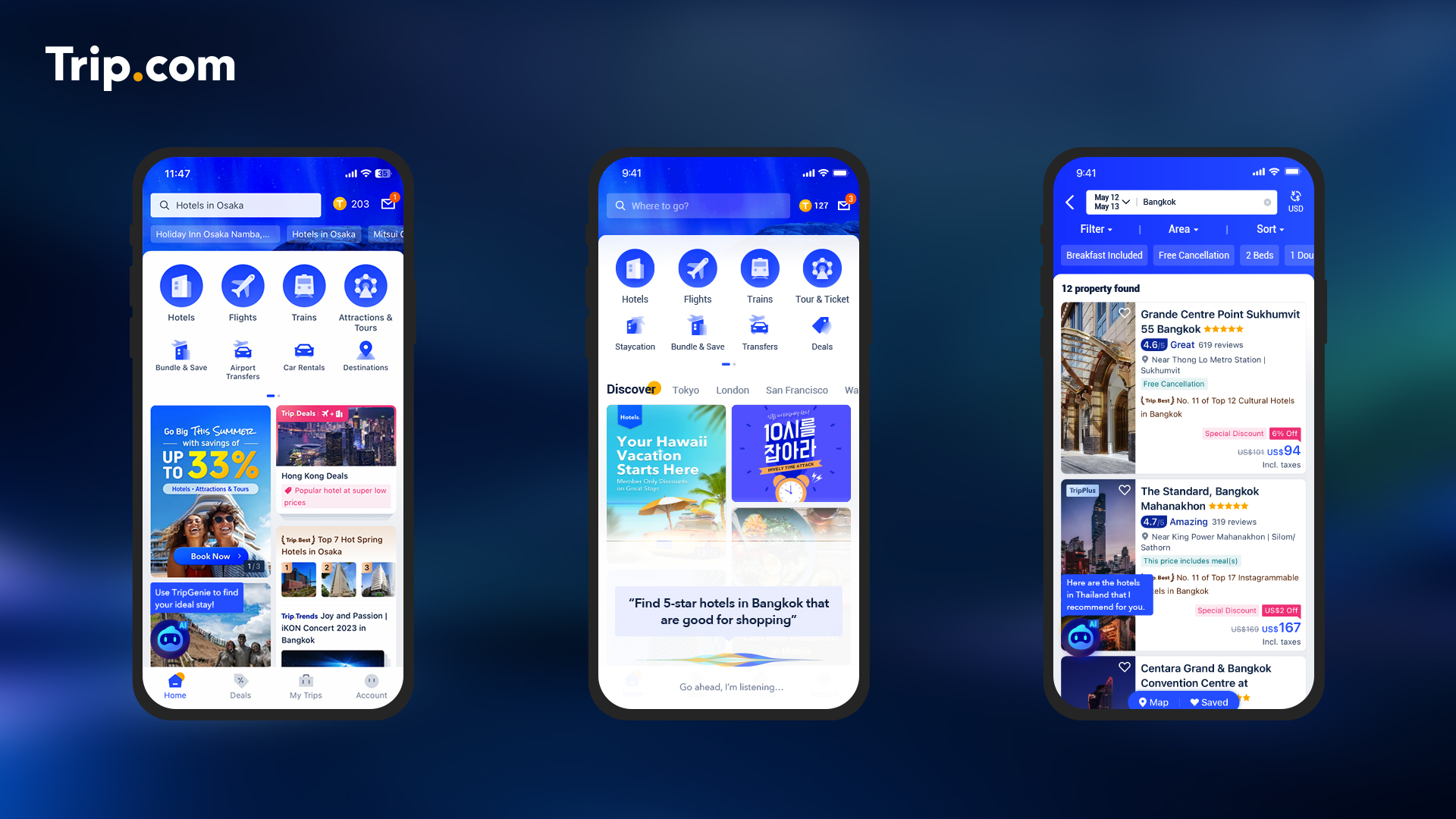
How to Use TripGenie Effectively?
In Trip.com website
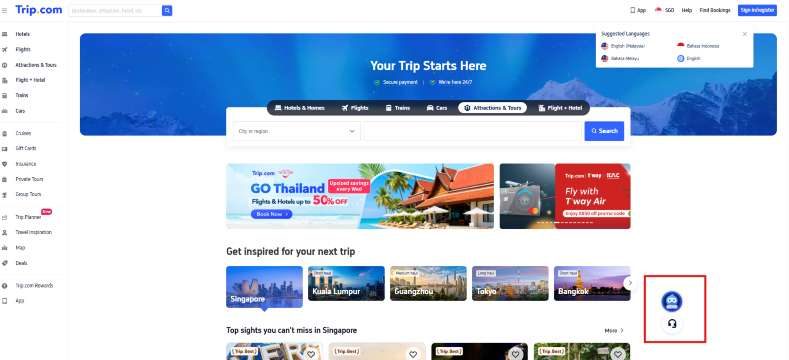
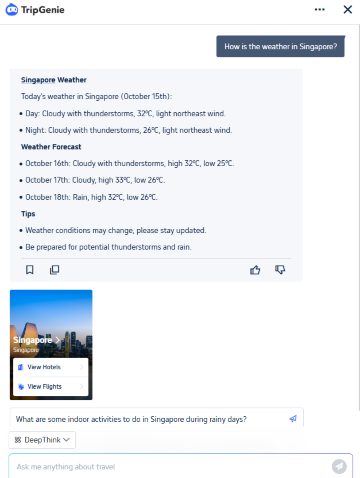
Step 1: Open Trip.com website and click 'Genie' icon at bottom right of website
Step 2: Ask TripGenie anything about travel
- You can also change the mode of Deep Think or Standard response
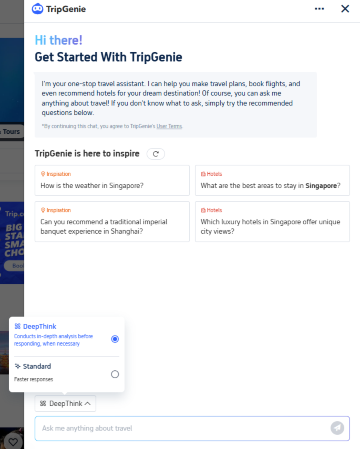
Step 3: Get fast response and recommendations
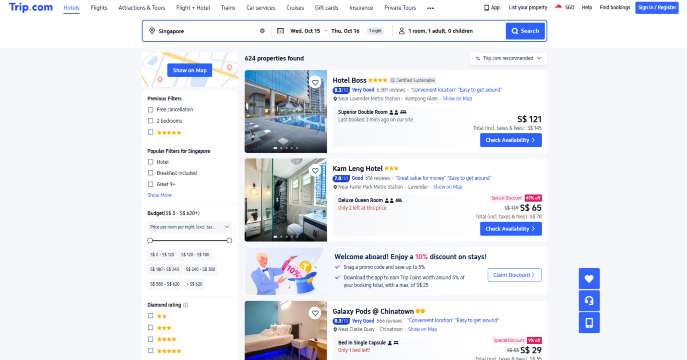
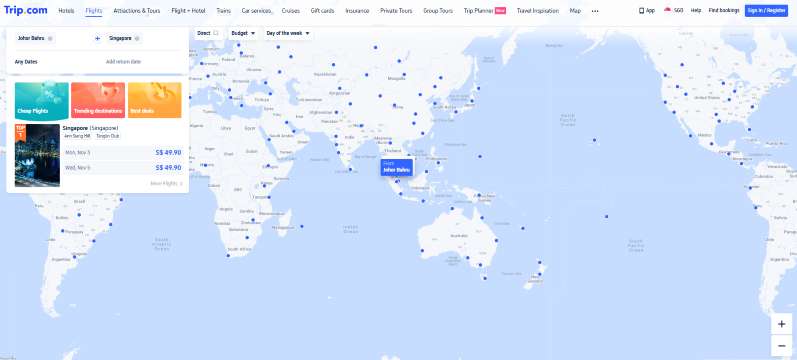
You can get quick answers to your questions and receive hotel and flight recommendations for the country or city you ask about.
In Trip.com App
Step 1: Open Trip.com app and click 'Genie' icon at bottom right of app
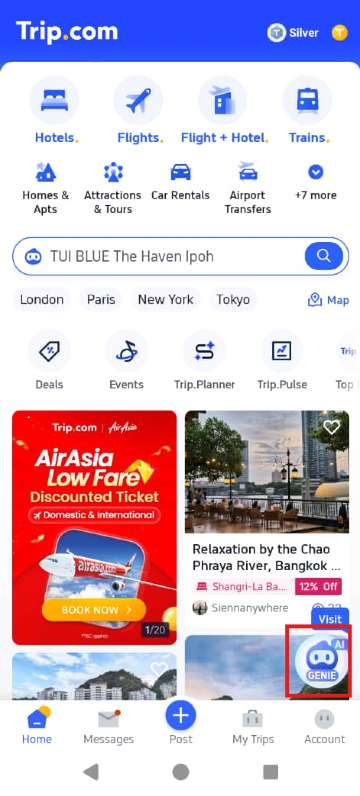
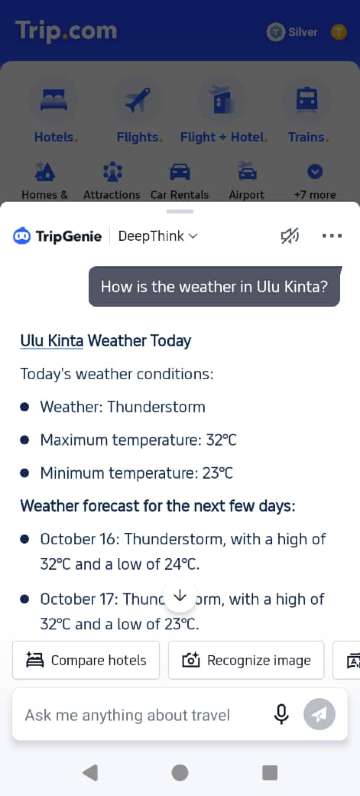
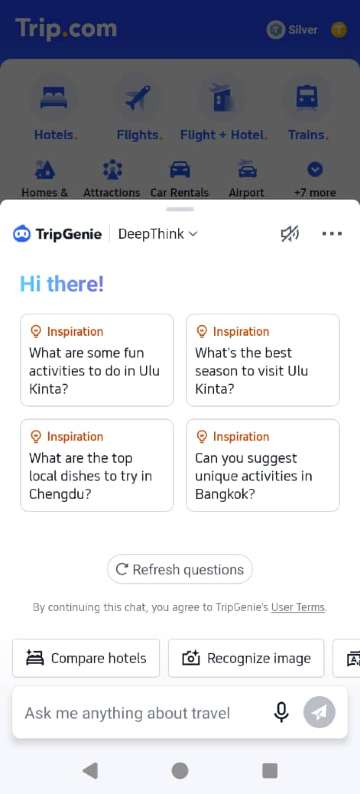
Step 2: Ask TripGenie anything about travel
- You can also compare hotels, recognize image and many more!
Step 3: Compare hotels
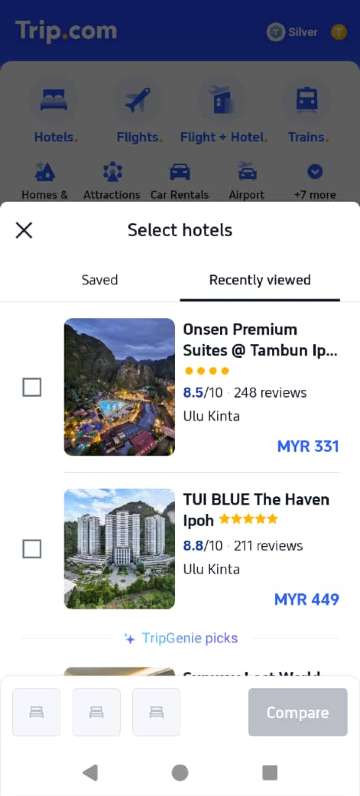
- You can ask TripGenie for help to compare hotels
Step 4: Build itinerary with Trip.Planner
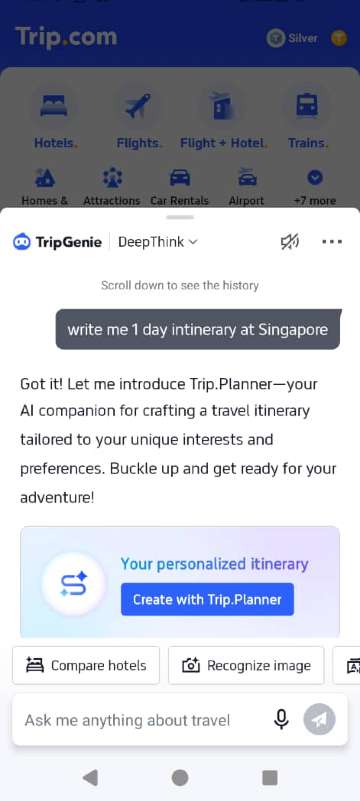
- You can also build your travel itinerary with Trip.Planner with the help of AI - it is quick and easy
Limitations & Things to Note
- TripGenie doesn’t always complete bookings automatically, it often directs you to the booking UI for final confirmation.
- It relies on the data Trip.com has for smaller or niche destinations, info may be less detailed.
- Some advanced features (live translation, multi-modal) are in rollout stages and might not be fully available everywhere yet.
Best hotels in Singapore
 NO.1
NO.1








Conclusion
TripGenie is Trip.com’s cutting-edge AI travel assistant combining natural language, contextual awareness, and full app integration to make travel planning feel like chatting with a smart companion.
Whether you're deciding where to stay, how to get around, or what to eat, TripGenie helps streamline the process and keeps everything in one place.
Curious about using it for your next trip? I can help you test or explore features like itinerary generation, menu translation, or local guides, just let me know!
FAQ: TripGenie Trip.com
-
How do I access TripGenie?
-
What can TripGenie do?
-
Is TripGenie free to use?
-
Does TripGenie work in all countries?
-
Can TripGenie help with changes or cancellations?
-
Is my personal data safe with TripGenie?
Find Cheap Travel Deals & Explore Destinations on Trip.com
-
Popular Content
-
Top Flight Links
-
Popular Hotels
-
Popular Things to Do
-
Featured guides
-
Trip.com links
- Trip.com Customer Service
- Trip.com VIP Lounge
- Buy Now Pay Later
- Singapore Airlines Baggage Allowance
- Trip.com Contact
- Trip.com Cancellation Policy
- How to Use Trip com Promo Codes
- scoot-baggage-allowance
- Best Credit Cards
- luggage size cabin
- How to Book a Student Flight Ticket
- Best Day to Book Flights
- Flight Classes Explained
- Singapore Airlines Change Flight
- Trip.com Flight Refund
- JT924 Flight Status
- MU7705 Flight Status
- CA490 Flight Status
- SQ869 Flight Status
- ZG053 Flight Status
- MU2434 Flight Status
- CA1651 Flight Status
- Cheap tickets from Singapore to Kuala Lumpur
- Cheap flights from Singapore to Fukuoka
- Cheap tickets from Singapore to Bangkok
- Cheap flights from Singapore to Shanghai
- Cheap tickets from Singapore to Seoul
- Plane tickets from Singapore to Manila
- Cheap flights from Singapore to Hanoi
- Cheap flights from Singapore to Tokyo
- Hotels near Johor Bahru Senai International Airport
- Hotels near Hefeinan Railway Station
- Hotels near Hongcun Aju Theater
- Hotels near Zixiao Palace
- Hotels near Beijing Road
- Kuala Lumpur Hotels
- Chengdu Hotels
- Kunming Hotels
- Hong Kong Hotels
- Phu Quoc Island Hotels
- Hotel Les Matins de Paris
- Mercure Guangzhou Beijing Road Pedestrian Street Hotel
- Ramada by Wyndham Seoul Dongdaemun
- Atour Hotel (Chengdu Taikoo Li)
- Crystal Hotel Guangzhou BeijingRoad PedestrianStreet
- Singapore 4G eSIM | Supports Google Maps / ChatGPT | Daily/Total Data Plans | 24-Hour Billing | 1–30 Days | QR Code
- Malaysia 5G eSIM | Supports mainstream apps including TikTok, Google Maps & ChatGPT | Day Pass/Total Package | 24H Billing | 1-30 days | QR code
- Vietnam Airport VIP Fast Track Service
- VIP Fast Track service for immigration clearance at Tan Son Nhat Airport in HCM
- Huanglongjiuzhai Railway Station - Jiuzhaigou | Departure/Return | Rideshare/Private Charter | Bus/Nanny/5-9 Seater Business | Shuttle Bus | Vehicle Type Optional | Any Combination | T
- Mainland China/Hong Kong/Macau 5G eSIM | Dual Network | Day Pass/Total Data Package | 24-Hour Billing | QR Code
- Mainland China 5G eSIM | Supports Google Maps / ChatGPT | Daily/Total Data Plans | 24-Hour Billing | 1–365 Days | QR Code
- Mainland China 5G eSIM | ChatGPT Available | Day Pass/Total Data | 24-Hour Billing | 1-365 Days | QR Code
- Romania Tours with Hotel Pickup
- Cyprus Group Tours
- Water Activities in Zhangzhou
- Brisbane Connectivity Solutions
- Barcelona Cultural Experience
- Kuala Selangor Paragliding
- Hua Hin Boat Tickets
- China Power Bank Limit
- Trip.com Customer Service
- train to kl from singapore
- Shanghai Metro
- China Entry Requirements
- China Train Map
- train from singapore to jb
- Renew Autopass Singapore
- Thailand Plug
- universal studios singapore tickets
- Vietnam Arrival Card
- Singapore Malaysia Cross Border Taxi
- 泰国插头
- What to Buy in Shenzhen
- China Plug
- Big Transport from Tokyo to Fukuoka
- Frankfurt Airport to City
- Bangkok to Pattaya
- Trip.com Promo Code
- Trip.com Flight Deals
- Trip.com Credit Card Promotions
- How to Book Cheap Hotels
- How to Book Cheap Flights
- Trip.com Member Rewards
- Trip Weekly Hotel Sales
- Online Hotel Booking
- Online Flight Booking
- Trip.com Travel Guide
- Book China Train Tickets
- Trip.com Seat Selection
- Singapore Public Holidays 2027
- Trip.com 优惠码
- Trip.com Travel Guides
- Trip.com 10.10 Mega Sale