Kakao Map Guide: Features, Navigation & How to Use in Korea


Navigating South Korea has never been easier, thanks to Kakao Map, one of the country’s most popular and reliable mapping apps.
Whether you’re a tourist exploring Seoul, Busan, or Jeju, or a local commuting for work, Kakao Map offers real-time directions, public transportation info, and points of interest at your fingertips.
This guide covers the app’s key features, usability, tips, and why it’s essential for anyone traveling in South Korea.
Why Use Kakao Map?
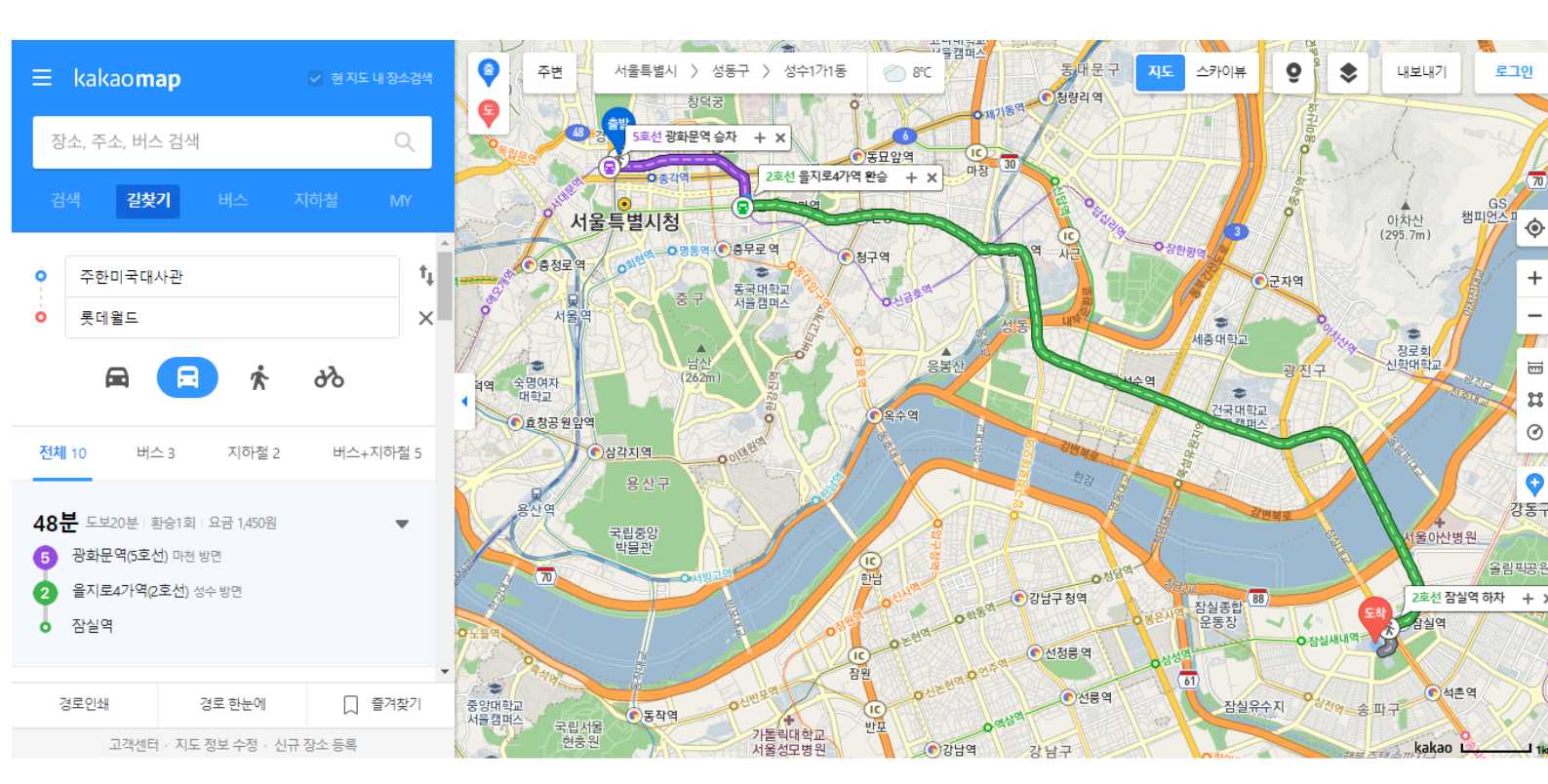
While global apps like Google Maps are widely known, Kakao Map is more accurate for South Korea because it integrates local data, real-time traffic updates, and detailed public transport schedules.
Using Kakao Map ensures you won’t get lost, miss a bus, or struggle to find local destinations that are often poorly labeled on international apps.
Key Features of Kakao Map
| Feature | Description |
|---|---|
Detailed navigation | Provides accurate walking, driving, and cycling directions across South Korea. |
Public transport info | Real-time bus, subway, and train schedules with route suggestions and transfers. |
Points of interest | Shows restaurants, cafés, tourist attractions, shops, and more with ratings and photos. |
Street view & indoor maps | Offers street-level images, road view and 3D sky view |
Real-time traffic updates | Monitors congestion, road closures, and estimated travel time. |
Kakao account integration | Allows syncing favorites, saved routes, and location sharing with friends. |
Language options | Supports Korean and English interfaces, ideal for tourists and expatriates. |
Kakao Map vs Naver Map
While apps like Google Maps are widely known, Kakao Map is preferred in South Korea because it provides up-to-date local data, including detailed alleyways, subway exits, and bus stops.
Many visitors compare it with Naver Map, another Korean mapping service.
Understanding Kakao Map vs Naver Map can help you choose the best app for your needs.
Kakao Map vs Naver Map
| Feature | Kakao Map | Naver Map |
|---|---|---|
Ease of Use | Simple interface, especially for tourists using English even it will appear some Korean languange | Slightly more complex interface |
Public Transport Info | Real-time bus, subway, and train info | Accurate, but some features are harder. |
English Support | English interface available | Follows phone system language |
POI & Navigation | Extensive points of interest with photos and ratings | Similar, but fewer English reviews |
How to Set Kakao Map to English
If you’re a non-Korean speaker, you’ll want to know how to set Kakao Map to English or how to change Kakao Map to English.
Here’s a simple step-by-step guide:
Step-by-Step: How to Change Kakao Map to English
Step 1: Open the Kakao Map app on your phone
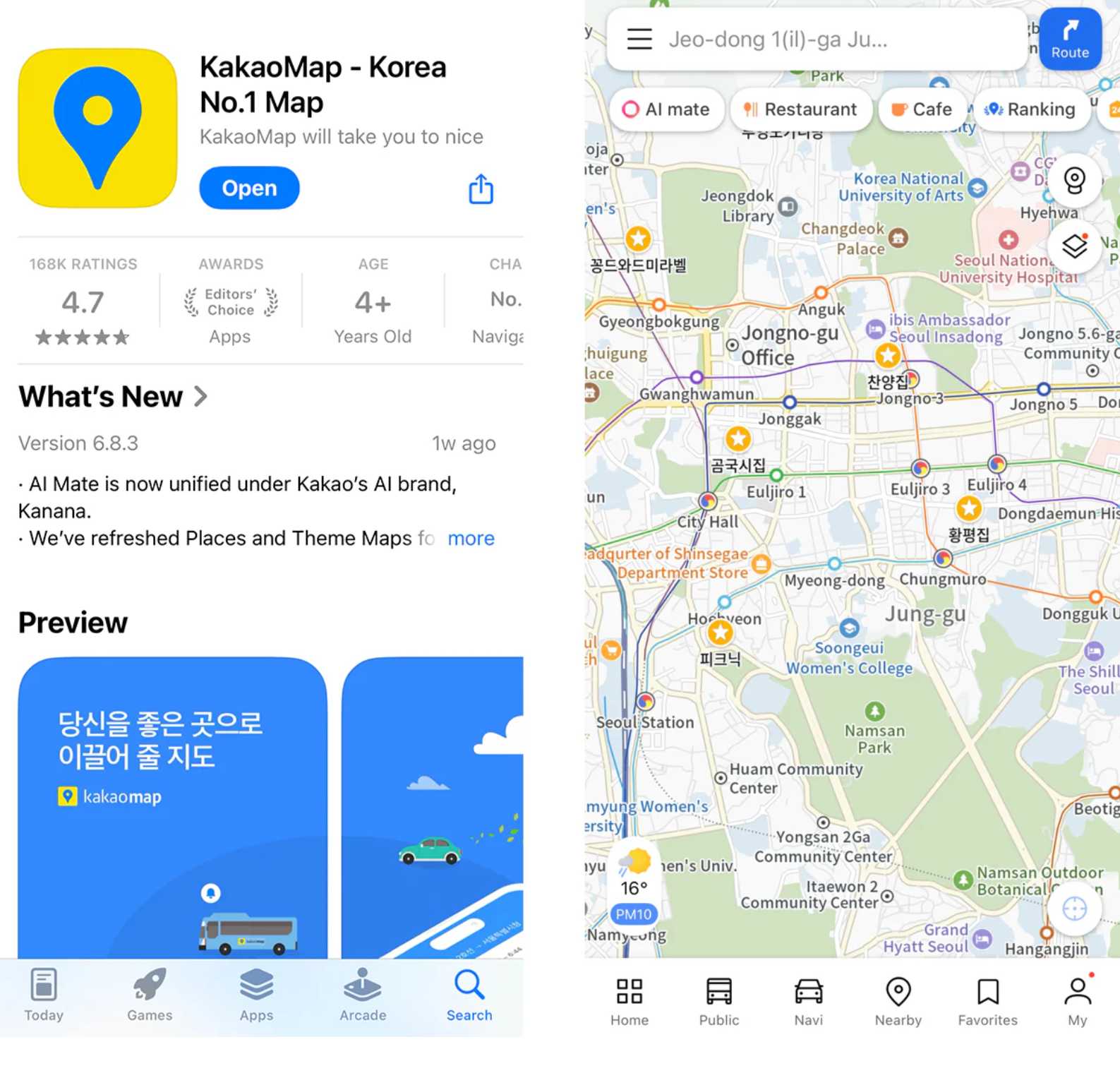
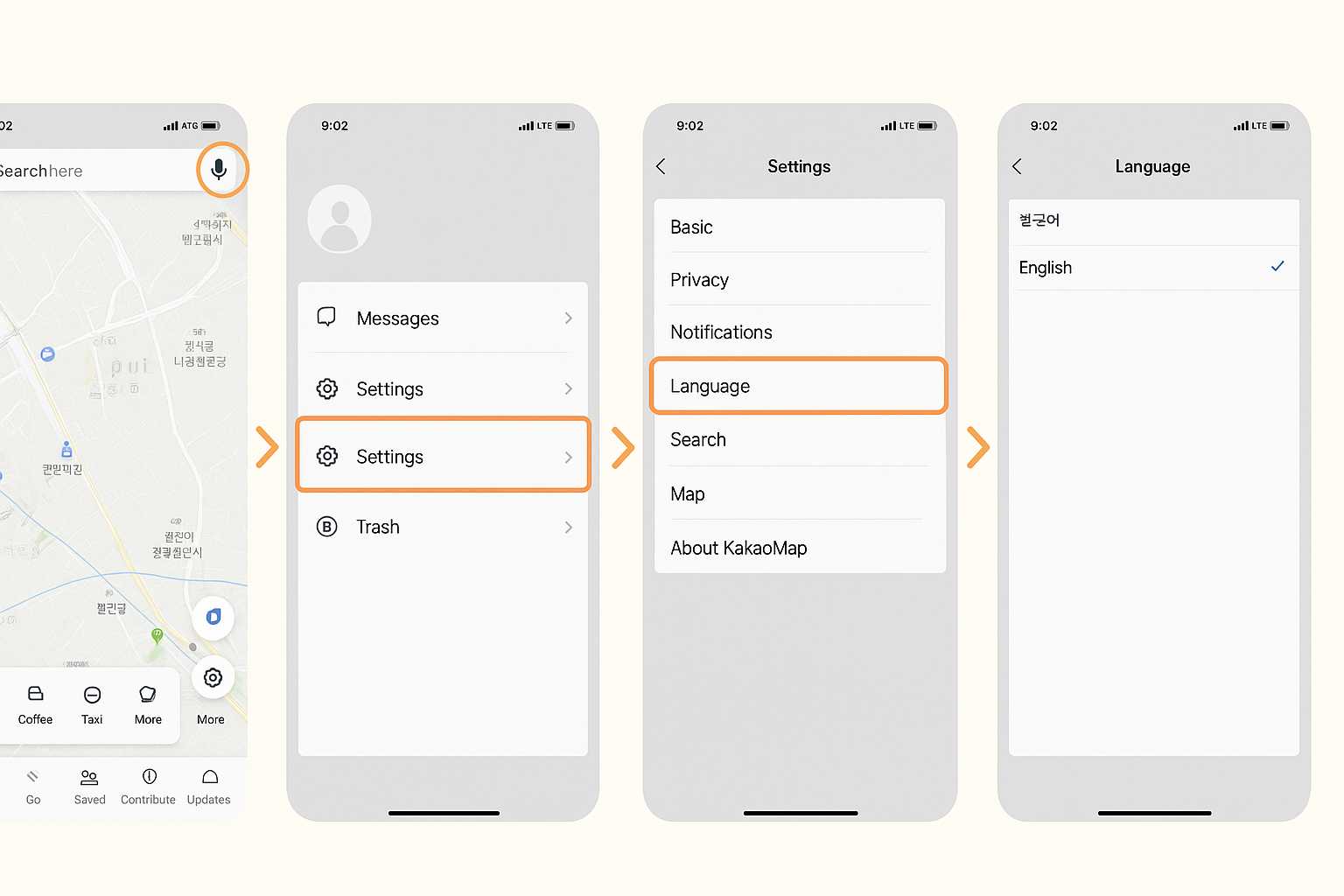
Step 2: Tap the profile icon (usually top-right corner)
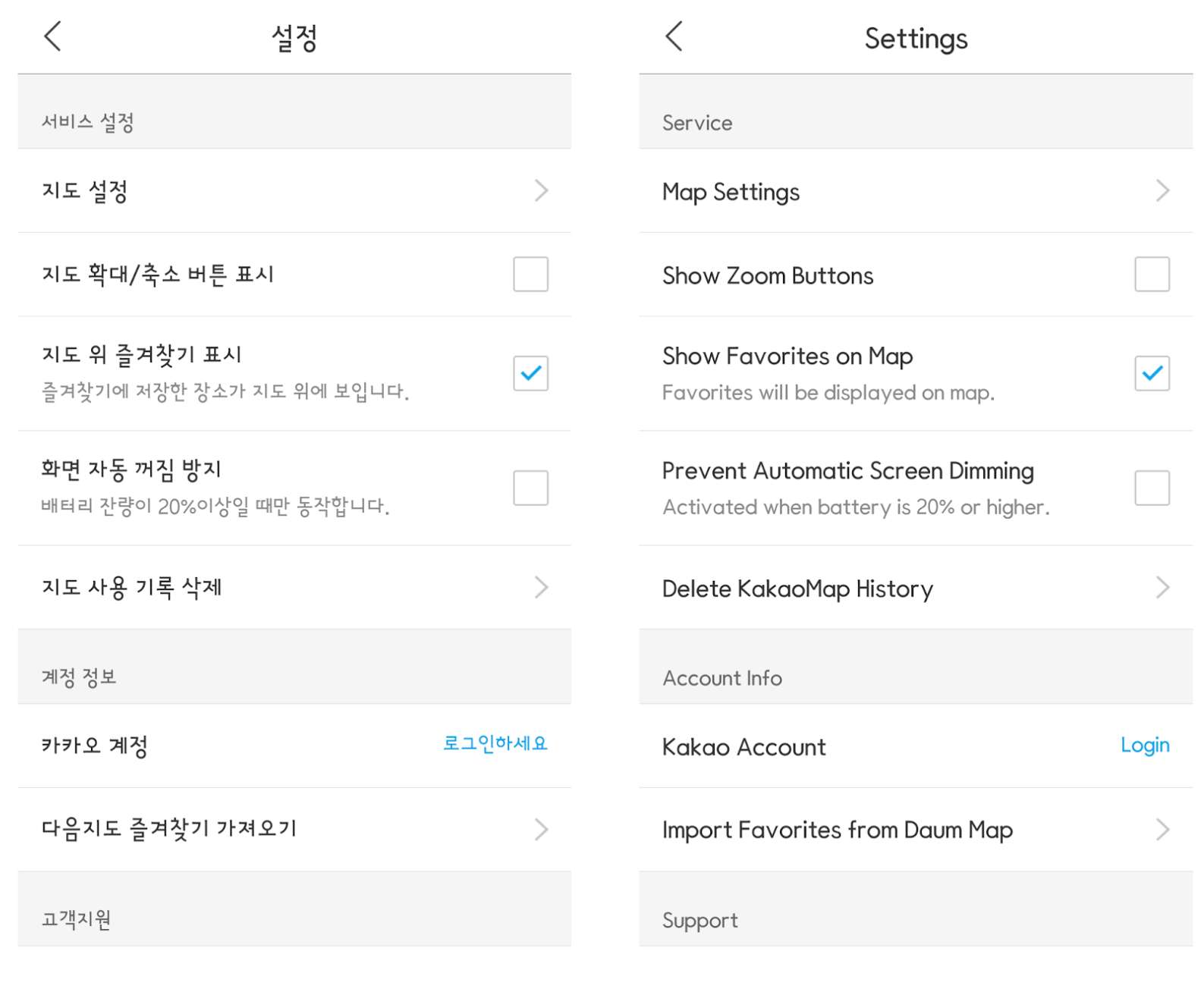
Step 3: Go to Settings (설정), tap Language (언어) and select English
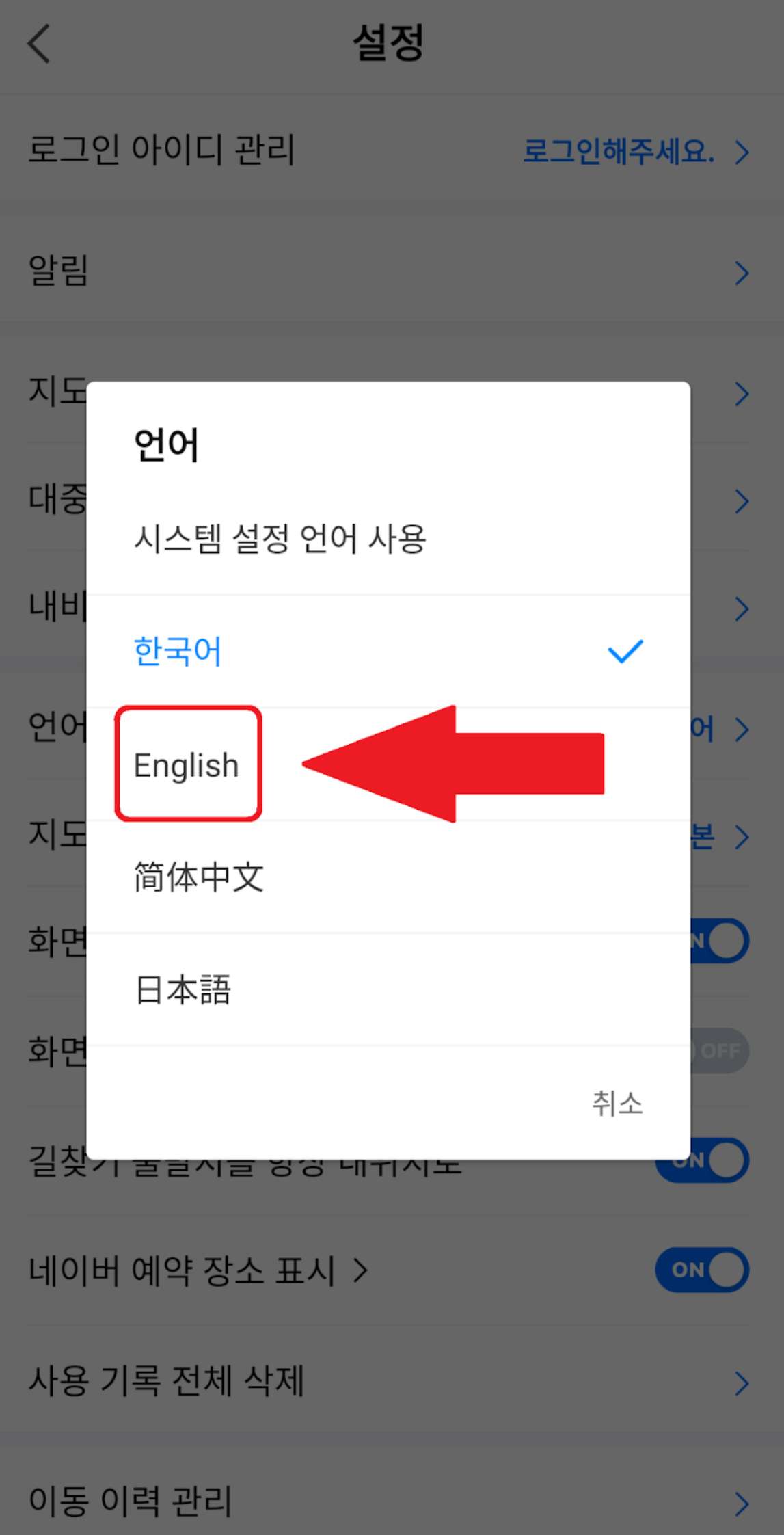
Step 4: Restart the app if necessary
🔥Welcome the Start of Summer in Jeju!
Get instant discounts on flights to Jeju Island! Grab S$25 Singapore → Jeju International Airport flight promo codes!

How to Use Kakao Map in English
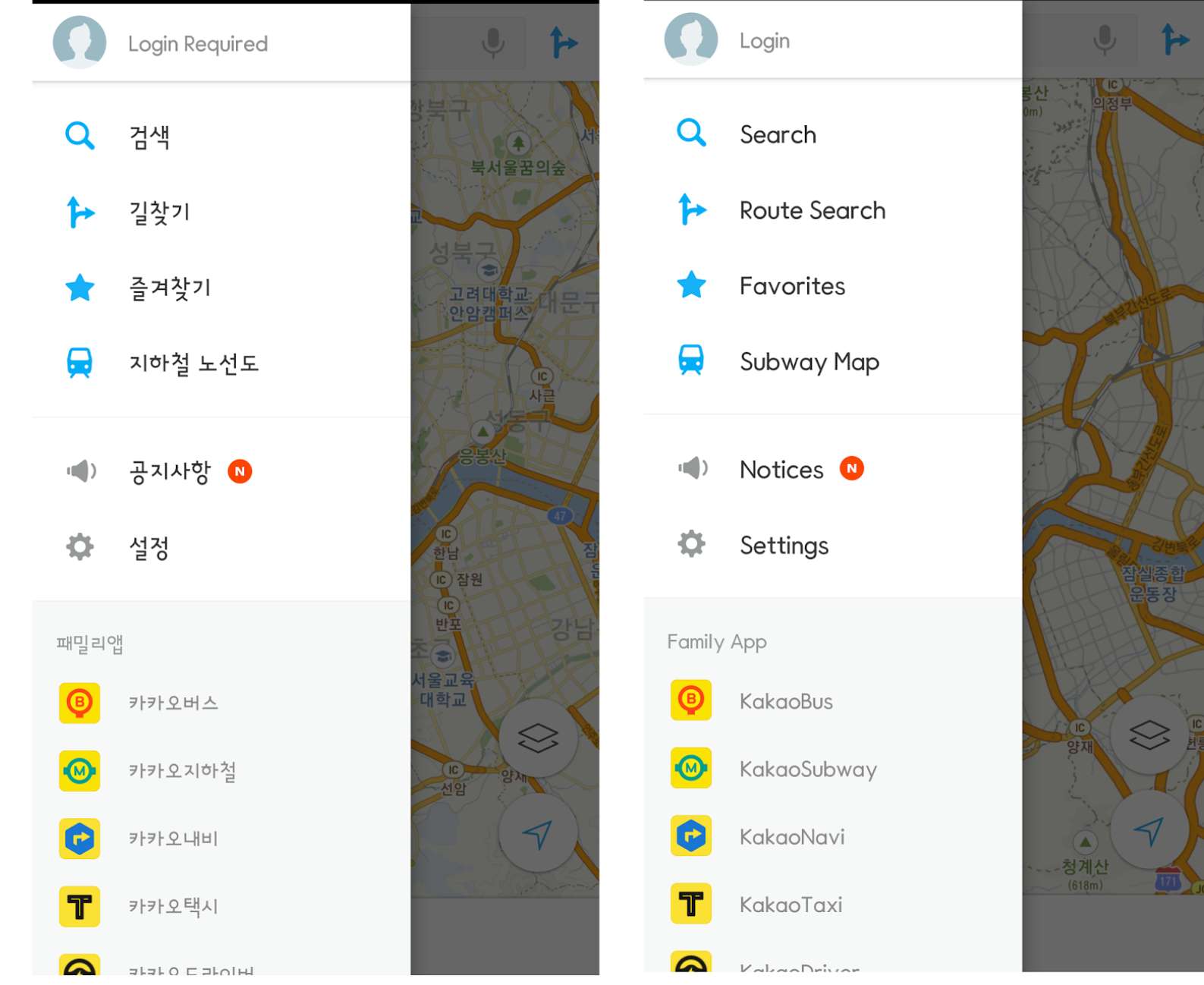
After setting the language, you can start using Kakao Map in English effectively:
Feature | Description |
|---|---|
Search for Places | Enter hotel names, cafés, attractions, and other destinations in English |
Get Directions | Choose from walking, driving, cycling, or public transport routes |
Public Transit Info | View subway and bus schedules, transfer details, and real-time updates |
Explore Nearby Points of Interest | Discover restaurants, shops, and tourist attractions with ratings and photos |
Bookmark Locations | Save hotels, landmarks, and restaurants for quick access later |
Tips for Tourists
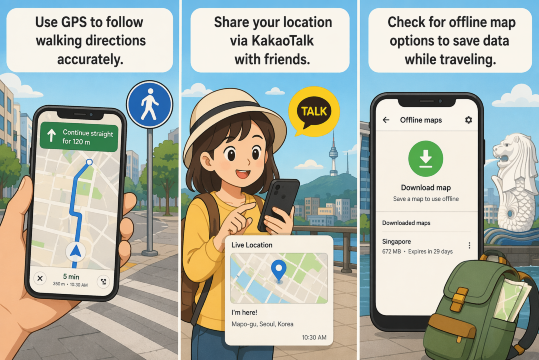
- Use GPS to follow walking directions accurately.
- Share your location via KakaoTalk with friends.
- Check for offline map options to save data while traveling.
Top Things To do In Seoul
See all attractions
 2435 booked




![[Daehan Hanbok] Hanbok Rental at Seoul Gyeongbokgung Palace](https://ak-d.tripcdn.com/images//0580r12000qlh1tt6C5B4_C_568_320.jpg)


Why Kakao Map is Great for Tourists
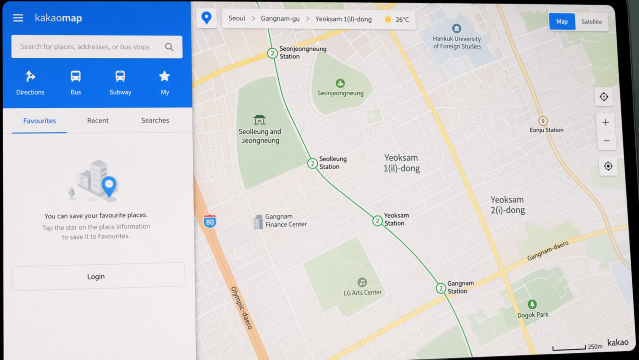
| Feature | Description |
|---|---|
Accurate Local Navigation | Kakao Map provides highly detailed and up-to-date maps for small alleys, cafés, shops, local markets, and guesthouses, often more accurate than global apps. |
Public Transport Made Simple | Shows real-time subway and bus information, exact subway exit numbers, walking distances, and easy-to-follow transfer routes. Ideal for navigating Seoul, Busan, and other major cities. |
Nearby Recommendations | Suggests trending restaurants, cafés, attractions, and hidden gems based on your current location. Includes reviews, photos, and peak hours. |
Multilingual Support | Offers an English interface and English search options, making it easy for tourists who cannot read Korean. |
Kakao Map English Advantages
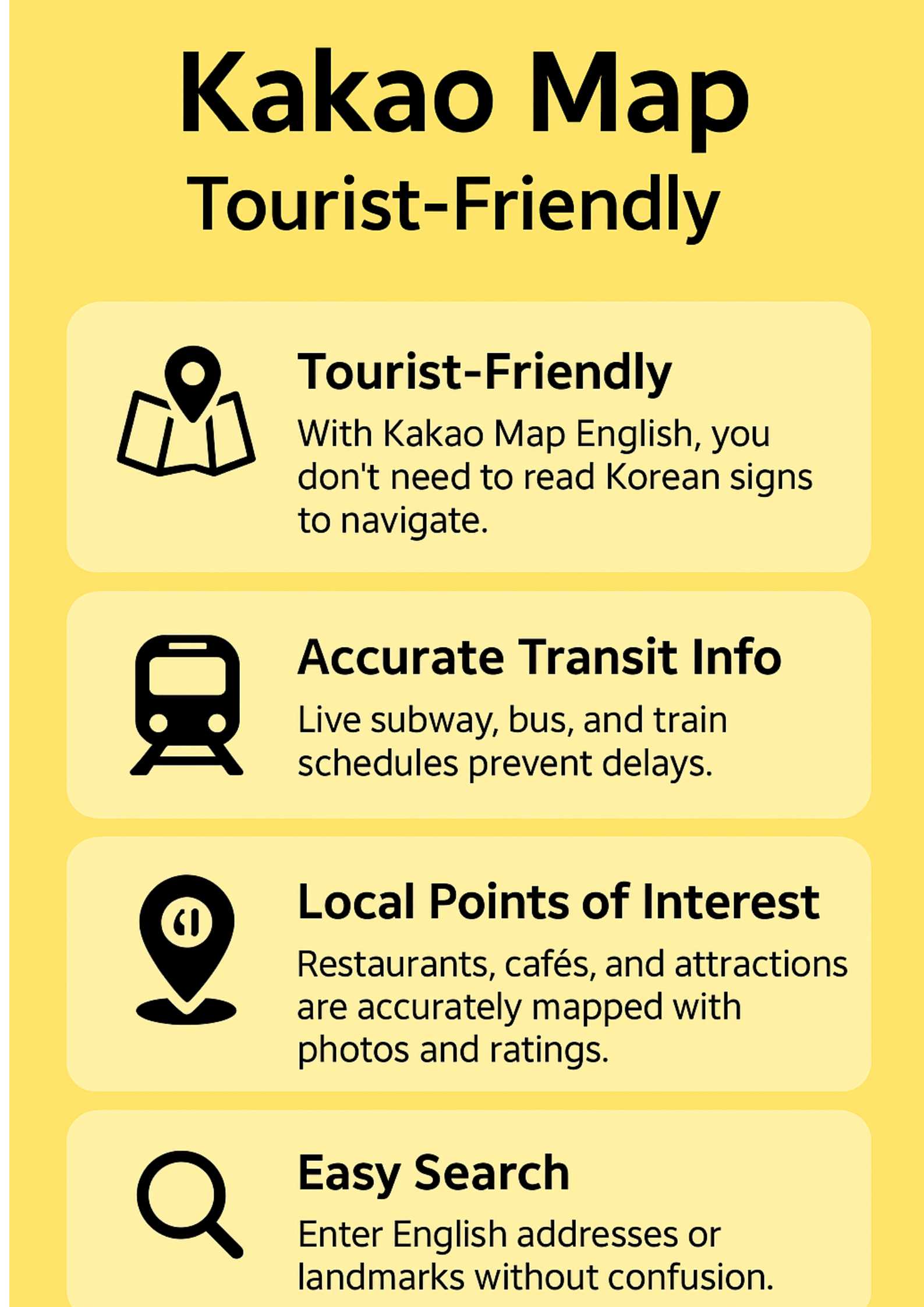
Feature | Description |
|---|---|
Tourist-Friendly | With Kakao Map English, you don't need to read Korean signs to navigate around South Korea. |
Accurate Transit Information | Live subway, bus, and train schedules help travelers avoid delays and plan journeys efficiently. |
Local Points of Interest | Restaurants, cafés, shops, and attractions are accurately mapped with photos, reviews, and ratings. |
Easy Search | Search for destinations, landmarks, and addresses in English without needing to type Korean characters. |
Fly to Seoul
flight
See all flights


Conclusion
Kakao Map is an indispensable tool for navigating South Korea efficiently and safely. Its detailed directions, real-time public transport updates, and English interface make it ideal for both locals and tourists.
By integrating Kakao Map into your travel planning, you can explore Seoul, Busan, Jeju, and beyond with confidence, ensuring you never miss a turn, a bus, or a hidden gem.
FAQ: Kakao Map
-
Is Kakao Map available in English?
-
Can I use Kakao Map offline?
-
Does Kakao Map provide public transportation info?
-
Can Kakao Map show restaurants and tourist attractions?
Disclaimer: This article has been provided by an individual contributor or third party platform. If there is any discrepancy regarding the copyright, please contact us directly and we will delete the content immediately.
Find Cheap Travel Deals & Explore Destinations on Trip.com
-
Popular Content
-
Top Flight Links
-
Popular Hotels
-
Popular Things to Do
-
Featured guides
-
Trip.com links
- Trip.com Customer Service
- Trip.com VIP Lounge
- Buy Now Pay Later
- Trip.com Contact
- Best Credit Cards
- Trip.com Cancellation Policy
- How to Use Trip com Promo Codes
- Singapore Airlines Baggage Allowance
- scoot-baggage-allowance
- How to Book a Student Flight Ticket
- Singapore Airlines Change Flight
- luggage size cabin
- Best Day to Book Flights
- Trip.com Flight Refund
- Flight Classes Explained
- MU2434 Flight Status
- CA490 Flight Status
- CZ8302 Flight Status
- MU7705 Flight Status
- ZG053 Flight Status
- TK066 Flight Status
- QG523 Flight Status
- Cheap flights from Singapore to Shanghai
- Plane tickets from Singapore to Fukuoka
- Plane tickets from Singapore to Bangkok
- Plane tickets from Singapore to Kuala Lumpur
- Plane tickets from Singapore to Seoul
- Cheap flights from Singapore to Manila
- Plane tickets from Singapore to Tokyo
- Cheap flights from Singapore to Bengaluru
- Hotels near Hefeinan Railway Station
- Hotels near Hongcun Aju Theater
- Hotels near Zixiao Palace
- Hotels near Johor Bahru Senai International Airport
- Hotels near Beijing Road
- Chengdu Hotels
- Tokyo Hotels
- Kuala Lumpur Hotels
- Kunming Hotels
- Hong Kong Hotels
- Hotel Les Matins de Paris
- Airport International Hotel (Xuzhou Guanyin Airport)
- Ramada by Wyndham Seoul Dongdaemun
- Mercure Guangzhou Beijing Road Pedestrian Street Hotel
- Atour Hotel (Chengdu Taikoo Li)
- Malaysia 5G eSIM | Supports Google Maps / Tiktok / ChatGPT | Daily / Total Data Plans | 24-Hour Billing | 1–30 Days | QR Code
- Singapore 4G eSIM | Supports Google Maps / ChatGPT | Daily/Total Data Plans | 24-Hour Billing | 1–30 Days | QR Code
- Vietnam Airport VIP Fast Track Service
- VIP Fast Track service for immigration clearance at Tan Son Nhat Airport in HCM
- Foreign Tourist Day Tour: Panda Valley / Dujiangyan / Mt Qingcheng / Blue Tear / Chengdu
- Mainland China 5G eSIM | 3 Carriers · All AI & TikTok | 1–365 Days | QR Code
- Mainland China/Hong Kong/Macau 5G eSIM | 5 Carriers · All AI | Day Pass/Total Data Package | 24-Hour Billing | QR Code
- Singapore - Bintan Resorts Ferry Ticket
- Phillip Island SIM Card
- Kyoto SIM Card
- Antalya Surfing
- Yufu Day Tours
- Shanghai Driving Experience
- Sydney Transportation
- Annecy Restaurant Discounts
- Grab Singapore
- Glamping JB
- UOB Visa Signature
- Singapore Airlines New Long-Haul Business Class
- HSBC Travel Credit Card
- Singapore Airlines Western Sydney Airport
- chinese new year getaway
- Johor Bahru Night Market
- Cheap Hotels in Shanghai
- JB Kids Activities
- Indonesia Public Holiday 2027
- penang night market
- Night Markets in Singapore
- Rabbit Card Bangkok
- Best Time to Visit Urumqi
- Hotels in Princes Street
- Hotels in Jianghan Road/Hanzheng Road
- Hotels near TNB Generation Building
- Trip.com Promo Code
- Trip.com Flight Deals
- Trip.com Credit Card Promotions
- How to Book Cheap Hotels
- How to Book Cheap Flights
- Trip.com Member Rewards
- Trip Weekly Hotel Sales
- Online Hotel Booking
- Online Flight Booking
- Trip.com Travel Guide
- Book China Train Tickets
- Trip.com Seat Selection
- Singapore Public Holidays 2027
- Trip.com 优惠码
- Trip.com Travel Guides
- Trip.com 10.10 Mega Sale