How to Use WhatsApp in China for Singaporeans: eSIM & Travel Tips

Author's Profile Picture
WhatsApp in China
Wondering if you can use WhatsApp in China? Discover the ins and outs of China’s WhatsApp restrictions, get tips on how to stay connected, and explore the best alternatives for your travels.
to Shanghai
to Guangzhou
to Beijing
See all flights

Is WhatsApp Reliable in China?

WhatsApp in China

No — WhatsApp is not accessible on mainland China’s domestic Internet without official international connectivity. It is restricted under Chinese regulations, as it operates without a local license and does not meet domestic data security and content moderation requirements.

When traveling in China, please be sure to follow local laws and regulations. It’s best to avoid using unauthorized tools to bypass restrictions—they are illegal, risky, and definitely not recommended.

🎁 Search for the cheapest flights to China & book the best China hotels! Get a fast China eSIM.

A Traveler’s Guide to Using WhatsApp in China

WhatsApp in China

Trip.com eSIM: The Safest & Most Convenient Option

Trip.com eSIM is highly recommended for travelers. It offers compliant international data through approved channels, so you can bypass domestic network restrictions and stay connected with ease.

How it works:

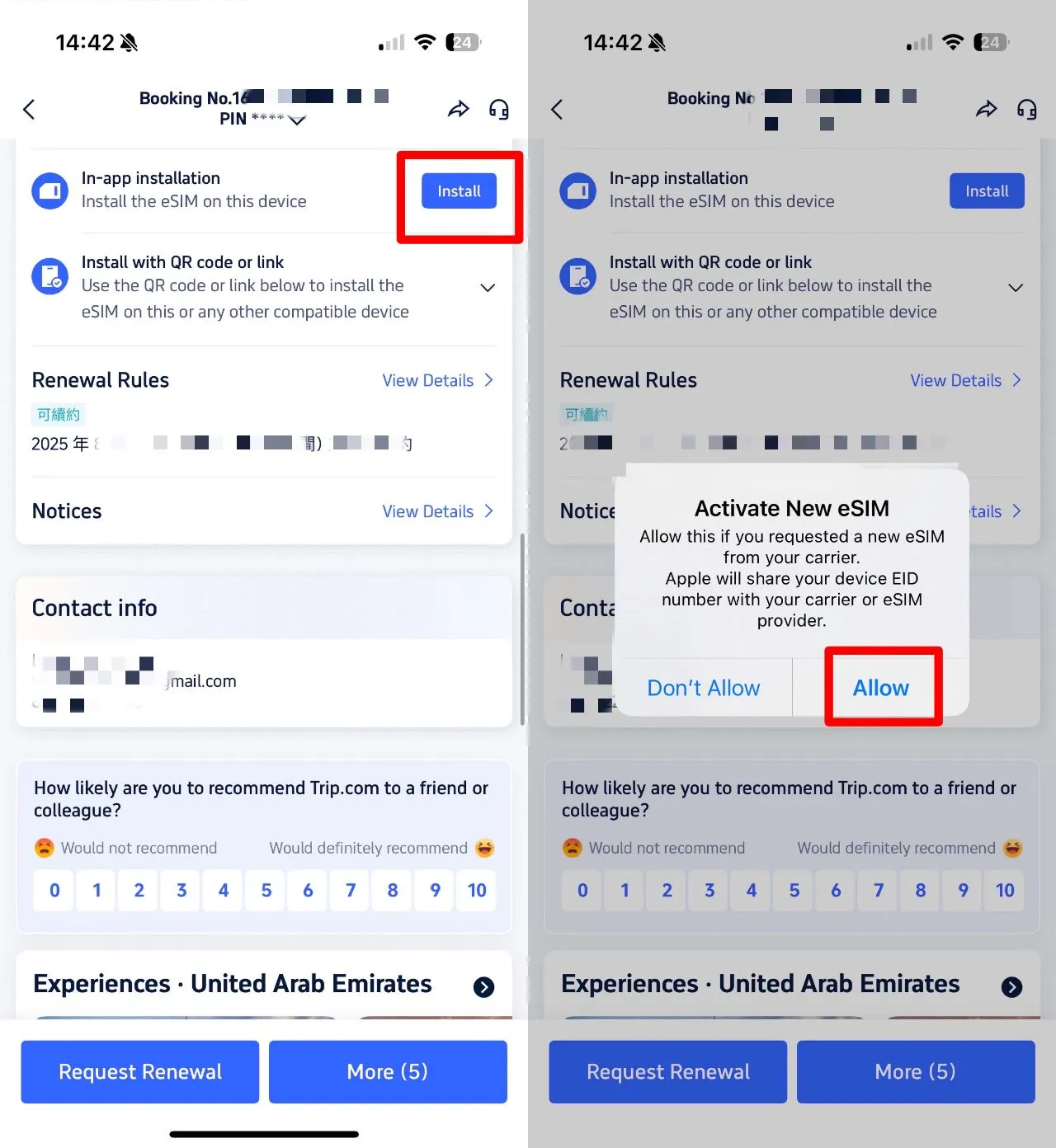
    1. Purchase a Trip.com eSIM plan (short or long-term) via the Trip.com app.
    2. Activate it right on your unlocked phone—no physical SIM card needed!
    3. Connect to international data — WhatsApp works like a charm.

Key benefits:

    • ✅ Completely legal: Fully compliant with Chinese telecom regulations.
    • ✅ No VPN required: Completely legal and worry-free.
    • ✅ Stable & affordable: Dependable for all your calls, texts, and media needs.
    • ✅ Traveler-friendly: Full English support and a seamless setup process.
💌 Get a discounted China eSIM to access WhatsApp, X, and more without a China VPN!

International Roaming (via your home carrier)

If your home carrier offers international roaming in China, enabling it allows you to stay connected on WhatsApp using your foreign data plan.

How to use:

    1. Activate roaming for China with your home carrier before you head out!
    2. Enable data roaming on your phone in China.
    3. WhatsApp keeps you connected using your international carrier’s network.

Considerations:

    • ✅ Legal: Uses approved international roaming agreements.
    • ❌ Expensive: Roaming fees are usually pretty steep.
    • ❌ Coverage gaps: Can be a bit spotty when you're off the beaten path in rural areas.

VPNs: Strictly Regulated — Why You Should Skip Them

Heads up: Unauthorized VPNs are illegal for individual users in China. Only approved enterprises with official telecom authorization are permitted to use dedicated VPNs for business purposes.

Why you should skip the VPN:

  • ⚠️ Serious legal risks ahead: You could face heavy fines, have your devices confiscated, or even be deported.
  • ⚠️ High cost: Paid VPNs can be pricey and often don't offer refunds.
  • ⚠️ Not the best experience: The speeds were sluggish, the connection kept dropping, and it just wasn't reliable.
  • ⚠️ Security threats: Malware, data theft, and account hacking.

The only legal way to use a VPN: Multinational companies that have official approval from Chinese authorities for cross-border business. Unfortunately, individuals can't apply for this.

Why Is WhatsApp Restricted in China?

WhatsApp in China

When traveling in China, always be sure to follow local laws and regulations. For your international communication needs, such as using WhatsApp, stick to legal options like a Trip.com eSIM or international roaming. It’s best to steer clear of unauthorized circumvention tools—they can be illegal, expensive, and risky.

Reason

Details

Legal Reference

No Domestic License

WhatsApp is not licensed to operate in China’s regulated Internet market.

Mobile Internet Application Information Service Management Regulations

Overseas Data Storage

Because user data is stored outside of China, it’s sparking some important conversations around national security and how we keep our personal information safe.

Cybersecurity Law, Data Security Law

No Local Content Moderation

Doesn't have the necessary systems in place to handle content according to Chinese regulations.

Regulations on the Governance of Network Information Content Ecology

Cross-Border Service Compliance

International apps need to jump through a few hoops to meet strict registration and operational requirements.

Negative List for Cross-Border Trade in Services

🔥Get 3% Off Your First Train Ticket Booking!

As a special treat, Trip.com is offering a 3% discount on your first train ticket booking. Simply claim your coupon and enjoy a seamless travel experience.

The Best WhatsApp Alternatives for Travelers in China

Phone Apps in China

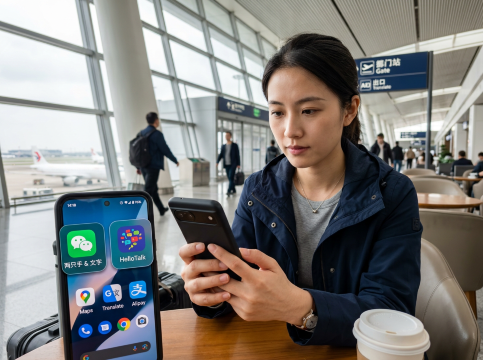
If you're travelling to China, having the right communication apps on your phone can make your trip much easier.

While WhatsApp and several other international messaging services are restricted on mainland Chinese networks, there are alternative apps that help you communicate with locals, make international calls and meet new people.

Here are three useful apps to consider downloading before your trip.

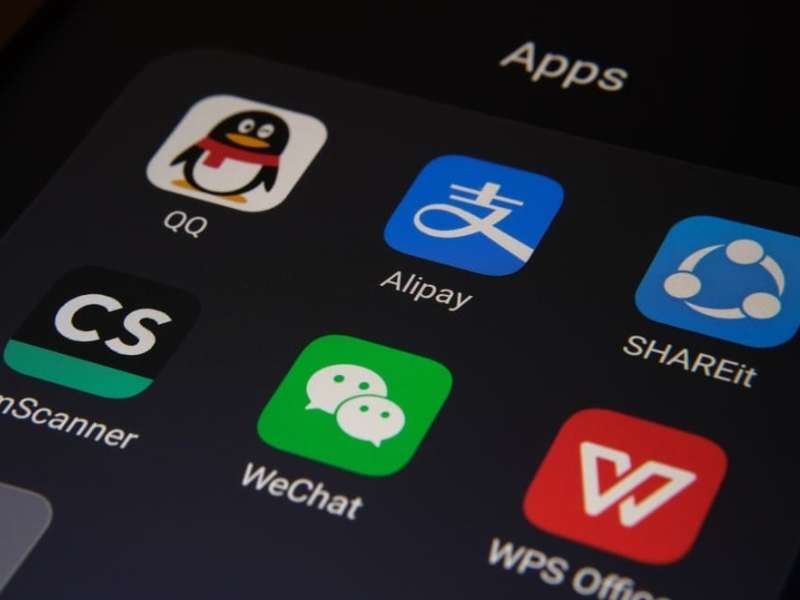
1. WeChat (Weixin)

Think of WeChat as more than just a messaging app. It's one of China's most widely used everyday platforms, allowing users to chat, make voice and video calls, share updates, scan QR codes and access various services.

For Singaporean travellers, WeChat is particularly useful for communicating with local tour guides, hotel staff, restaurants and new friends. You can also use WeChat Pay, subject to account eligibility and payment setup.

Why download WeChat?

  • Messaging and calls: Send text messages, photos and voice messages, or make voice and video calls.
  • English interface: Change the app language to English for easier navigation.
  • WeChat Pay: Eligible international users can link supported overseas bank cards for payments at participating merchants.
  • QR code features: Add contacts, follow official accounts and access certain services by scanning QR codes.

How to set up WeChat before your trip:

  1. Download WeChat from the Apple App Store or Google Play Store.
  2. Register using your Singapore mobile number.
  3. Follow the account verification instructions shown in the app.
  4. Complete any additional security verification if requested.
  5. Add friends using their WeChat ID, phone number or personal QR code.
🎁Tip: Download and register for WeChat before leaving Singapore. Account verification requirements can vary, and some users may be asked to complete additional checks.

2. HelloTalk

If you're interested in learning Mandarin or meeting people from different countries, HelloTalk is worth considering. It's a language exchange app that connects users who want to practise different languages with native speakers.

It's especially handy if you're travelling independently and want to become more comfortable communicating in Chinese.

Why you'll love HelloTalk:
  • Language exchange: Connect with Mandarin speakers who want to practise English or other languages.
  • Built-in translation: Translate messages and make conversations easier to understand.
  • Pronunciation practice: Improve your speaking skills through conversations with other users.
  • Cultural exchange: Learn more about local expressions, customs and everyday life in China.
🎁Tip: Download HelloTalk and create your account before travelling. Check that the app and its features are accessible through your chosen internet connection in mainland China.

Practical Tips for Using WhatsApp in China

China eSIM

Staying connected in China is easier when you prepare before your flight. Since WhatsApp and several other international apps are restricted on mainland Chinese networks, it's worth sorting out your mobile data and communication options in advance.

Here are a few things Singaporean travellers should do before, during and after their trip.

Before You Travel to China

A little preparation can save you plenty of trouble once you arrive. Before leaving Singapore, remember to:

  • Check your phone's eSIM compatibility: Most recent iPhones, Samsung Galaxy and Google Pixel models support eSIM, but compatibility depends on the exact model and where it was purchased.
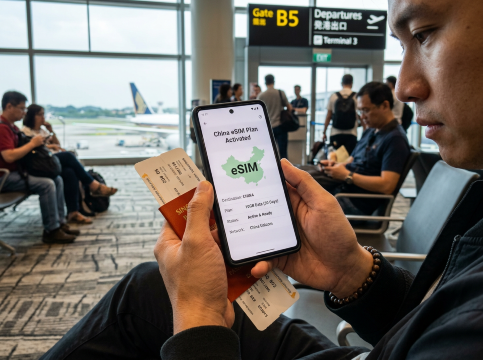
  • Purchase an eSIM before departure: Compare China travel eSIM plans on Trip.com to find one with sufficient data for your trip. Some international travel eSIMs provide access to WhatsApp and other overseas apps through their international data routing.
  • Check your mobile roaming plan: Contact your Singapore mobile provider to confirm whether its China roaming package allows access to WhatsApp and other international services.
  • Download WeChat: WeChat is widely used in mainland China for messaging, payments, bookings and everyday communication. Set up your account before departure.
  • Prepare WhatsApp: Update the app and make sure you can log in. Share your WhatsApp contact details with family and friends before travelling so they know how to reach you.
📢Trip.com tip: Don't wait until you arrive in China to arrange your internet connection. Buying and checking your eSIM in advance gives you more time to resolve any activation issues.

At the Airport in China

Once you land, get your internet connection working before leaving the airport. Your options will depend on your phone and the data plan you've purchased.

  • If you have an eSIM: Follow the installation and activation instructions provided by your eSIM provider. If you haven't purchased one, you can check available Trip.com China eSIM plans online.
  • If your phone doesn't support eSIM: Consider purchasing a physical SIM card or activating an international roaming package from your Singapore provider.
  • Test your connection: Connect to airport Wi-Fi if available, then switch to your mobile data to check whether websites and messaging apps work properly.

Keep your passport handy if you intend to purchase a local Chinese SIM card, as identity verification is required.

While Travelling Around China

Once you're connected, it's useful to have more than one way to communicate. Here's how to manage your messaging needs:

  • For communicating with locals: Add their WeChat accounts. Many Chinese residents use WeChat as their primary messaging app.
  • For keeping in touch with family in Singapore: Use WhatsApp through a travel eSIM or roaming plan that supports access to international messaging services.
  • For work communication: Check which platform your company uses. WeChat Work (WeCom) and DingTalk are commonly used by businesses in China.
  • For meeting new people: WeChat is generally the more practical option for socialising and exchanging contact details with locals.

Remember that having mobile data does not automatically mean every app will work. WhatsApp access depends on your network and how your eSIM or roaming provider routes its traffic.

Before Leaving China

Before your flight home, take a few minutes to check your mobile settings:

  • Keep your eSIM active until you leave: This gives you internet access while travelling to the airport and waiting for your flight.
  • Switch back to your Singapore SIM: Once you're outside mainland China, you can return to your usual mobile network.
  • Check data roaming settings: Turn off data roaming on your Singapore SIM if you don't intend to use it overseas, helping you avoid unexpected charges.
  • Keep your Chinese SIM or eSIM details: If you plan to revisit China, check the validity and top-up conditions before keeping your number for future use.
💡 Pro Tip: Stay connected during your trip with a China eSIM for easy mobile data and navigation without hassle.

China Hotel Recommendations

Top Shanghai Hotels
Top Beijing Hotels
Top Guangzhou Hotels
See All Hotels

🔥Exclusive Hotels Deal: Up to 10% OFF for New Users

Discover the world with Trip.com! Book the perfect hotel anywhere in the world and get an unbeatable 10% discount if you're a first-time user! Download our app now and start planning your next trip with ease.
Just click this link and download the Trip.com App, after successfully registering as a member, use it when you place an order!

Navigating Specific Situations: Tips for Staying Connected

China eSIM

Not every traveller has the same connectivity needs. A tourist visiting Shanghai for a week will have different requirements from someone relocating to Beijing or travelling to China for business.

Here are some practical ways to stay connected based on your travel plans.

1. Singaporean Tourist Spending One Week in Shanghai

If you're visiting Shanghai for sightseeing, shopping and food, a travel eSIM with sufficient data is a convenient option.

What to do:

  1. Purchase a China travel eSIM through Trip.com before leaving Singapore.
  2. Check that your phone supports eSIM and install it according to the provider's instructions.
  3. Activate your eSIM when you arrive in China, following the plan's activation requirements.
  4. Set up WeChat to communicate with local contacts and use WhatsApp through your eSIM if its network routing supports international apps.
  5. Keep your Singapore SIM available for receiving important calls or SMS, subject to your carrier's roaming arrangements.

💰Estimated cost: Travel eSIM prices vary depending on the data allowance and validity. Check the latest Trip.com listings before booking.

2. Singaporean Expat Relocating to Beijing for One Year

If you're moving to China for work or an extended stay, a travel eSIM may be useful initially, but getting a local Chinese mobile number can make everyday communication easier.

What to do:

  1. Start with an international travel eSIM or roaming package while settling into your accommodation.
  2. Visit a China Mobile, China Unicom or China Telecom service centre to enquire about a local mobile plan.
  3. Bring your passport for identity verification when applying for a Chinese SIM card.
  4. Choose a monthly package based on your expected data usage, calling needs and budget.
  5. Keep your international eSIM or Singapore roaming option as a backup if you regularly need access to overseas services.

Foreign visitors can apply for Chinese mobile services using their passports at telecom operator service centres. Available packages and prices depend on the provider.

💰Estimated cost: Check local operator prices for monthly plans and compare them with international eSIM packages before committing to a long-term option.

3. Singaporean Business Traveller Visiting Shanghai for Three Days

For a short business trip, having reliable internet is important for checking emails, joining online meetings and staying in touch with colleagues.

What to do:

  1. Check your Singapore mobile provider's China roaming packages before departure.
  2. Ask your company's IT team whether you need an approved VPN or other secure remote-access arrangements.
  3. Consider a travel eSIM if your roaming package is expensive or does not meet your data needs.
  4. Download WeChat for communicating with local business contacts.
  5. Test your connection before important meetings and keep a backup internet option available.

💰Estimated cost: Compare your mobile provider's roaming rates with travel eSIM packages. The final cost depends on your data requirements and trip duration.

💡 Pro Tip: Visit Double Your Rewards to learn how you can earn flight miles and Trip Coins on eligible flight bookings.

Important Things to Remember About WhatsApp in China

https://sg.trip.com/things-to-do/detail/40017785/

Before your trip, keep these points in mind:

What to know

Why it matters

WhatsApp is restricted on mainland Chinese networks

It generally cannot be accessed through ordinary local mobile data or Wi-Fi

International travel eSIMs may support WhatsApp

Some providers route traffic through overseas networks

WeChat is widely used in China

It's useful for communicating with local residents and businesses

Hotel Wi-Fi may not support WhatsApp

Having hotel Wi-Fi does not guarantee access to restricted apps

VPN access is not guaranteed

Check applicable rules and your company's approved arrangements

📌One important distinction: Not every China eSIM automatically provides access to WhatsApp. Check the provider's app accessibility information before purchasing. Some travel eSIMs use international routing to access services that are otherwise restricted on mainland Chinese networks.

🎁 Book Cheapest Flights Worldwide | Search Best Hotels | Get fast & reliable eSIM.

FAQs about WhatsApp in China

Disclaimer: This article has been provided by an individual contributor or third party platform. If there is any discrepancy regarding the copyright, please contact us directly and we will delete the content immediately.
Alex

Alex

Asia Explorer

View profile

Hi, I’m Alex! I started travelling as a way to take a break from my busy work life, but over the years, it became my passion. From weekend getaways around Asia to longer journeys exploring different cities, I love researching hidden gems, trying local food, and creating practical travel plans. Through my travel guides, I hope to share tips and useful recommendations to help fellow travellers plan meaningful adventures.

99 articles
Asia Travel Travel Planning Hidden Gems
> >
WhatsApp in China