
There's nothing more frustrating than standing at a checkout counter in Shanghai or Beijing, phone in hand, watching your Alipay payment fail – especially when everyone around you is breezing through with a quick scan. For Singaporean visitors to China, Alipay is supposed to be your golden ticket to the cashless society. But when it stops working, you can feel stranded.
The good news is that most Alipay issues for foreign travellers are fixable within five minutes once you know what to look for.
What's Wrong with Your Alipay?
If you're staring at an error message right this second, use this table to identify the problem and jump straight to the fix.
What You're Seeing | Most Likely Cause | Quick Fix |
|---|---|---|
"Payment failed" or "Card declined" | Singapore bank blocked the transaction, insufficient limit, or missing 3D Secure | Call your bank's international hotline or try a different card |
Passport verification stuck or rejected | Blurry photo, name mismatch, or passport expiring soon | Retake photo in bright light or check name format matches passport exactly |
App won't load or QR code won't scan | Weak network, outdated app, or VPN interference | Toggle aeroplane mode, update the app, or disable VPN |
"Transaction exceeds limit" | Hit per-transaction, daily, or annual foreign card limit | Split payment into smaller amounts or use WeChat Pay instead |
"Payment successful" but merchant says no | Merchant QR type mismatch or delayed confirmation | Wait 30 seconds, then check your payment history |
Account locked temporarily | Too many failed verification or payment attempts | Wait 24 hours and try again, or contact support |
🔥Exclusive Flights Deal: Save up to S$20 on Your First Booking!
Discover the world with Trip.com! Book cheap flights to destinations worldwide and enjoy S$5 off flight bookings over S$150 or S$20 off over S$450 (before tax). Start your journey today!


Payment Failed or Card Declined: Why It Happens and How to Fix It?
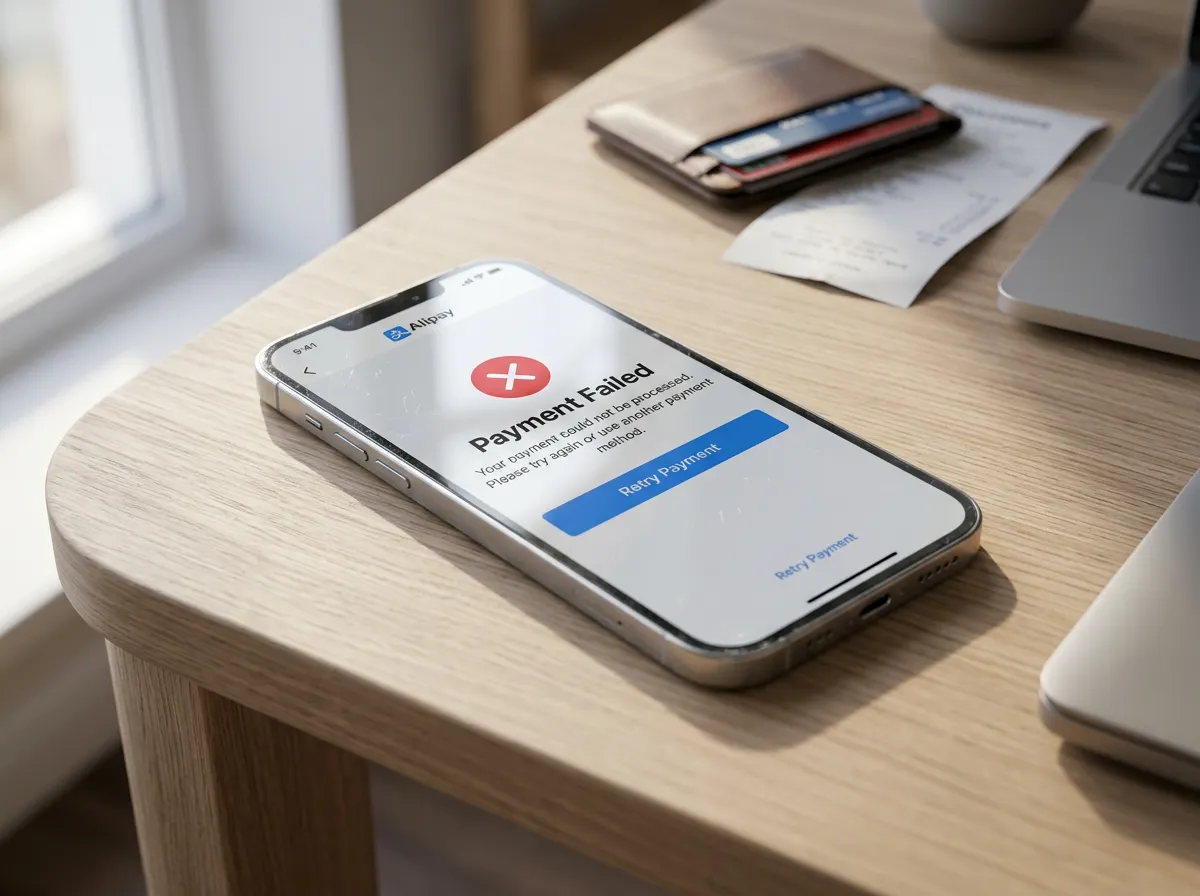
The single most common Alipay problem for Singaporean travellers is a card decline. In almost every case, this is caused by your bank or a technical mismatch – not by Alipay itself.
Common Causes and Solutions
- Your Singapore bank flagged the transaction as suspicious. This is by far the number one reason. DBS, OCBC, UOB, and other Singapore banks routinely block first-time China transactions due to fraud detection. Call your bank's 24-hour international support line, confirm the transaction is legitimate, and ask them to whitelist Alipay/China payments for your trip. Do this before you travel if possible.
- Your card doesn't support 3D Secure. Alipay requires 3D Secure (Verified by Visa, Mastercard SecureCode) for all foreign card payments. If you never enrolled or your card doesn't support it, payments will fail. Contact your bank to enable this feature before departure.
- The cardholder name doesn't match your Alipay account. Alipay requires the name on your bound card to match the name registered on your Alipay account – which must match your passport exactly. Middle names, initials, or different name order will cause a decline. Double-check that the name in Alipay matches the machine-readable zone at the bottom of your passport.
- Insufficient balance or credit limit. Remember that currency conversion fees and exchange rate fluctuations can push a transaction over your limit by a few percent. Check your available balance directly with your bank.
- Card type not supported. Some debit cards, prepaid cards, and corporate/business cards may not be accepted. Alipay works with most Visa, Mastercard, JCB, American Express, Discover, and Diners Club credit cards, but coverage varies by issuer. If you have multiple cards, try binding a different one.
- Card is expiring soon. Cards with less than 90 days validity are often declined automatically.
Quick diagnostic trick: Try the exact same payment on WeChat Pay with the same card. If WeChat Pay also fails, the problem is definitely with your card or bank. If WeChat Pay works fine, the issue is specific to your Alipay setup.
Passport Verification Failed: How to Get It Right?
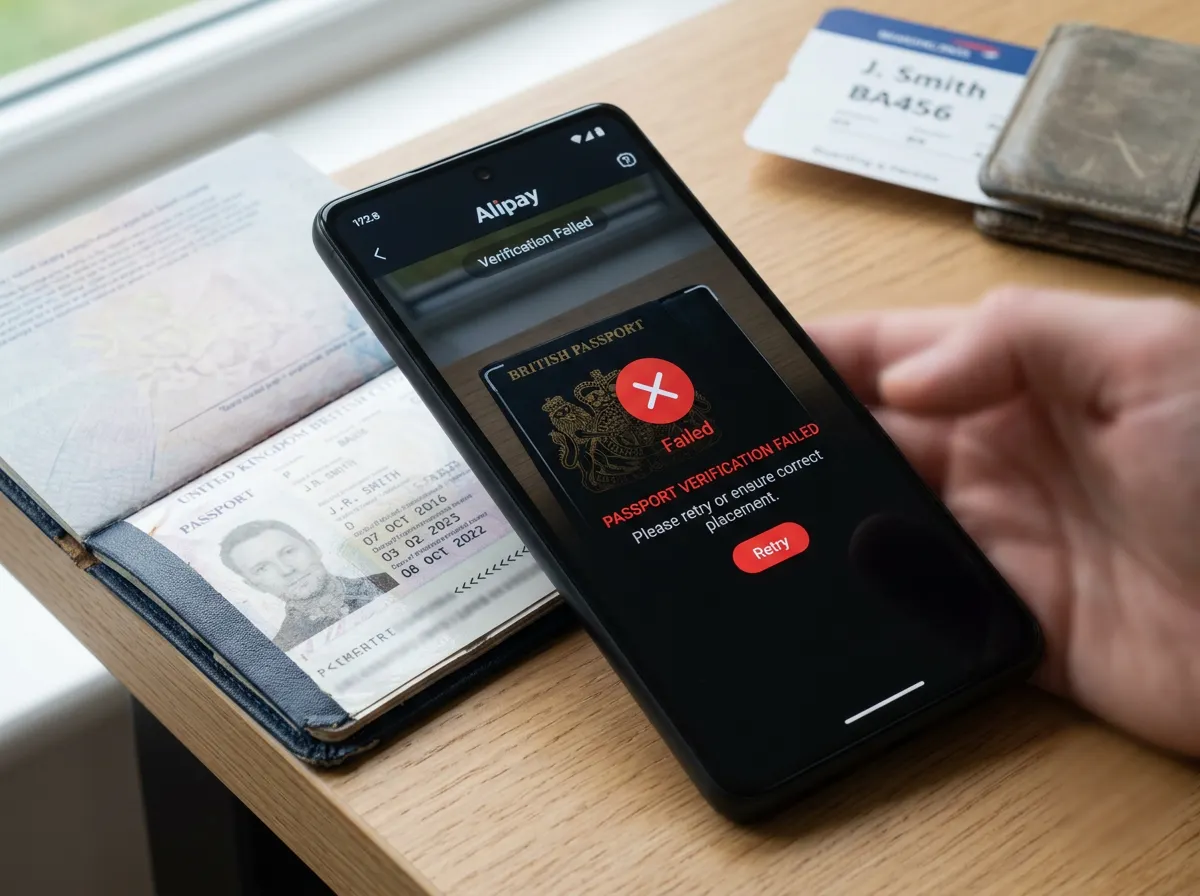
Alipay requires real-name verification using your passport before you can make most payments. For Singaporean travellers, this step usually goes smoothly – but when it fails, it's almost always for one of these reasons.
Why Verification Fails
- Poor photo quality. Blurry images, glare on the passport laminate, cut-off edges, or dim lighting all trigger automatic rejection. Retake the photo in bright natural light, on a plain dark background, with the entire passport data page visible and no reflections. Hold the camera straight-on, not at an angle.
- Name mismatch between passport and bank card. The full name on your bound card must match the name in your passport's machine-readable zone. If your DBS card says "LIM WEI MING" and your passport says "LIM WEI MING DAVID", verification will fail. Update your card details in Alipay to match the passport format exactly.
- Passport expiring within 6 months. Alipay follows the same six-month validity rule that most countries use for entry. If your passport has less than six months left, the system may reject it automatically.
- Too many failed attempts. After 3–5 failed verification tries, Alipay temporarily locks the verification flow for 24 hours. Step away, wait a full day, and try again with better photos.
If Verification Keeps Failing
- Try Alipay Tour Pass. This is a prepaid balance option designed specifically for short-term visitors and doesn't require full identity verification. You can top up with your Singapore card and pay directly from the balance.
- Request manual review. Contact Alipay support through the app's Help Centre and ask for a manual verification review. They may accept your documents even if the automated system rejected them.
🔥Save More with Up to 5% OFF
Use our promo code to enjoy up to 5% OFF (up to S$3) on your attraction tickets, tours and eSIMs! Only for new users!
Buy Cheap eSIM Here
 1936122 booked





![[Mainland China] China Unicom 5G SIM Card | Daily Necessities | Pick-up at Shanghai/Beijing/Dalian Airports | 7/10 Days | Supports Local Calls & SMS + App Registration + Internet Access](https://ak-d.tripcdn.com/images/0357312000s3grv539711_C_568_320.jpg)

How to Set Up Alipay for Singaporean Travellers?
If you haven't set up Alipay yet, or you're starting fresh after issues, follow these steps carefully. Doing it right the first time saves hours of troubleshooting later.
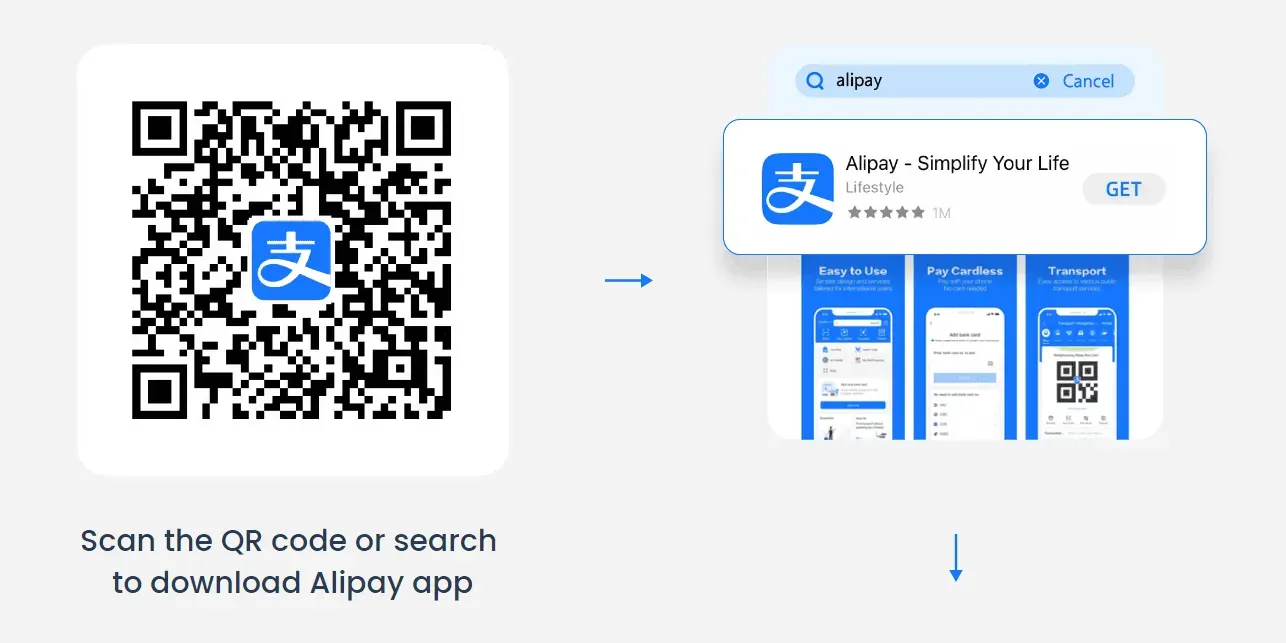
Step 1: Download the App
- iOS: Search "Alipay" on the App Store.
- Android: Find it on Google Play or Huawei AppGallery.
Pro tip: Download and register before you arrive in China. Airport WiFi can be slow and unreliable, and you'll want everything set up before you need it.
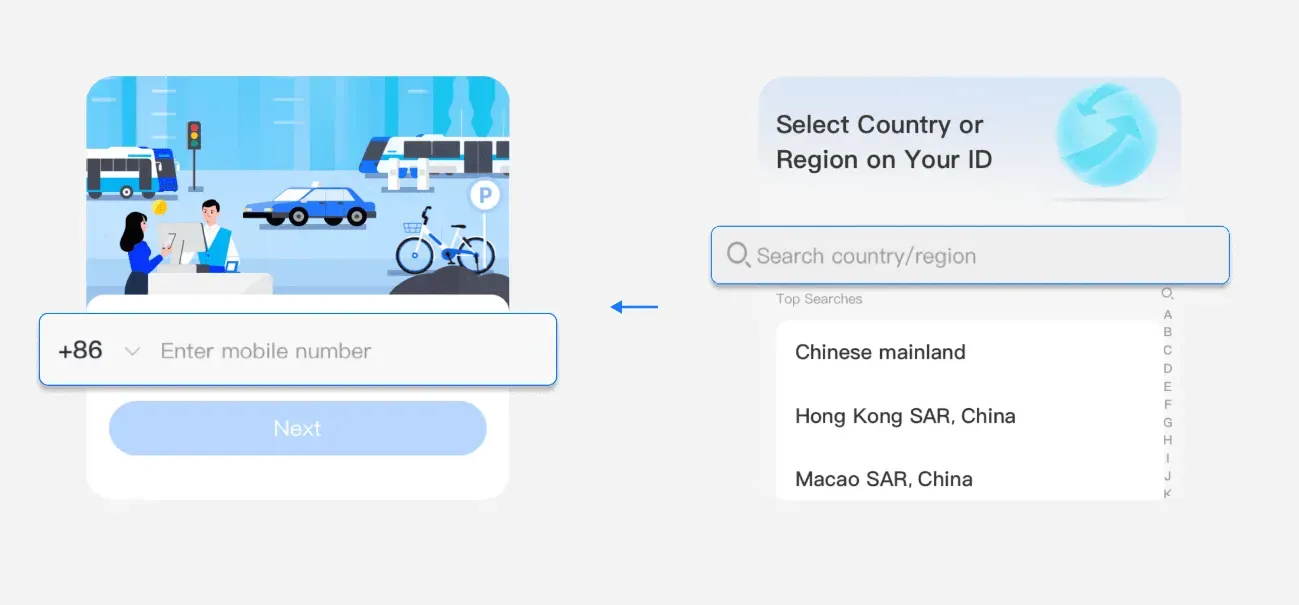
Step 2: Register Your Account
- Open the app, tap "Sign Up", and enter your Singapore mobile number (+65). Make sure your number has roaming enabled in China so you can receive the SMS verification code.
- Select your country (Singapore) and follow the prompts to verify your phone number via SMS.
Step 3: Complete Identity Verification
- Go to Me > Settings > Account & Security > Identity Verification > Upload passport & Verify face.
- Upload a clear photo of your passport data page and fill in your personal details exactly as they appear in your passport.
- Complete the facial verification step by following the on-screen instructions (you'll need to blink, nod, or turn your head).
This step is mandatory for higher transaction limits. Without verification, your payment limits will be very low.
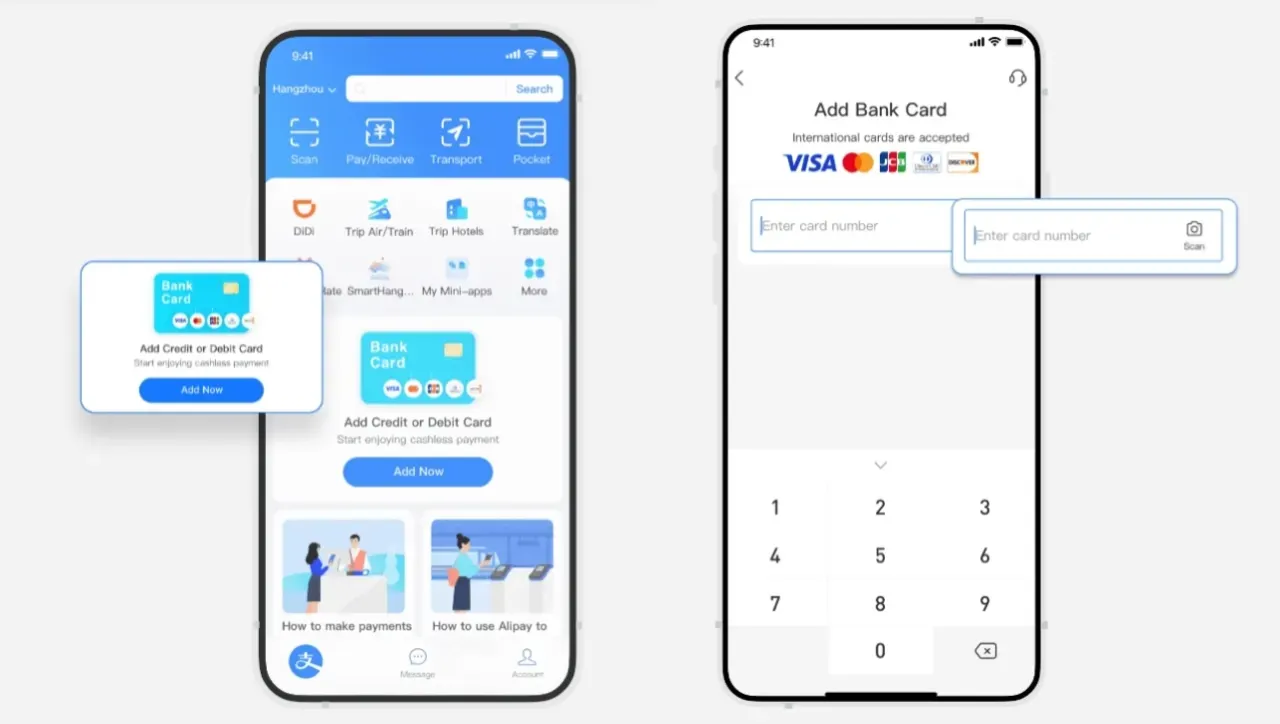
Step 4: Link Your Singapore Bank Card
- Tap "Bank Cards" under the Me tab.
- Add your Visa, Mastercard, JCB, Discover, or Diners Club card from your Singapore bank.
- Complete the verification process through your bank – usually via OTP (one-time password) sent to your registered mobile number.
Important: Enter the cardholder name exactly as it appears on the card, and make sure it matches the name you used for passport verification.
Step 5: Top Up (Optional but Recommended)
While you can pay directly from your linked card, topping up your Alipay balance or using the Tour Pass can give you wider acceptance and fewer decline issues. The Tour Pass is particularly useful if you're having trouble with full verification.
App Won't Load or QR Code Won't Scan: Network and App Fixes
Sometimes Alipay itself is fine – the problem is the app or your internet connection. China's mobile networks are generally excellent, but glitches happen.
If the App Won't Load or Keeps Freezing
- Update the app to the latest version. Alipay updates very frequently, and older versions can lose functionality without warning. Check the App Store or Google Play for updates.
- Toggle aeroplane mode. Switch it on for 10 seconds, then off again. This forces a fresh cellular connection and fixes most "network unavailable" errors.
- Switch between WiFi and mobile data. Some public WiFi networks in China filter or throttle Alipay traffic unpredictably. Mobile data is almost always more reliable for payments.
- Disable your VPN. If you're running a VPN to access Google or social media, it may be routing your payment through servers outside China, which triggers Alipay's security systems and can block transactions. Turn off VPN before making payments.
- Restart your phone. The classic IT fix – it works more often than you'd expect.
If the QR Code Won't Scan
- Check the scan direction. There are two types of Alipay QR payments, and this trips up many first-time users:
- Small amounts (under ¥1,000 / ~S$185): The merchant scans your QR code. Open the "Pay/Collect" screen and show them your code.
- Larger amounts or bill payments: You scan the merchant's QR code. Tap "Scan" and point your camera at their code.
If you're doing it the wrong way around, the payment simply won't go through.
- Clean your camera lens. Smudges from pocket lint or fingerprints can prevent the scanner from reading the code.
- Turn up screen brightness. If the merchant is scanning your code, increase your phone's screen brightness – dim screens are harder to read, especially in bright sunlight.
- Ask the merchant to retry. Their scanner occasionally freezes and needs a moment to reset.
Data Connection Tips for Singaporean Travellers
- Alipay works on all major Chinese networks (China Mobile, China Unicom, China Telecom).
- Singapore roaming plans and eSIMs work fine with Alipay – payment traffic isn't blocked by the Great Firewall.
- Airport and shopping centre WiFi is generally available but can be slow. If a payment is timing out, switch to mobile data.
🔥Get 3% Off Your First Train Ticket Booking!
As a special treat, Trip.com is offering a 3% discount on your first train ticket booking. Simply claim your coupon and enjoy a seamless travel experience.
Payment Limits: Why Your Transaction Was Blocked?

Singaporean travellers frequently hit Alipay's payment limits, especially when paying for hotels, tours, or expensive shopping. The limits vary depending on your verification status and card type.
Standard Limits for Foreign Card Users (2026)
Limit Type | Approximate Amount |
|---|---|
Single transaction | ¥15,000 (~S$2,780) |
Daily cumulative | ¥50,000 (~S$9,260) |
Annual cumulative (verified accounts) | ¥600,000 (~S$111,100) |
Annual cumulative (unverified accounts) | Significantly lower |
Alipay Tour Pass Limits
- Top up up to ¥2,000 (~S$370) or ¥6,000 (~S$1,110) per reload, depending on the tier you select
- Valid for 90 days
- Unused balance is automatically refunded after expiry
What to Do If You Hit a Limit
- Split the payment. If the merchant agrees, break the total into multiple smaller transactions.
- Use multiple payment methods. Pay part with Alipay and the rest with cash or another card.
- Try WeChat Pay. WeChat Pay has separate limits, so if you've maxed out Alipay, you may still have room on WeChat Pay with the same card.
- Book in advance through international platforms. For large hotel or tour payments, book through Trip.com or another platform that accepts Singapore cards directly, rather than paying at check-in.
How to check your limits: Open Alipay, tap "Me", then "Balance" or "Settings", and look for "Payment Limits" or "Transaction Limits". The exact wording varies by app version.
Emergency Payment Options When Alipay Isn't Working
If Alipay has completely failed and you need to pay right now, don't panic. You have several backup options, though not all merchants accept every method.
Cash
Despite China's reputation as a cashless society, cash is legal tender everywhere and refusing it is technically against the law. Hotels, taxis, restaurants, and most physical shops accept cash without issue. Small street vendors and app-only merchants may be reluctant, but it's always worth asking.
Withdraw RMB from major bank ATMs (Bank of China, ICBC, CCB) using your Singapore ATM card. Note that your bank may charge international withdrawal fees.
Singapore Credit Cards
Accepted at:
- International hotel chains (Marriott, Hilton, Hyatt, etc.)
- High-end restaurants and luxury shopping malls
- Major department stores and duty-free shops
- Some larger tourist attractions
Not accepted at:
- Small local restaurants and shops
- Taxis (very rare exceptions)
- Street food and market vendors
- Metro and bus fare gates
WeChat Pay
Set this up before or alongside Alipay. Since WeChat Pay uses its own payment processing and limits, if Alipay is blocked, WeChat Pay may still work perfectly with the same card. Setup and usage are broadly similar to Alipay.
Ask Your Hotel Front Desk for Help
Staff at international hotels can usually pay for taxis, tours, or small purchases using their own Alipay account and add the charge to your room bill. This is a common workaround for guests whose payment apps aren't working.
Transit Ticket Counters
Metro stations in Beijing, Shanghai, Guangzhou, Shenzhen, and other major cities have staffed ticket counters or self-service kiosks that accept cash. Some also accept foreign credit cards.
Bank Branches for Currency Exchange
All major Chinese bank branches exchange foreign currency for RMB. Bring your passport. Bank of China and ICBC have the largest branch networks, and major locations have English-speaking staff.
How to Contact Alipay Support as a Foreign User?

Alipay does offer English-language support, but response times can be slow. Manage your expectations accordingly.
- In-app chat: Open Alipay, tap "Me", then "Customer Service". Chat support is available 24 hours and includes English. Response times range from a few minutes to several hours during peak periods.
- International hotline: +86 571 9688 8888 for foreign users. Long wait times are common. Have your Alipay account details and passport information ready before calling.
What Alipay Support Can Fix
- Verification issues and manual review requests
- Account locks
- Card binding/unbinding problems
- Refund requests for failed transactions
What Alipay Support Cannot Fix
- Bank-blocked transactions (contact your Singapore bank)
- Payments over your card's limit (contact your bank)
- 3D Secure setup on your card (contact your bank)
- Incorrect merchant charges (contact the merchant directly)
Rule of thumb: If the error message mentions the card or bank, call your Singapore bank first. Alipay cannot override a bank's decision to decline a transaction.
FAQs About Alipay Not Working in China
-
Why is my Alipay not working in China?
-
Why is my Singapore bank card not working on Alipay?
-
Why does Alipay say "payment declined"?
-
Can I still pay for things in China without Alipay?
-
Should I set up Alipay before travelling to China?
-
Can I get a refund if Alipay charged me but the merchant didn't receive it?