
Trip.com Travel Insurance

Trip.com Travel Insurance: Coverage, Benefits & Claims

Author's Profile Picture
Trip.com Travel Insurance

A smooth and enjoyable trip is what every traveller hopes for, but unexpected situations can happen along the way.

Flight delays, last-minute cancellations, illness overseas or lost baggage can disrupt even the best-planned holiday.

Trip.com travel insurance offers extra protection against these unexpected events, giving travellers greater peace of mind when booking flights, hotels or car rentals through the platform.

In this guide, we'll look at what Trip.com travel insurance is, the different plans available, what they cover, how to purchase a policy and which documents you may need when making a claim.

This will help you understand your options and decide whether the coverage suits your travel needs before departure.

Fly from Singapore

Singapore to Seoul
Singapore to Kuala Lumpur
See all flights

What is Trip.com Travel Insurance?

Travel Insurance

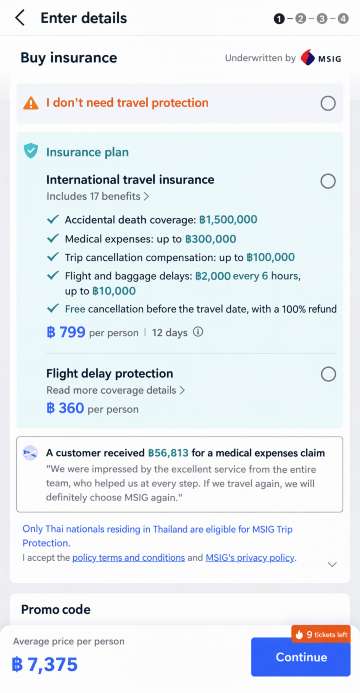
Trip.com travel insurance provides additional protection against unexpected travel disruptions, such as trip cancellations, flight delays, medical emergencies and lost baggage. The exact coverage depends on the insurance plan you choose and the policy's terms and conditions.

When booking flights, hotels or rental cars through Trip.com, you may be offered travel insurance or other optional protection services during checkout. Adding suitable coverage can help reduce the financial impact of unexpected situations and make your journey less stressful.

✅Note: Coverage, benefit limits, exclusions and policy conditions may differ depending on the plan, destination, booking type and insurance provider. Before purchasing, read the full policy details on the payment page to understand exactly what is included.

The Main Types of Travel Insurance from Trip.com

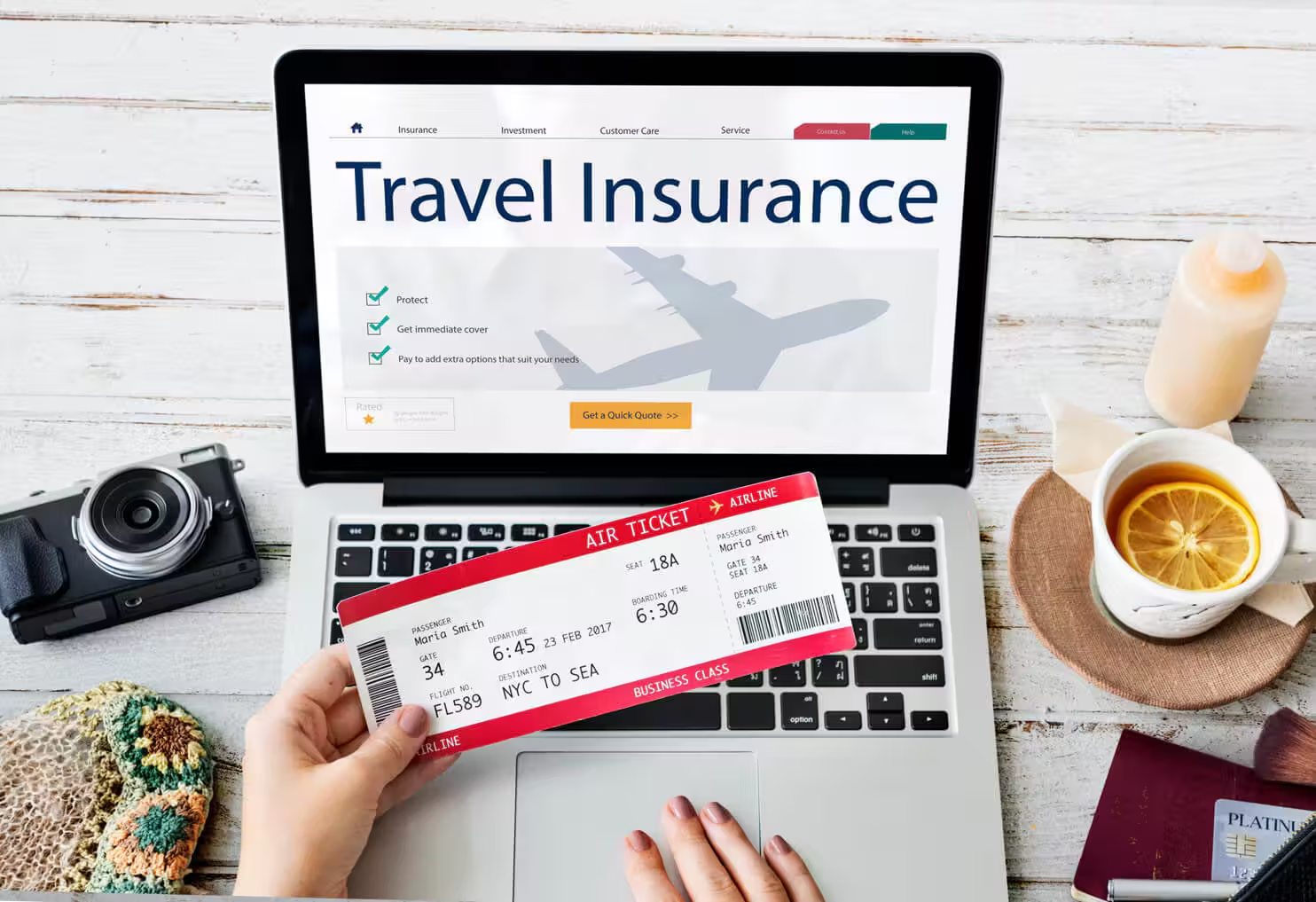
Flight Travel Insurance

Trip.com provides different travel insurance and protection options depending on the type of booking, including flights, hotel stays and car rentals.

Each option comes with its own coverage, benefits and conditions, so it's worth checking the details before making a purchase.

Type of insuranceWhat it covers or offers

Trip.com Flight Insurance

Depending on the selected plan, it may provide coverage for eligible flight cancellations, changes or related fees, subject to the policy terms and airline conditions.

Airline Insurance

Some airlines offer their own travel insurance or protection plans. Coverage varies according to the airline, destination, local regulations and type of flight.

Trip.com Hotel Protection

Trip.com offers a “Free Cancellation” filter to help travellers find hotels with flexible cancellation terms. However, this is a booking feature rather than a standalone insurance product.

Trip.com Car Rental Insurance

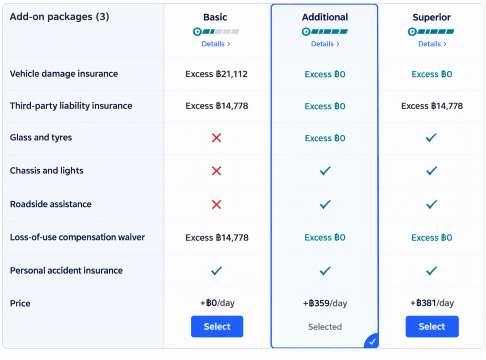
Depending on the plan, coverage may include collision damage protection, third-party liability and other benefits. Comparing the available options with insurance offered at the rental counter may help you find a more suitable deal.

Trip.com Flight Insurance

1. Enjoy More Flexibility with Your Travel Plans

This option is suitable for travellers who want extra peace of mind when booking flights.

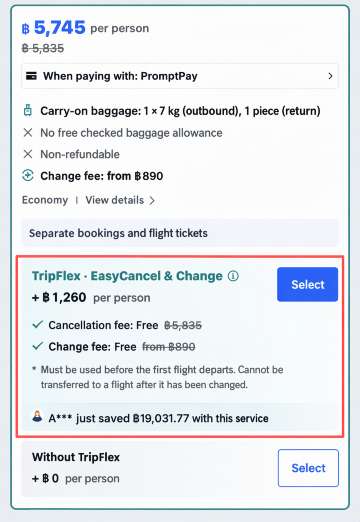
If your plans change unexpectedly and you need to cancel or reschedule your flight, the service may help cover eligible fees or provide compensation, depending on the airline's rules and the plan's terms and conditions.

You can add this service during the flight booking process by selecting it under the “Packages” or “Add-on Options” section before making payment.

Before purchasing, take some time to review the policy details, including the coverage amount, applicable limits and deadlines for submitting a cancellation or change request.

Flight Travel Insurance 2

2. Insurance Offered by the Airline

Apart from Trip.com's additional protection services, certain flights may also offer insurance directly from the airline.

This coverage can usually be selected during the checkout process on Trip.com and is intended to protect travellers against specific travel-related risks, depending on the airline's or insurance provider's policy terms.

The available coverage and policy requirements may differ based on the traveller's country or region.

For example, travellers in the United States may need to meet additional state-specific requirements. If you're asked to provide a ZIP code or choose an insurance plan based on your location, check the policy details carefully before purchasing to make sure the coverage is suitable for your trip.

Flight Travel Insurance 3


Trip.com Hotel Booking: Using the Free Cancellation Filter

When searching for hotels on Trip.com, you can use the “Free Cancellation” filter to find accommodation options with more flexible booking conditions.

This is especially useful if your travel dates are not confirmed or you want the freedom to change your plans without worrying about cancellation charges.

To use this feature, visit the hotel search page, open “Popular Filters” and select “Free Cancellation”. Then click “Show Results” to view hotels that offer flexible cancellation policies.

Although this filter is not a travel insurance product, it can help minimise potential accommodation losses if your plans change unexpectedly.

It is also a useful option to consider alongside other flexible booking services, such as flight add-ons.

🔥Exclusive Hotels Deal: Up to 10% OFF for New Users

Discover the world with Trip.com! Book the perfect hotel anywhere in the world and get an unbeatable 10% discount if you're a first-time user! Download our app now and start planning your next trip with ease.

Just click this link and download the Trip.com App, after successfully registering as a member, use it when you place an order!

Famous Hotel to Book

Tokyo
Osaka
Bangkok
Shanghai
Peking
See All Hotels

Rental Car Insurance from Trip.com

Car Travel Insurance

Trip.com Car Rental Insurance: How to Purchase

If you're renting a car overseas, getting suitable insurance is an important step before confirming your booking. Even a small accident or vehicle damage could lead to unexpected expenses. To avoid unnecessary financial risks, consider the available car rental insurance options on Trip.com before completing your reservation.

Follow these steps to book a rental car with insurance on Trip.com:

Step 1: Search for a rental car

Visit the car rental page on Trip.com and enter your pick-up location, such as an airport, city centre or train station. Select your pick-up and return dates, the country where your driving licence was issued and your age. Then click “Search” to view available vehicles.

Step 2: Choose your preferred vehicle

Browse the search results and select a car that suits your travel needs. Open the booking details and look for the “Insurance” or additional coverage section to see the available protection options.

Step 3: Select an insurance plan

Choose a suitable coverage package based on your requirements. Options may include collision damage protection and third-party liability coverage. Check the coverage limits, excess or deductible amounts, exclusions and policy conditions before proceeding.

Step 4: Enter your driver and booking details

Provide the required information, including the driver's name, driving licence number, age, email address, phone number and ZIP code. Double-check the rental dates, pick-up location, insurance selection and driver details before making payment to confirm your booking.

How to Claim Travel Insurance on Trip.com

How to claim travel insurance on Trip.com

If something unexpected happens during your trip, the steps for making an insurance claim will depend on your selected coverage and insurance provider.

However, the general process usually involves the following:

Step 1: Report the incident promptly

Contact your insurance provider as soon as possible after the incident. This may include flight cancellations or delays, lost baggage, rental car damage or medical emergencies. Reporting the issue early can help avoid delays when processing your claim.

Step 2: Prepare the required documents

Gather all supporting documents related to your claim. These may include flight, hotel or car rental booking confirmations, medical certificates and treatment records, lost or delayed baggage reports, and official cancellation notices from the airline or hotel.

Step 3: Submit your claim online

Depending on your policy, you may need to submit a claim through Trip.com's claims portal or the website of its insurance partner. Complete the claim form and upload all the required supporting documents for review.

Step 4: Wait for the assessment and follow-up

Once your claim has been submitted, the insurance provider will review your documents and assess your case. Straightforward claims with complete documentation may take around 5–10 business days to process.

More complicated cases may require additional information, which the insurer may request by email. For certain claims, an initial review may begin within 24 hours if the relevant requirements are met.

Conclusion

Conclusion Travel Insurance

Trip.com travel insurance can provide an extra layer of protection for travellers booking flights, hotels or rental cars.

Depending on the selected plan, it may help cover certain unexpected situations, including travel disruptions, cancellations, delays and other problems that could affect your journey.

However, not every plan offers the same level of protection. Coverage limits, exclusions, claim requirements and policy conditions can vary depending on the insurance provider and type of coverage.

Before making a purchase, take time to read the policy details carefully and compare the available options. Choosing coverage that matches your destination, travel arrangements and potential risks can help you travel with greater confidence.

FAQ: Trip.com Travel Insurance

Disclaimer: This article has been provided by an individual contributor or third party platform. If there is any discrepancy regarding the copyright, please contact us directly and we will delete the content immediately.
Alex

Alex

Asia Explorer

View profile

Hi, I’m Alex! I started travelling as a way to take a break from my busy work life, but over the years, it became my passion. From weekend getaways around Asia to longer journeys exploring different cities, I love researching hidden gems, trying local food, and creating practical travel plans. Through my travel guides, I hope to share tips and useful recommendations to help fellow travellers plan meaningful adventures.

109 articles
Asia Travel Travel Planning Hidden Gems
> >
Trip.com Travel Insurance