
Top picks for Japan SIM card
Discover 35 SIM card in Japan on Trip.com, updated 24 October 2026, with experiences lasting from 1 to 2 hours. Find the perfect adventure for your day!
From S$ 0.10 per person, with an average total of S$ 2.01. Choose the option that suits your plan.
With 49.32k verified reviews, SIM card Japan boast an average rating of 4.5.
This week's most popular SIM card: "Japan 5G eSIM | Supports Google Maps / ChatGPT | Daily/Total Data Plans | 24-Hour Billing | 1–30 Days | QR Code", with 13.082k reviews and a 4.5 rating.
The next available day tour departs on 25 October 2026. Book now to secure your spot!
Japan SIM card usually take about 1 hours — perfect for a relaxed, immersive experience!
October is perfect for visiting Japan! Choose from 35 available day tours, including seasonal hits like Japan 5G eSIM | Supports Google Maps / ChatGPT | Daily/Total Data Plans | 24-Hour Billing | 1–30 Days | QR Code.
Your trip, worry-free! All day tours are run by licensed suppliers with verified reviews, and many include free cancellation before departure.
35 results for Japan SIM card
 4.6/5· 3.7k reviews· 59.4k bookedFree cancellationBook now for today2.665k bookings in 7 days50% offLimited-time saleFromS$ 0.12S$ 0.24
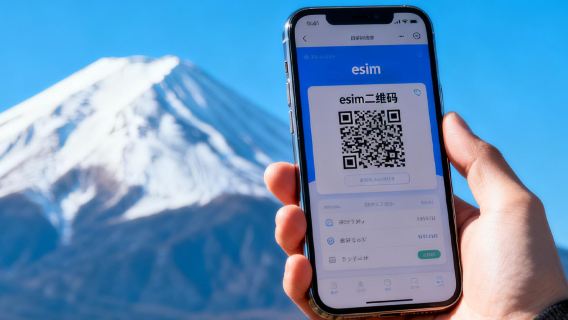 4.5/5· 284 reviews· 2.8k bookedFree cancellationBook now for today203 bookings in 7 days50% offLimited-time saleFromS$ 0.10S$ 0.2
 4.5/5· 834 reviews· 12.2k bookedFree cancellationBook now for today134 bookings in 7 days52% offLimited-time saleFromS$ 0.10S$ 0.21
 4.6/5· 2.3k reviews· 59.2k bookedFree cancellationBook now for today90.8% of travelers recommend52% offLimited-time saleFromS$ 0.10S$ 0.21
 4.6/5· 1.4k reviews· 40.2k bookedFree cancellationBook now for today91.2% of travelers recommend50% offLimited-time saleFromS$ 0.28S$ 0.56
 4.6/5· 416 reviews· 13.4k bookedBook now for today90.4% of travelers recommend20% offLimited-time saleFromS$ 4.52S$ 5.65
 4.6/5· 290 reviews· 4.1k bookedFree cancellationBook now for today90% of travelers recommend5% offLimited-time saleFromS$ 12.29S$ 12.94
 4.6/5· 78 reviews· 1k bookedFree cancellationBook now for today91% of travelers recommendFromS$ 0.98
 4.5/5· 13.1k reviews· 343.1k bookedFree cancellationBook now for today6.948k bookings in 7 days52% offLimited-time saleFromS$ 0.11S$ 0.23
 4.7/5· 12.9k reviews· 485.6k bookedFast-selling Wi-Fi & SIM cards50% offLimited-time saleFromS$ 0.37S$ 0.74
 4.8/5· 21 reviews· 534 booked534 bookings in 7 days50% offLimited-time saleFromS$ 0.10S$ 0.2
 4.6/5· 2k reviews· 47k bookedSelling fast52% offLimited-time saleFromS$ 0.10S$ 0.21
 4.5/5· 3k reviews· 76.8k bookedSelling fast52% offLimited-time saleFromS$ 0.10S$ 0.21
 4.6/5· 6.4k reviews· 188.1k booked3.454k bookings in 7 days52% offLimited-time saleFromS$ 0.10S$ 0.21
 4.7/5· 598 reviews· 22.2k booked93.6% of travelers recommend5% offLimited-time saleFromS$ 4.48S$ 4.72
 4.9/5· 172 reviews· 1.7k booked96.5% of travelers recommend52% offLimited-time saleFromS$ 0.10S$ 0.21
 4.6/5· 1.2k reviews· 35.3k booked91.5% of travelers recommend5% offLimited-time saleFromS$ 4.48S$ 4.72
 4.7/5· 52 reviews· 5.2k booked29 consecutive positive reviewsFromS$ 3.96
 4.6/5· 667 reviews· 10.6k booked406 bookings in 7 days52% offLimited-time saleFromS$ 0.10S$ 0.21
Explore top experiences
See what other travellers love, based on ratings and bookings
Frequently asked questions about Japan SIM card
How many SIM card are available in Japan on Trip.com?
What are the best SIM card in Japan?
What are the top-rated SIM card in Japan?
How can I contact Trip.com customer support?
Can I change or cancel my booking?
How can I get discounted prices?