
Here's what our users have to say about Railcards
How do I get a Network Railcard
It's easy to start saving with your Railcard if you have the Trip.com app downloaded. If you have the Trip.com app downloaded on your phone, you can start saving today by following these simple steps.
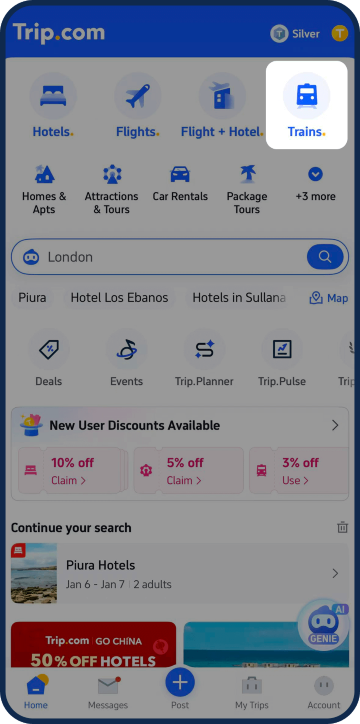
Step 1
Tap 'Trains'
Open the Trip.com app and access the Trains section via the homepage.
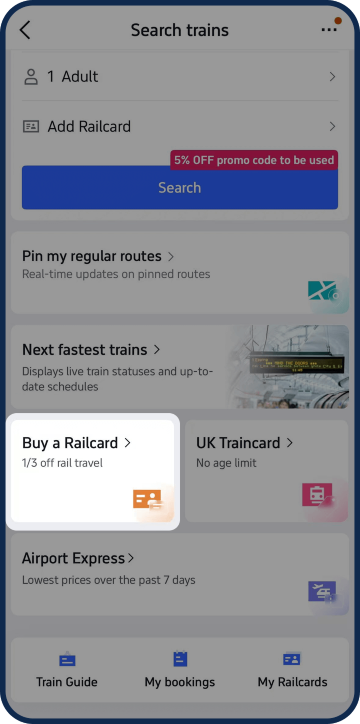
Step 2
Select 'Buy a Railcard'
You'll find a Railcard button toward the bottom of the page.
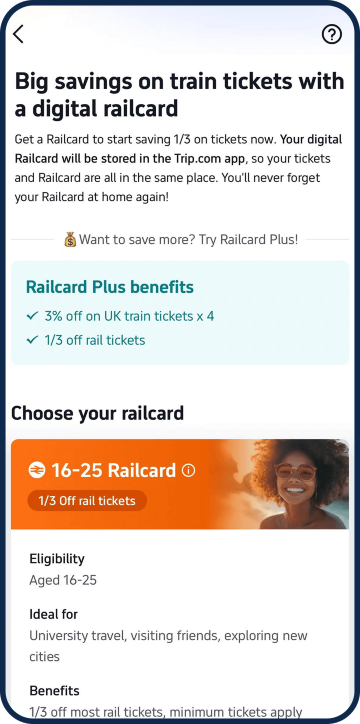
Step 3
Find the right Railcard for you
Take a look at the different types of Railcards available and select your ideal option. Use our sorter above for help!
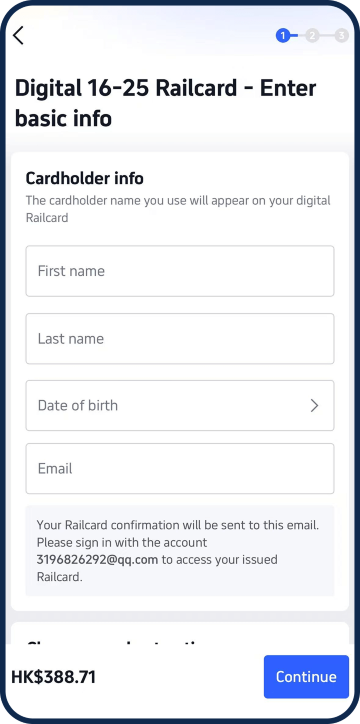
Step 4
Purchase your Railcard
Once you've found the right choice for you, enter your personal and payment information and select 'Continue.'
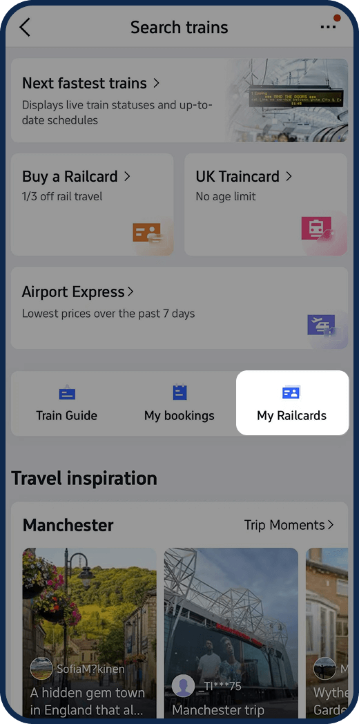
Step 5
View 'My Railcards'
You can find your Railcard by going into your Account - you're now all set to start saving!
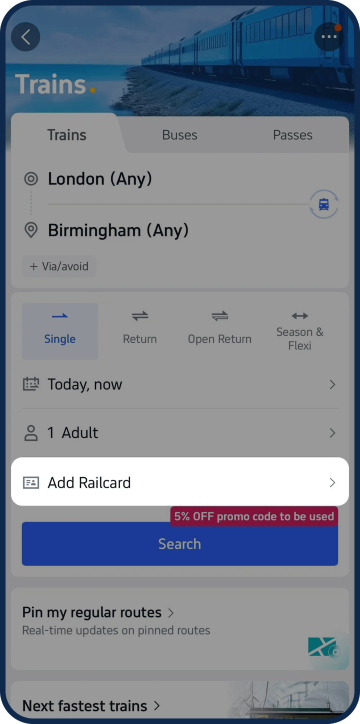
Step 6
Add your Railcard
Make sure your Railcard is added when booking any train tickets to start enjoying discounts.


